Need a full custom project? See the options below.
Need a full custom project? See the options below.
A ready-to-run Ansys Workbench micromechanical model of a DP600 dual-phase steel microstructure: a 100 µm plane strain RVE with a conforming ferrite and martensite mesh, phase-specific Rodriguez-Gutierrez hardening and a uniaxial tension load to 19.8 % nominal strain. You get the solved Workbench project (.wbpz), a one-click Python run script, result images and a PDF tutorial.
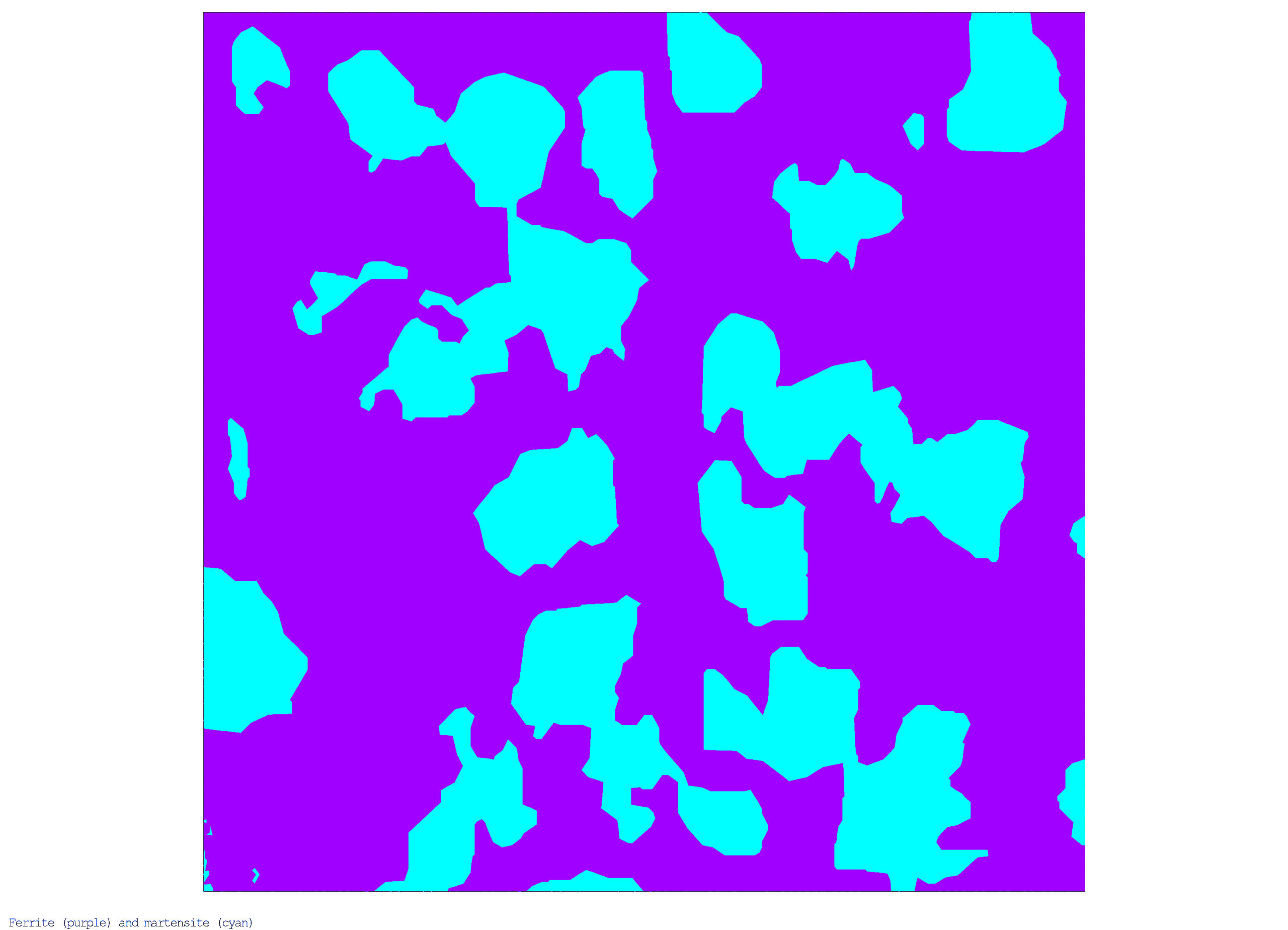
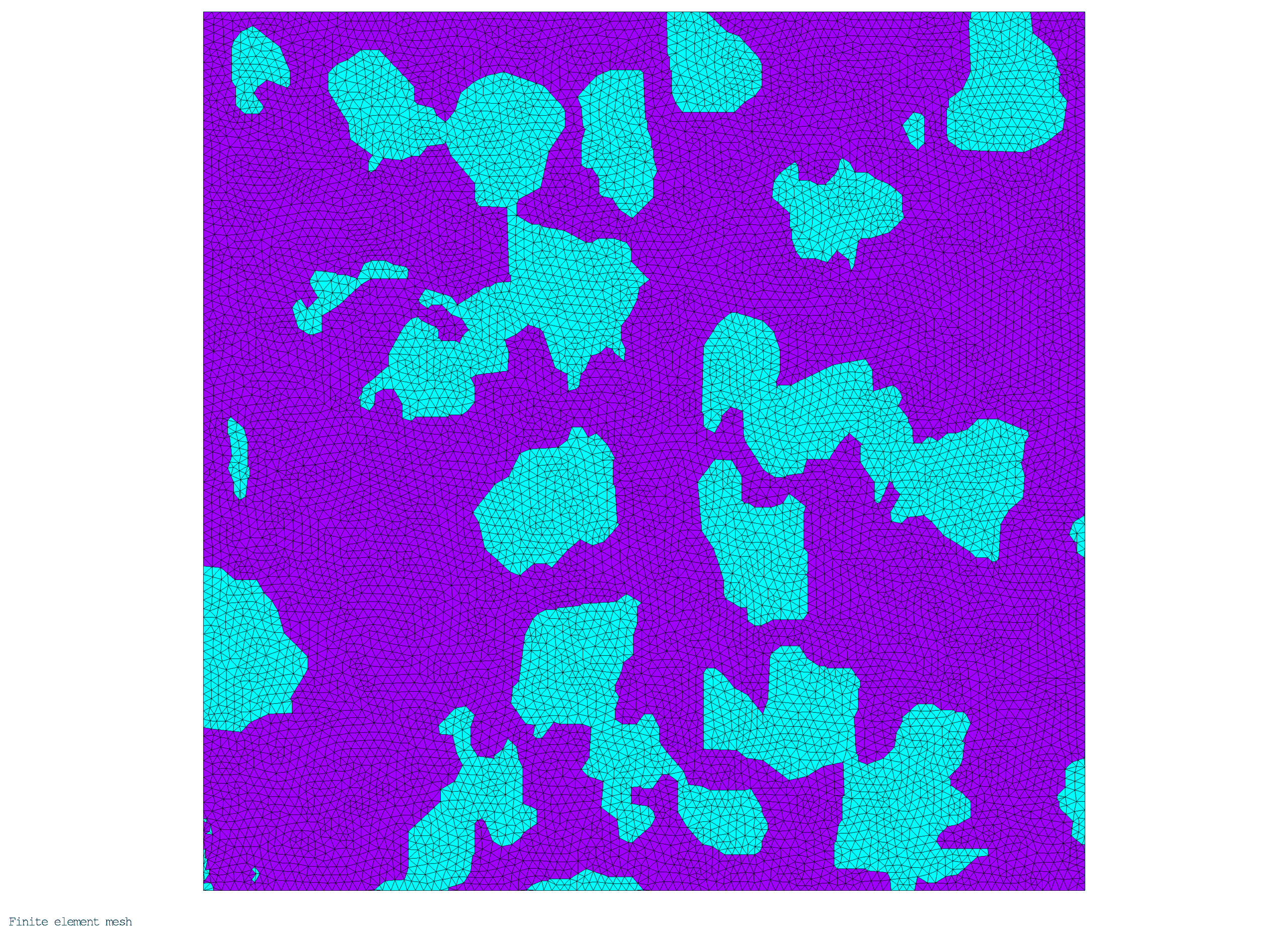
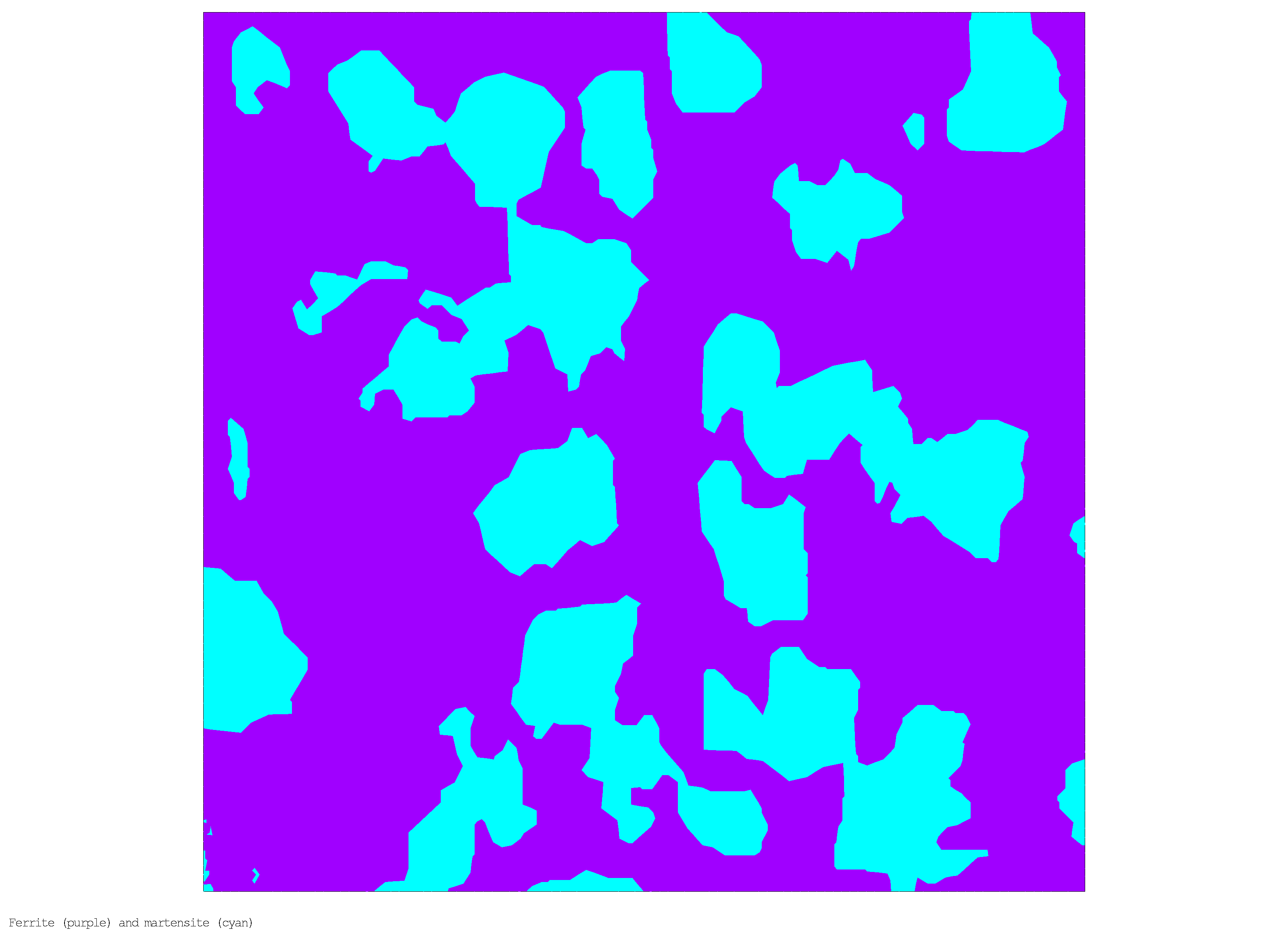
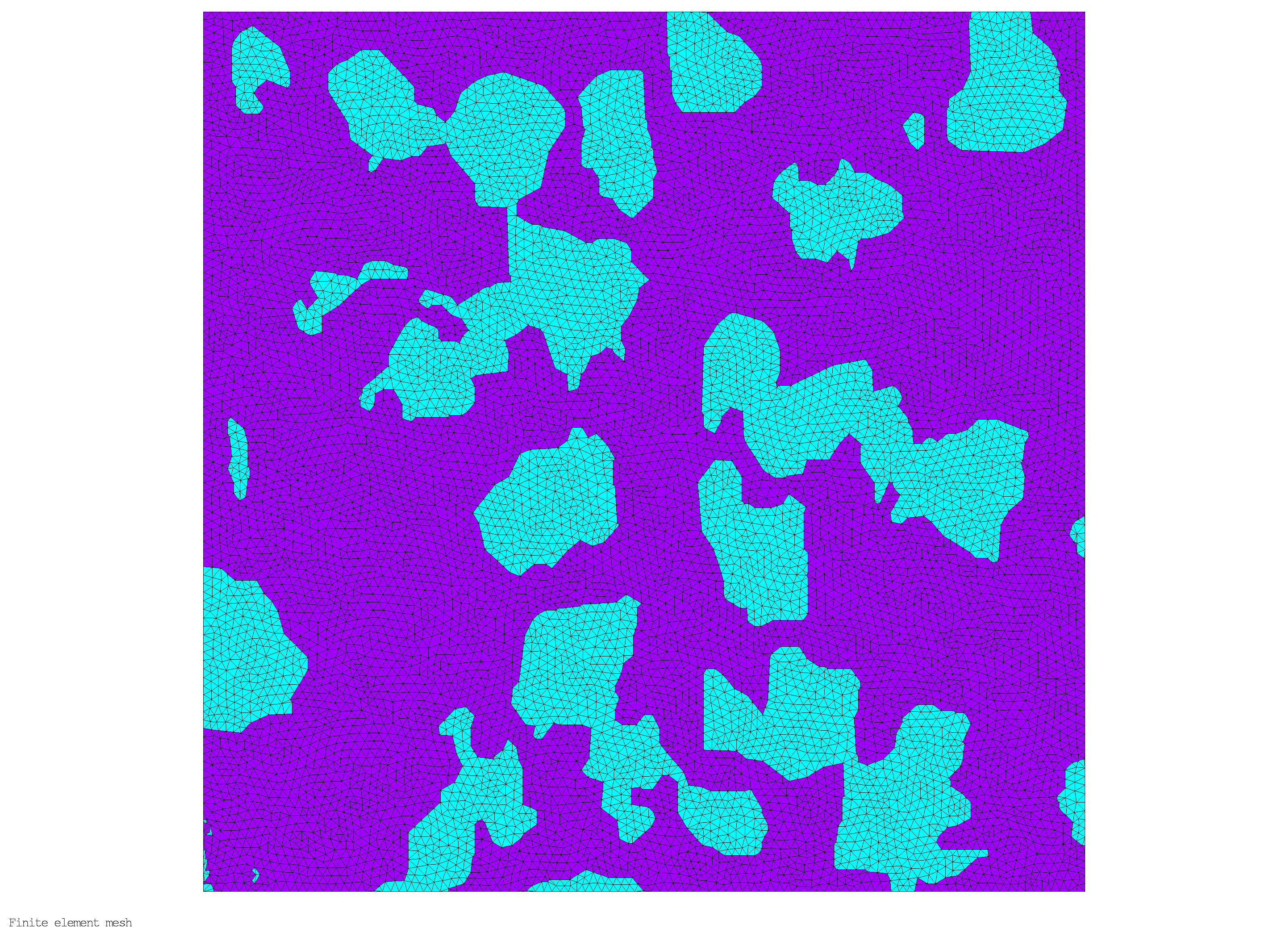
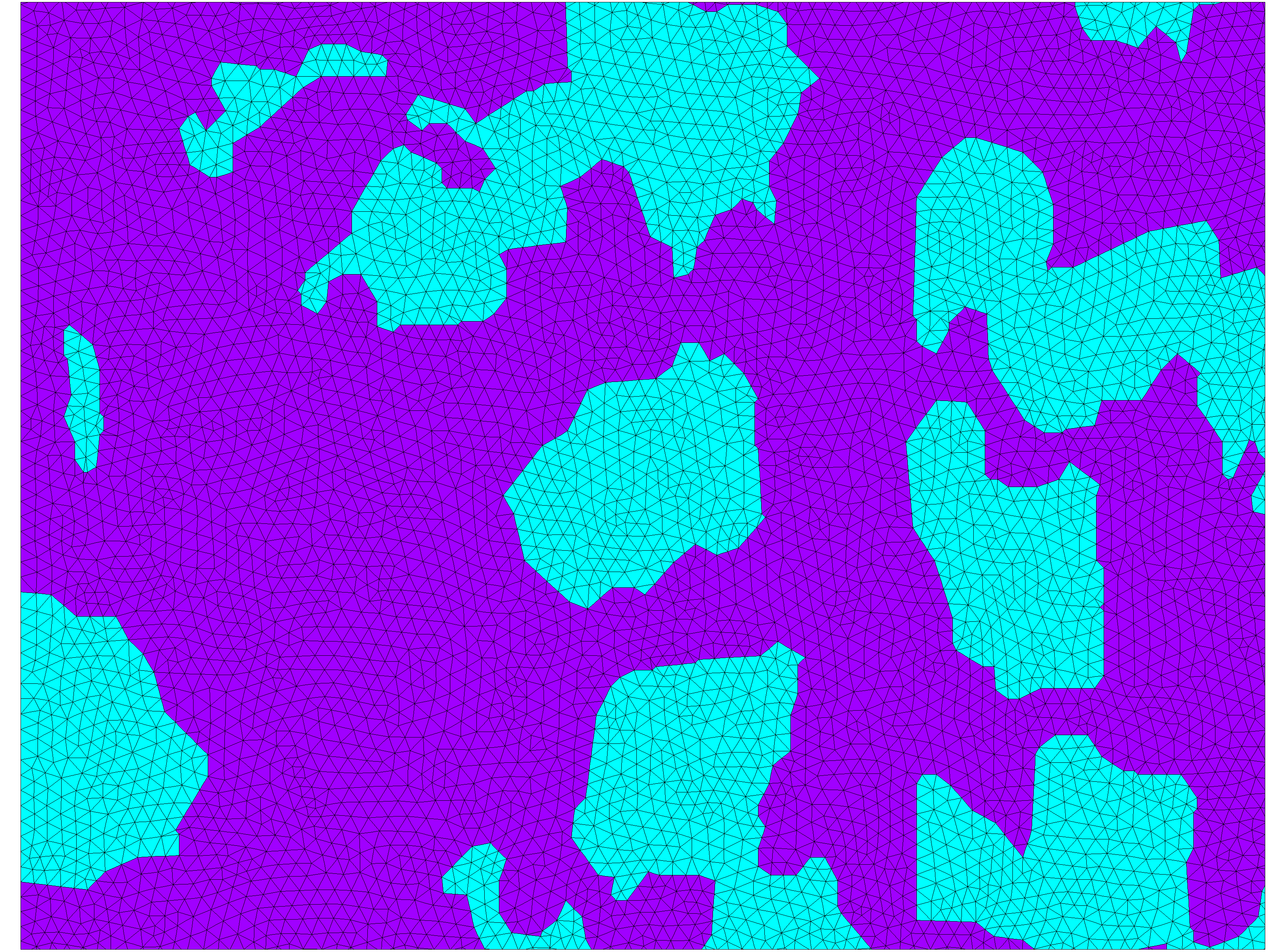
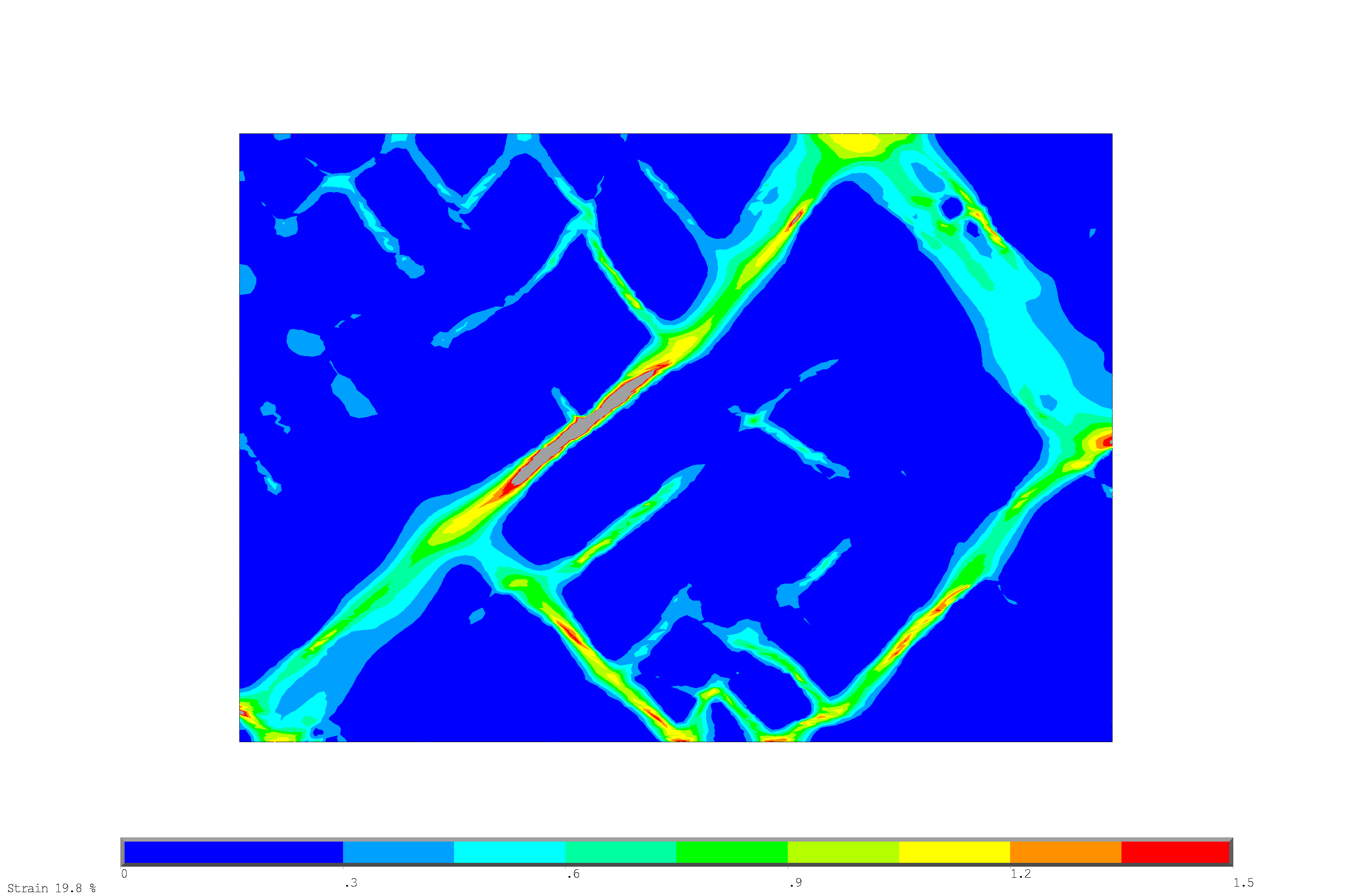
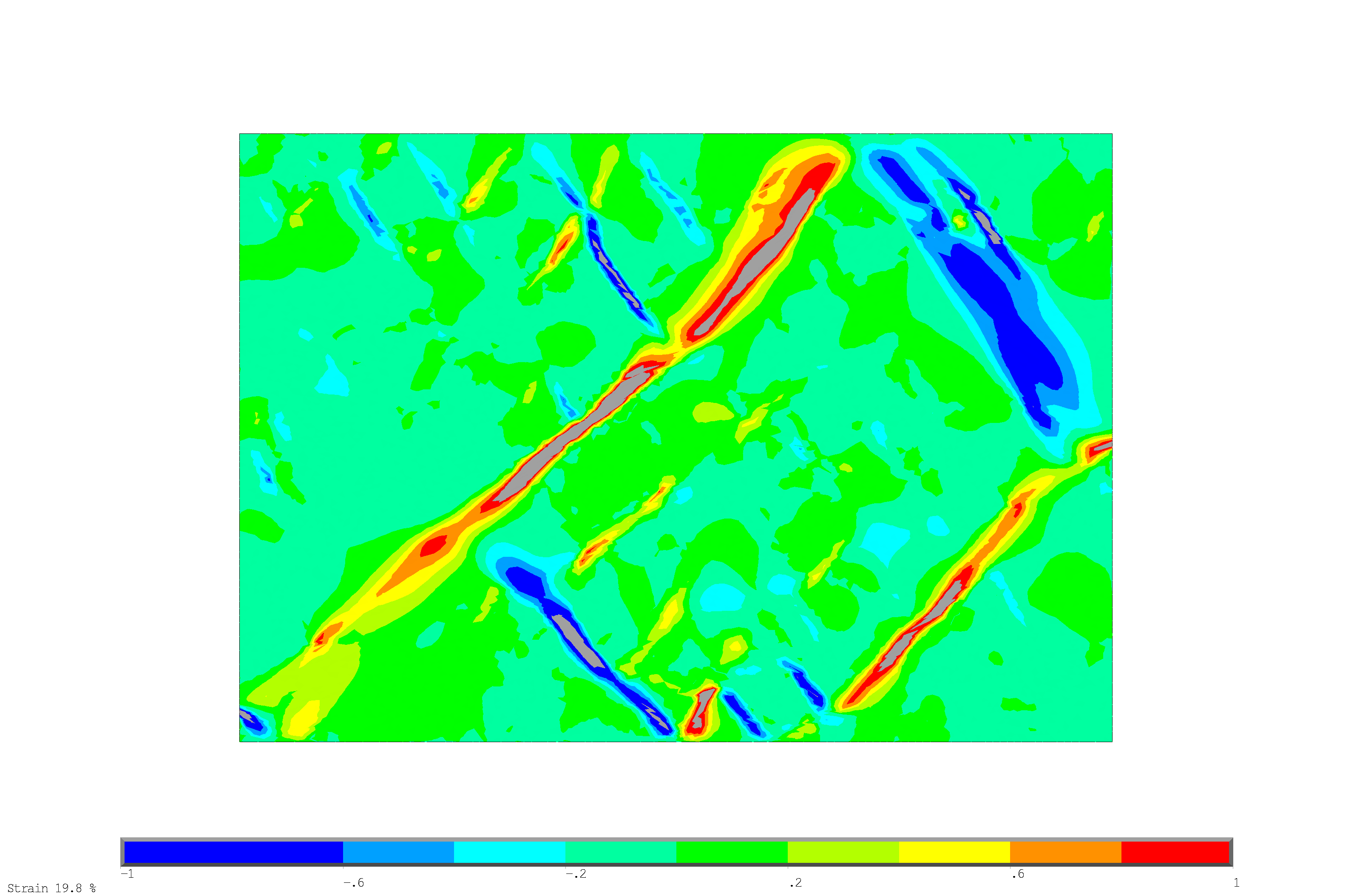
Dual-phase steels such as DP600 combine a soft ferrite matrix with hard martensite islands, which gives them their balance of strength and ductility. This product delivers a complete Ansys Mechanical micromechanical model of such a microstructure. The phase map is built as 25 surface bodies with shared topology (one ferrite body with 13 holes and 24 martensite islands), meshed with elements that follow the ferrite/martensite boundaries exactly. Each phase has its own hardening law, and a tension load shows how plastic strain concentrates in the soft ferrite and organises itself into diagonal shear bands.
The model follows the DP600 representative volume element (RVE) example in the lecture “CDM & MultiScale Modelling” by Prof. Hosseini-Toudeshky (Lecture 8, slides 30-36), which uses the hardening constants and plane strain RVE approach of Kadkhodapour et al., Computational Materials Science (2014), DOI 10.1016/j.commatsci.2014.02.046. In short: a representative volume is selected from a real metallographic image of the steel, binarised into ferrite and martensite, and the martensite volume fraction is determined. The strain hardening of each phase is described with a dislocation-based law of the Rodriguez-Gutierrez type, with separate constants for ferrite and martensite, and the simulated macroscopic tensile curve is compared with the experimental DP600 curve and with a reference simulation.
Citation: Kadkhodapour et al., Computational Materials Science, 2014, DOI 10.1016/j.commatsci.2014.02.046; Hosseini-Toudeshky, lecture “CDM & MultiScale Modelling”. This product is an independent reproduction; every image and number on this page comes from our own Ansys run.
The Workbench project and the script are included, so everything runs in your own Ansys installation (Workbench and Mechanical required for run_model.py).
| Feature | Ansys implementation |
|---|---|
| Geometry | 2D plane strain, 100 µm square RVE, unit thickness; 25 surface bodies with shared topology (1 ferrite body with 13 holes and 24 martensite islands), martensite area fraction 30.3 % |
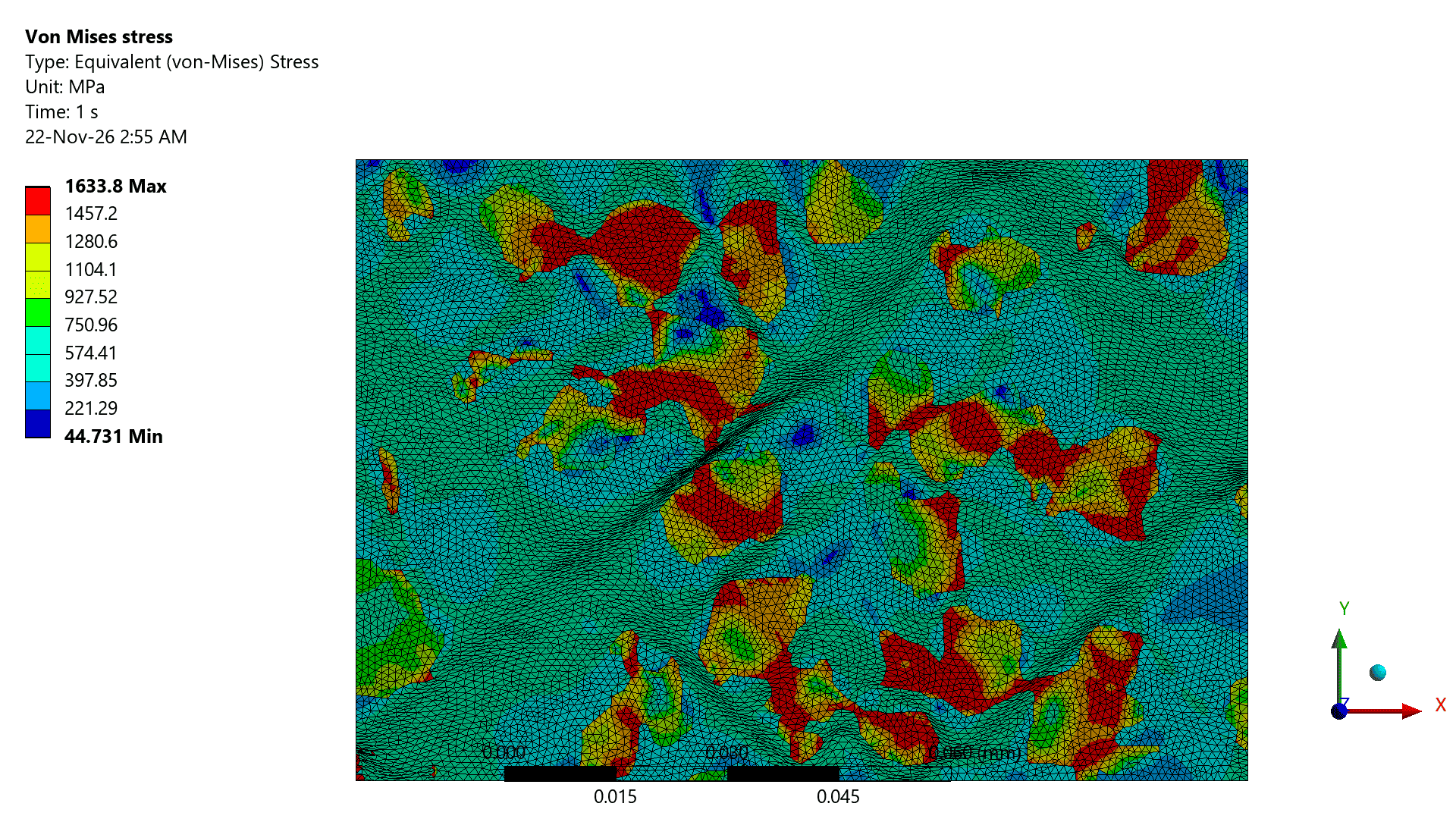
| Mesh | Conforming mesh of 23,572 quadratic triangles (PLANE183) that follows the ferrite/martensite boundaries exactly |
| Elasticity | E = 208 GPa, nu = 0.3 |
| Plasticity | Isotropic multilinear hardening per phase from sigma = sigma0 + dsigma + alpha M mu sqrt( b (1 – exp(-M k eps)) / (k L) ), with alpha = 0.33, M = 3, mu = 80 GPa, b = 0.25 nm. Ferrite: dsigma 100 MPa, k = 2, L = 5 µm. Martensite: dsigma 470 MPa, k = 41, L = 38 nm |
| Boundary conditions | Symmetry on the left and bottom edges, equal vertical displacement on the top edge, prescribed displacement on the right edge up to 19.8 % nominal strain; large deflection on |
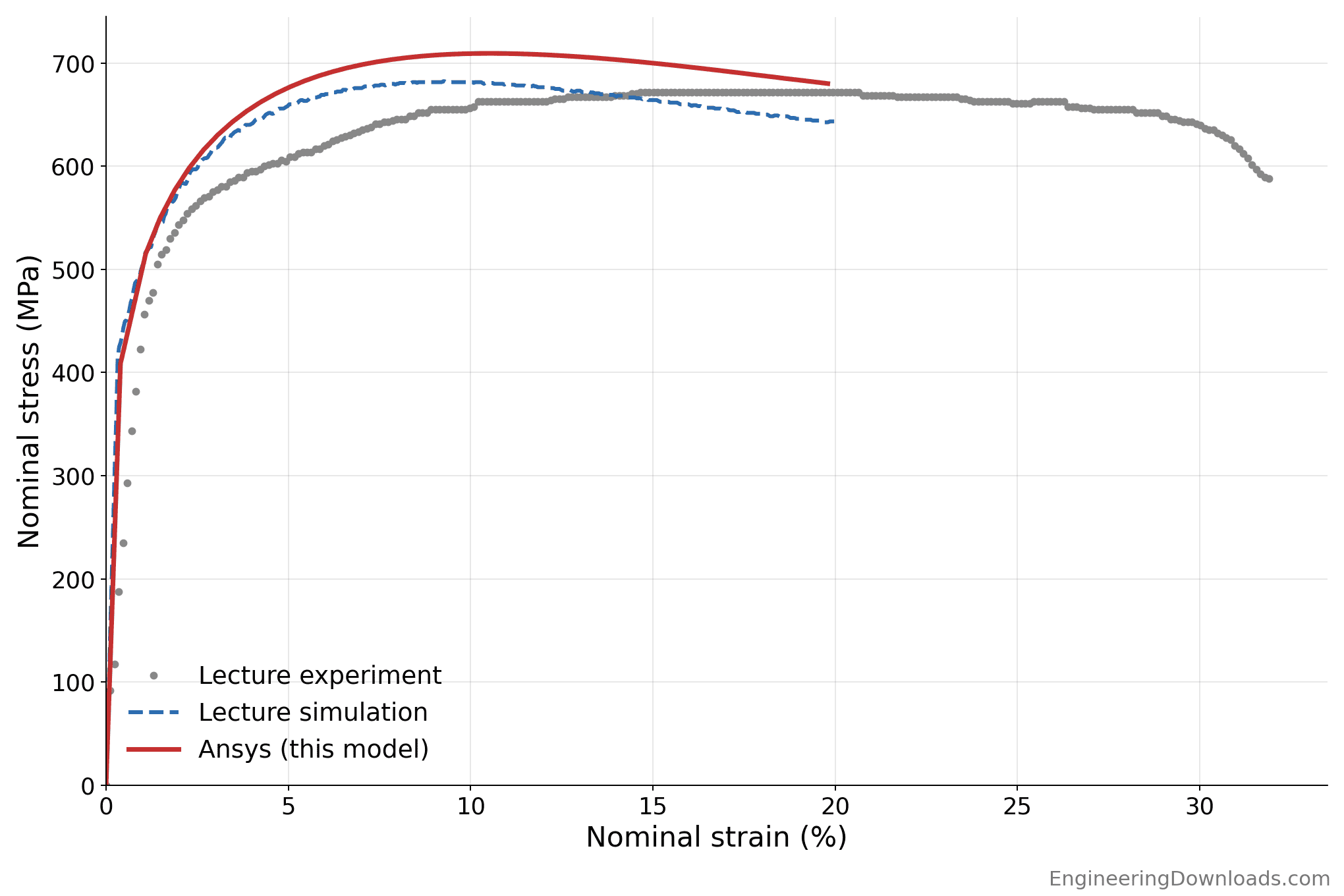
Stress-strain curve: the nominal stress at 19.8 % strain is 680 MPa, against about 672 MPa in the lecture experiment and about 643 MPa in the lecture reference simulation. The peak stress is 709 MPa at about 10.6 % strain. The result was cross-checked against an independent Abaqus model of the same RVE, within 0.2 %.
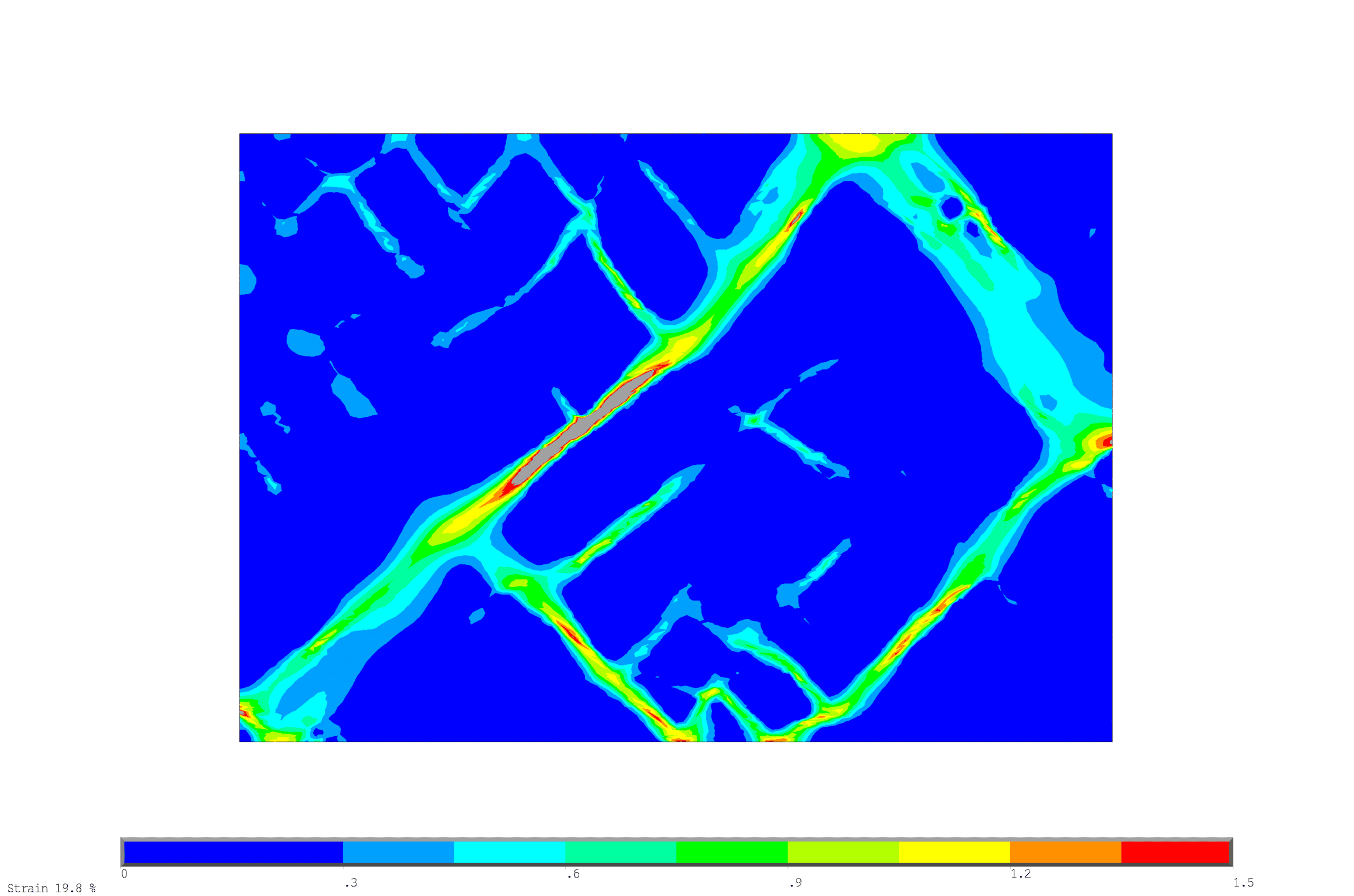
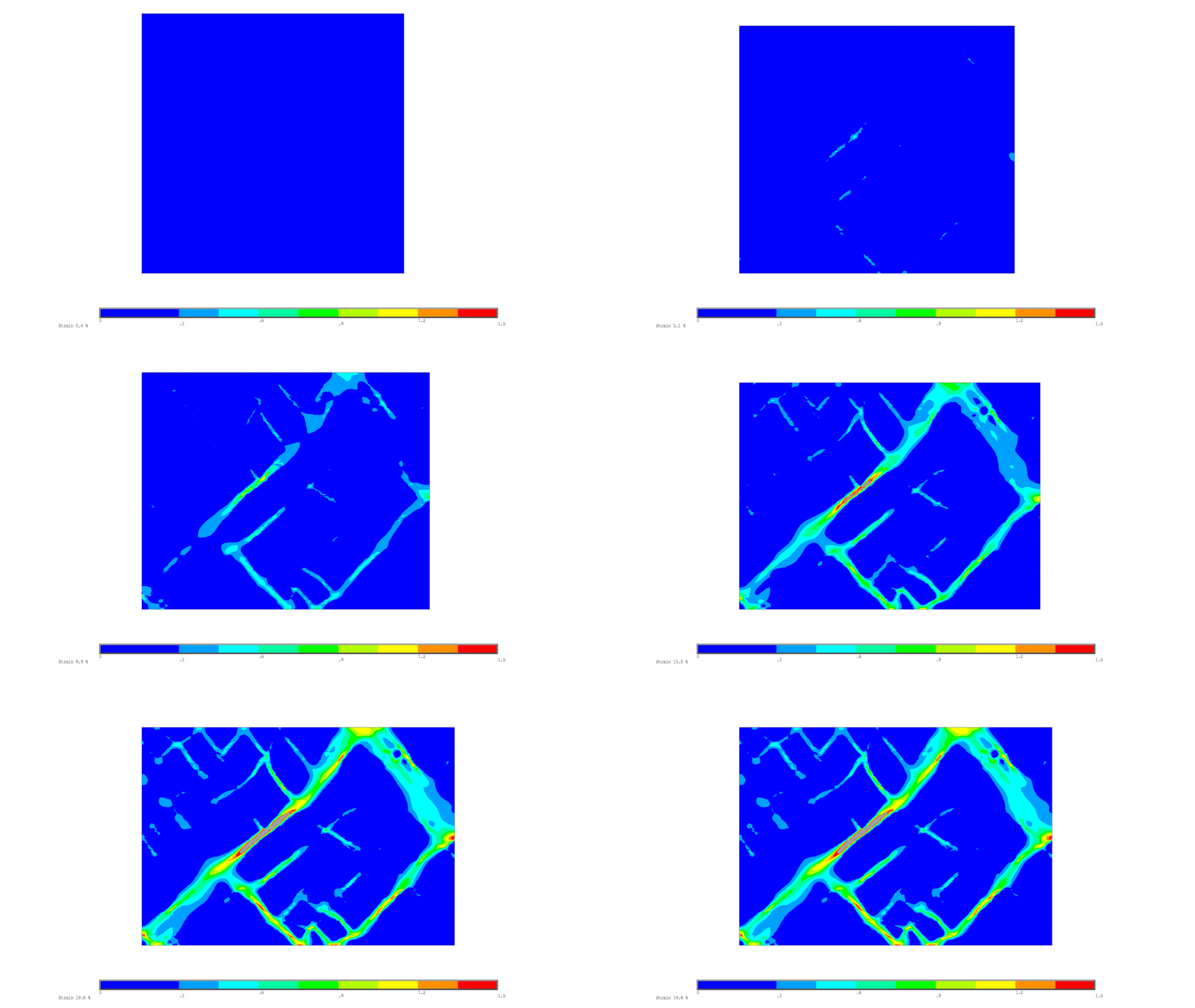
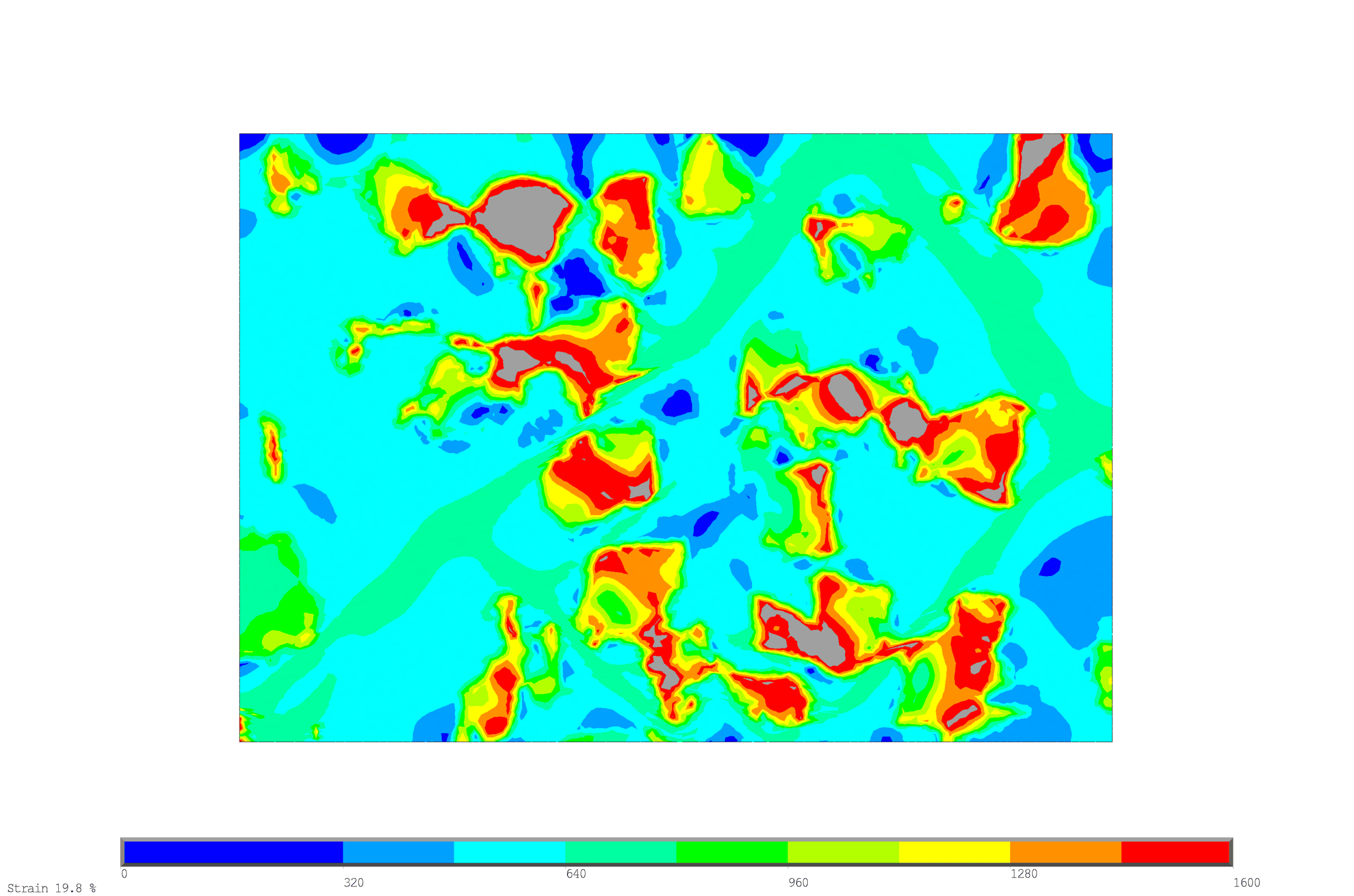
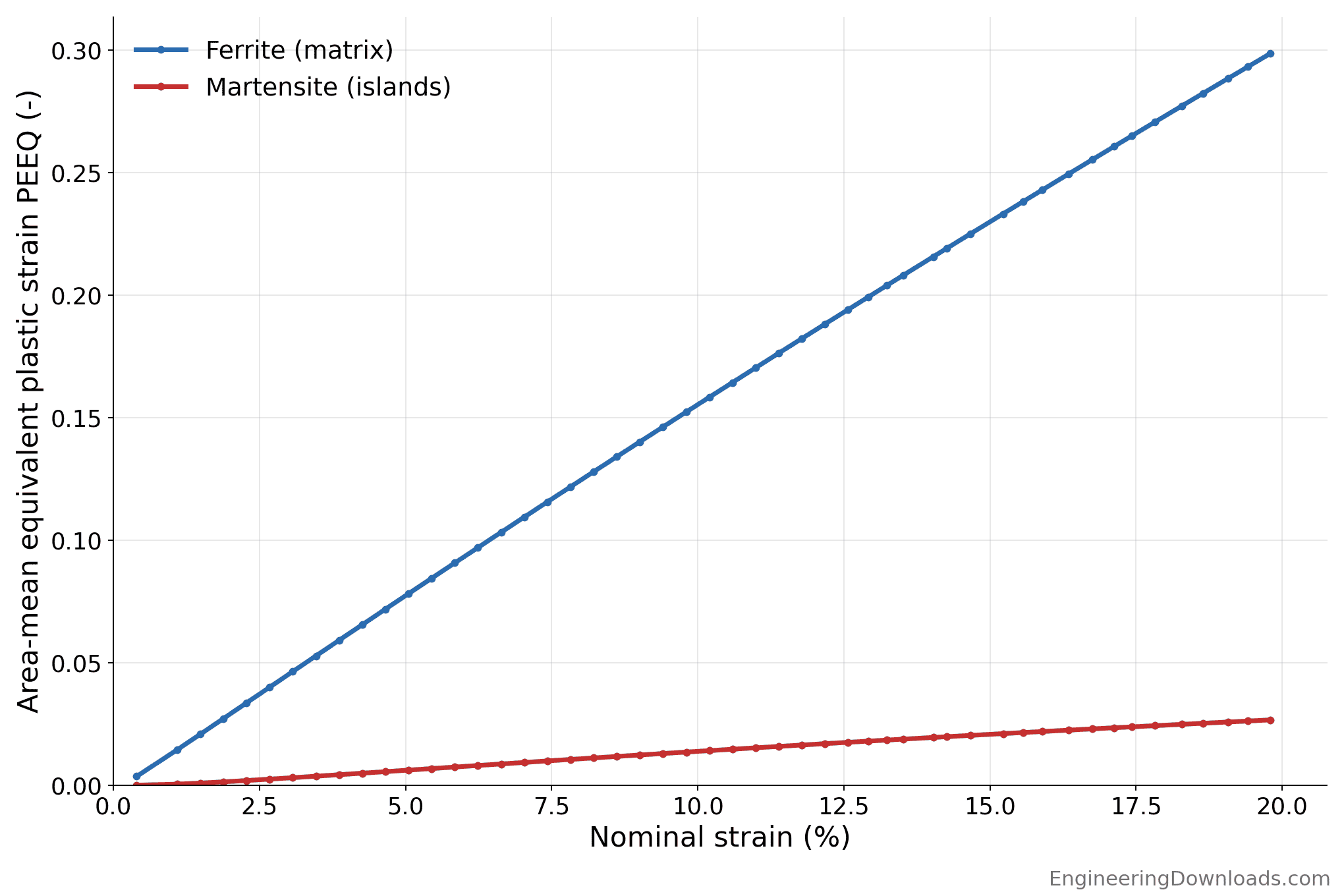
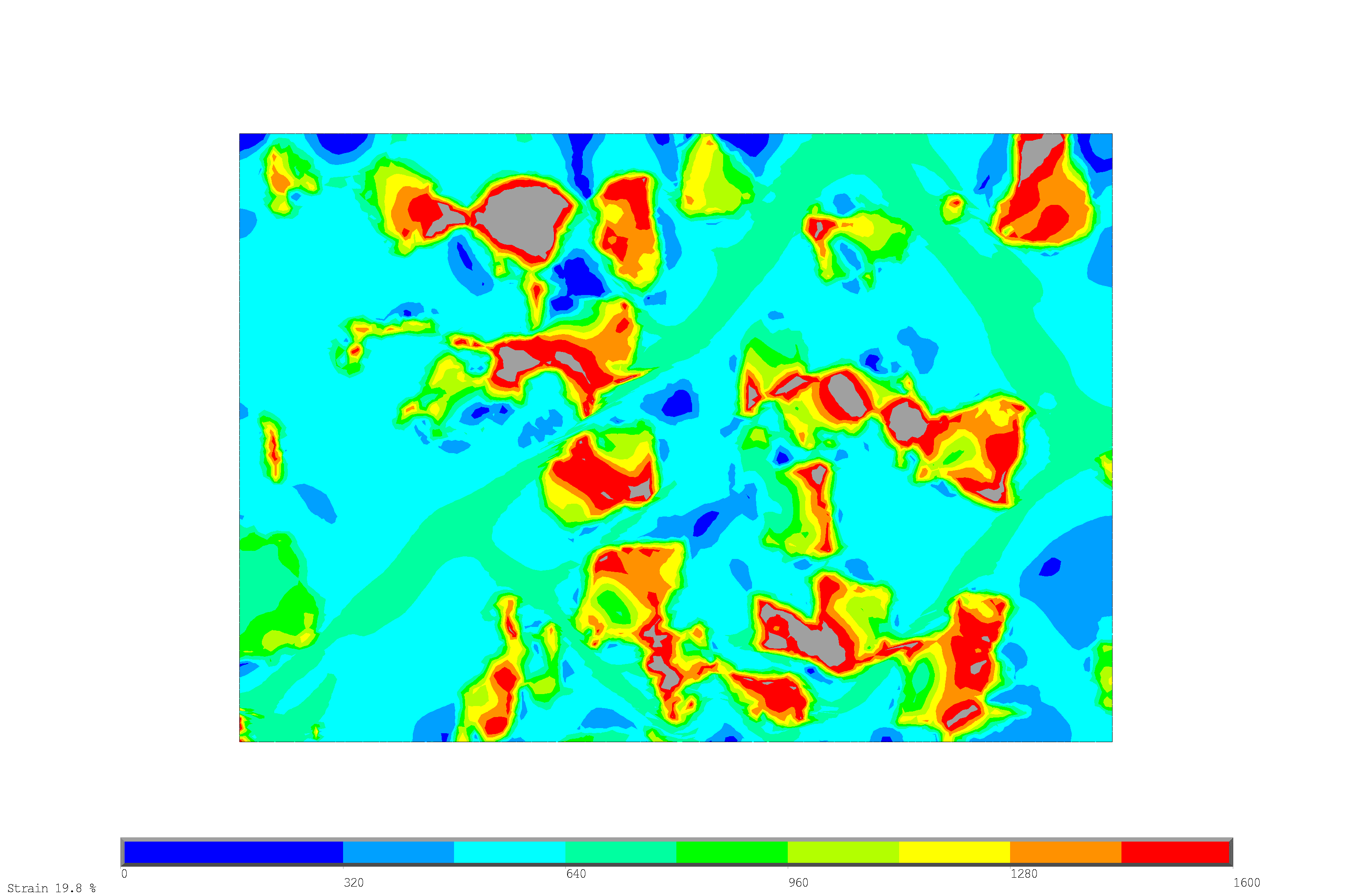
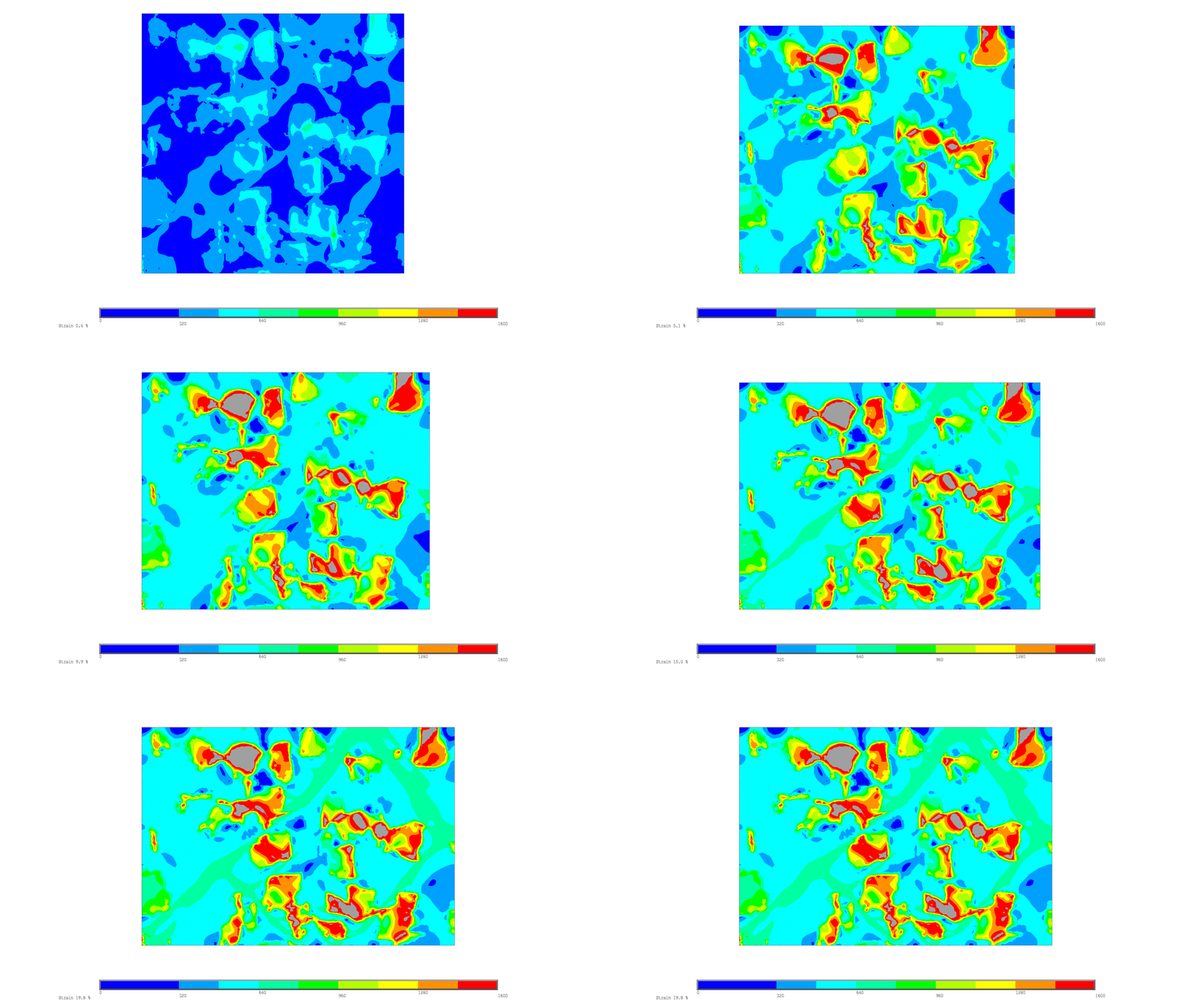
Plastic strain partitioning: at the end of loading the mean equivalent plastic strain is 0.299 in ferrite and 0.027 in martensite. Martensite carries stress up to about 1630 MPa.
Plastic strain concentrates in diagonal shear bands running through the ferrite ligaments between martensite islands, as described in the lecture.
Materials and mechanical engineers, researchers and students learning micromechanical modelling, RVE analysis and multiscale simulation of advanced high-strength steels in Ansys.
python run_model.py.Which software do I need? Ansys Workbench with Mechanical. The solved project archive and run script are included, so the model runs in your own installation.
How do I open it? In Workbench choose File > Restore Archive and select DP600_RVE.wbpz.
How do I run it automatically? Put the files in one folder and run python run_model.py. The script re-solves the model, extracts the stress-strain data to a CSV and plots the curve.
Can I change the material constants or the microstructure? Yes. Hardening tables are in the Engineering Data of the project, and the geometry is in SpaceClaim.
Is it 2D or 3D? 2D plane strain with unit thickness.
Where do the numbers come from? The model is built from the lecture and the cited paper; the curves and contours are produced by this Ansys model and compared with the curves given in the lecture.
Is there a tutorial? Yes, a PDF tutorial (theory explained and the model built step by step).
Need more than the files?
There are two ways we can help. Book a one hour online consultation if you want to talk a problem through with a CAE engineer, using the checkbox in the order box. Order a project if you need a full simulation built for you, delivered to an agreed scope, price and deadline under a written contract.
We work on FEA and CFD for engineers, researchers and companies. Order your project, or message us on WhatsApp for a quick reply.
Other packages engineers working on this topic also download.
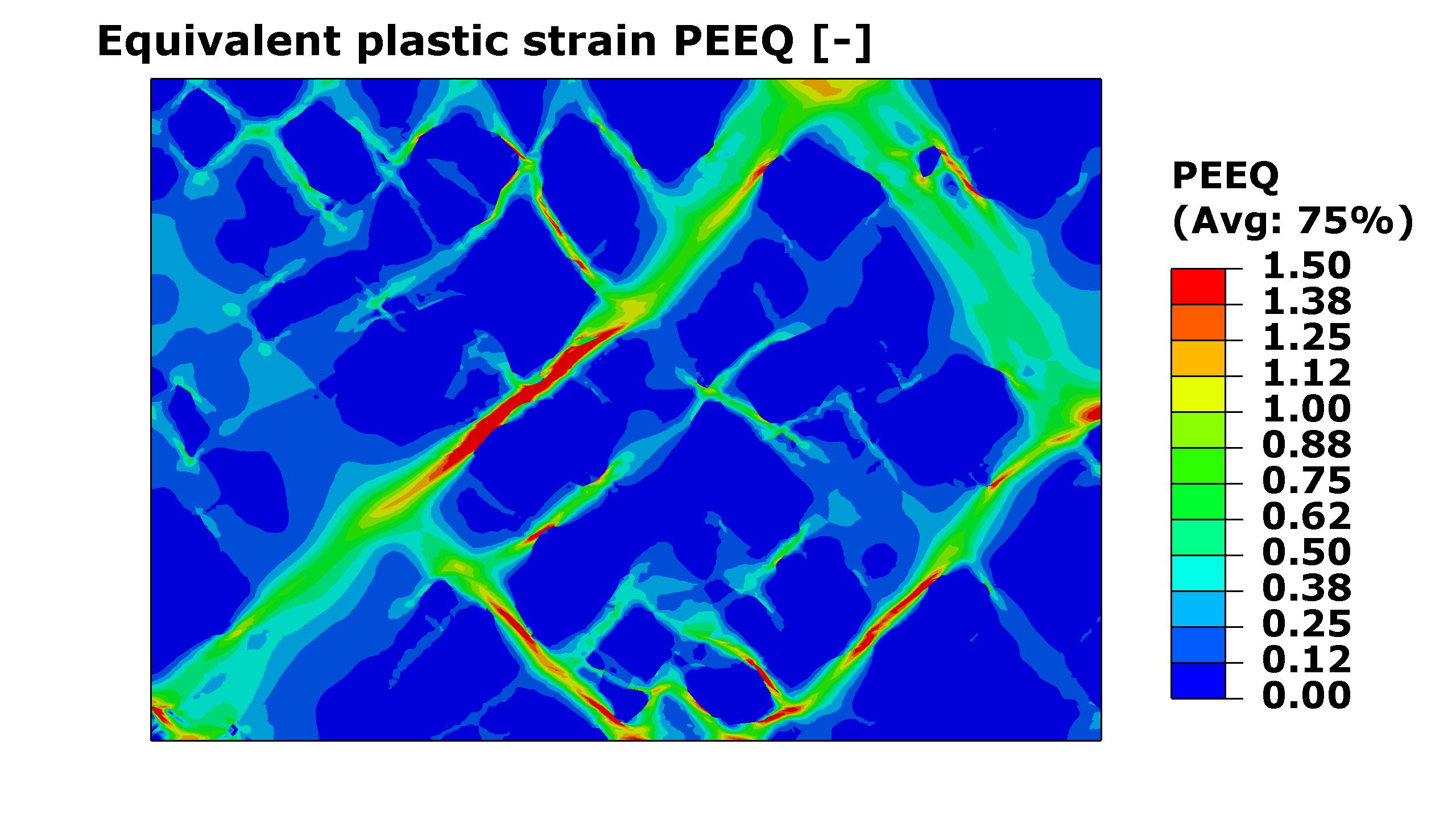 DP600 Dual-Phase Steel Microstructure RVE (Ferrite + Martensite) in Abaqus: Tensile Response and Plastic Strain Localisation€129,00
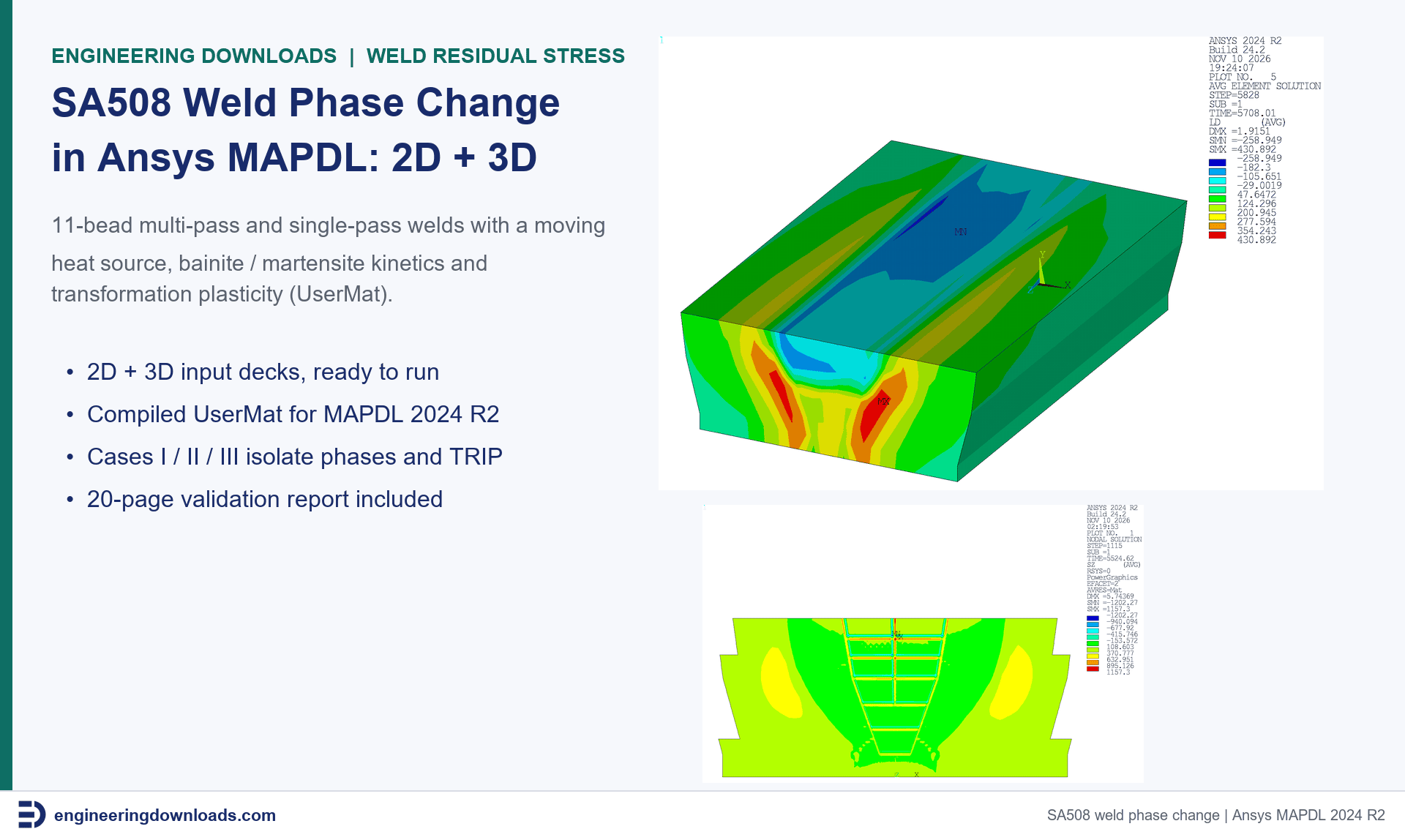 SA508 Weld Phase Transformation in Ansys MAPDL: 2D and 3D Multi-Pass Residual Stress with Bainite, Martensite and TRIP€299,00
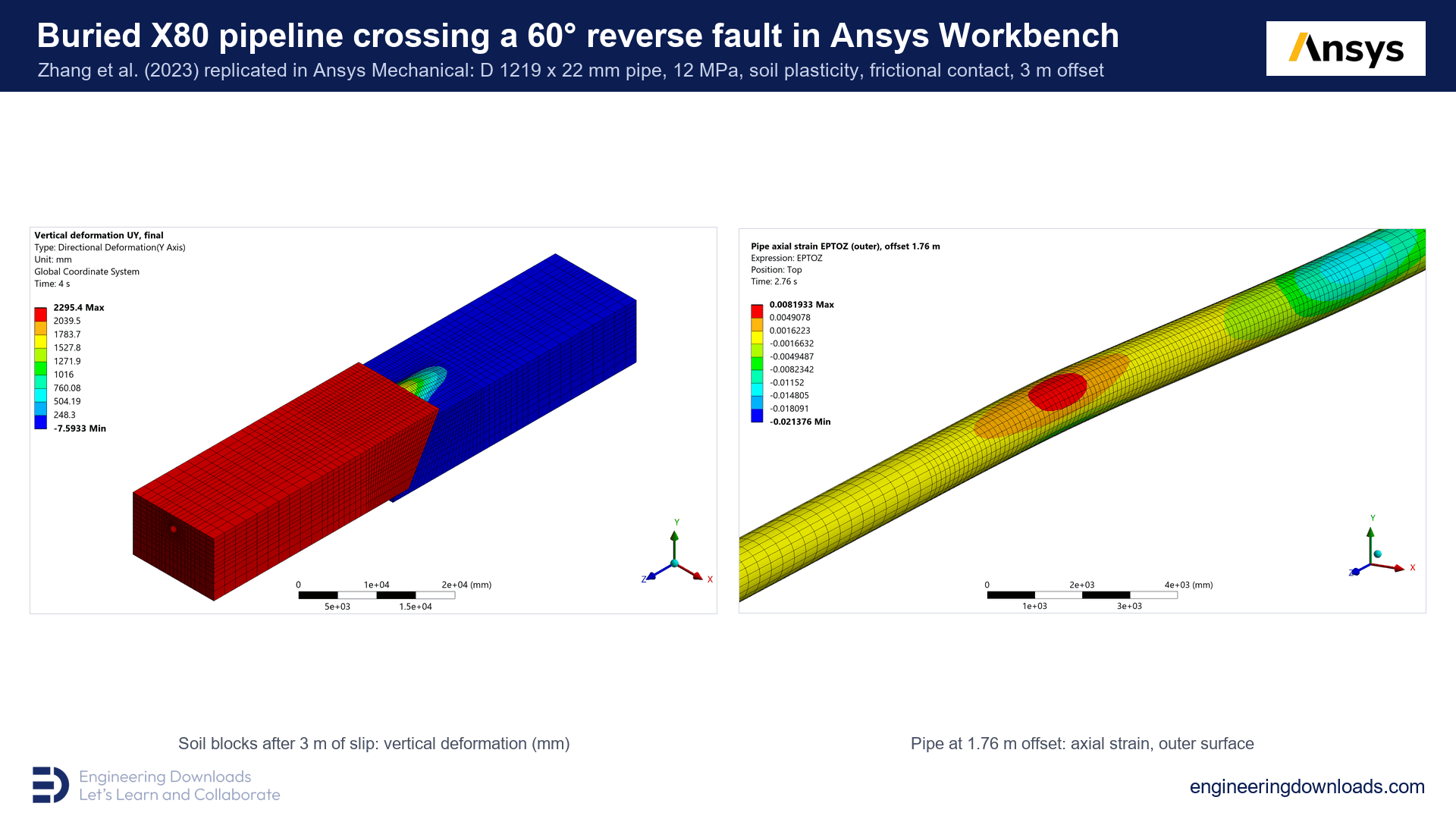 Buried Pipeline Crossing a Reverse Fault in Ansys Workbench, after Zhang et al. (2023)€129,00
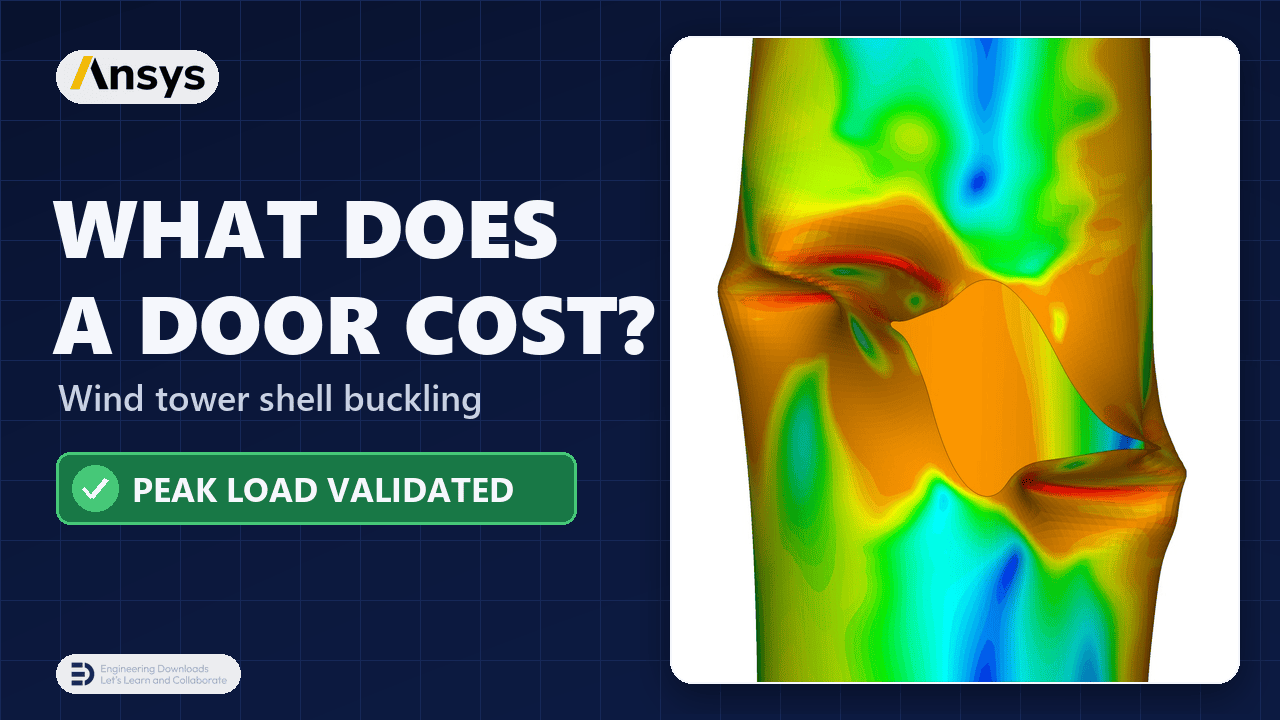 Wind Turbine Tower Man Door and Ventilation Opening Buckling in Ansys: GMNIA after Gantes et al. (2024)€129,00
 SA508 Weld Phase Transformation in Abaqus: Bainite, Martensite and Residual Stress Model Checked Against a Published Paper€299,00
 SA508 3D Weld Phase Transformation in Abaqus: Moving Heat Source, UMAT and Residual Stress Checked Against a Published Paper€299,00
 FEA of Connecting Rod using ANSYS
 Stamped-End Tube Space Truss Node in Ansys: Shell-Beam Model of the Central Joint (Double-Layer Grid)€129,00

Need a full custom project? See the options below.
€129,00
€149,00
€129,00
€149,00
€89,00
€89,00
€299,00
€129,00
See more
Want to receive push notifications for all major on-site activities?

