Unlocking the Secrets of the Human Machine with Biomechanics Simulation
As engineers, we’re constantly pushing the boundaries of what’s possible, and few fields offer challenges as complex and rewarding as biomechanics. Biomechanics simulation uses the power of computational tools to analyze the mechanics of biological systems, particularly the human body. From optimizing medical device designs to enhancing athletic performance, this interdisciplinary field is transforming how we approach health, safety, and human potential.

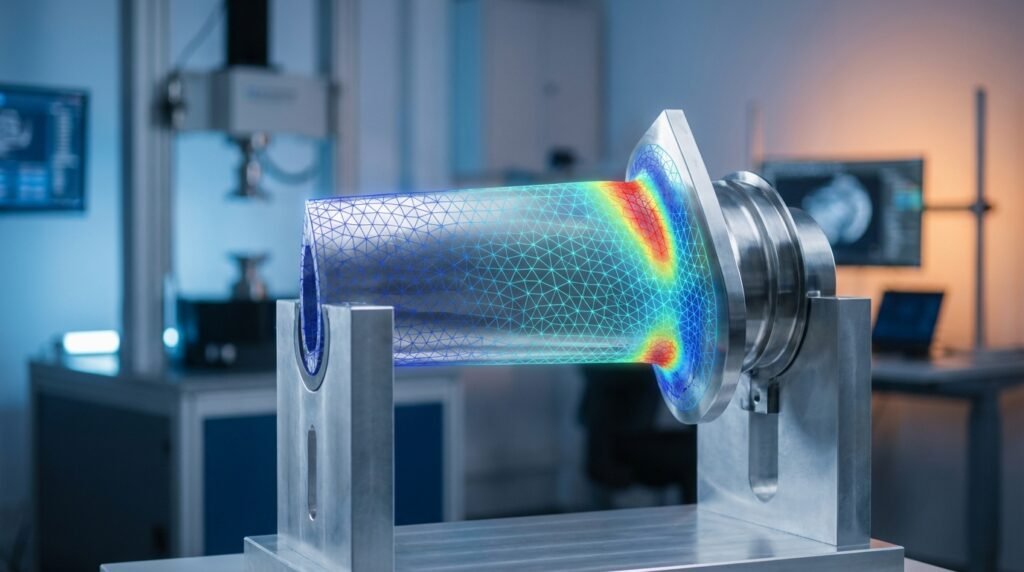
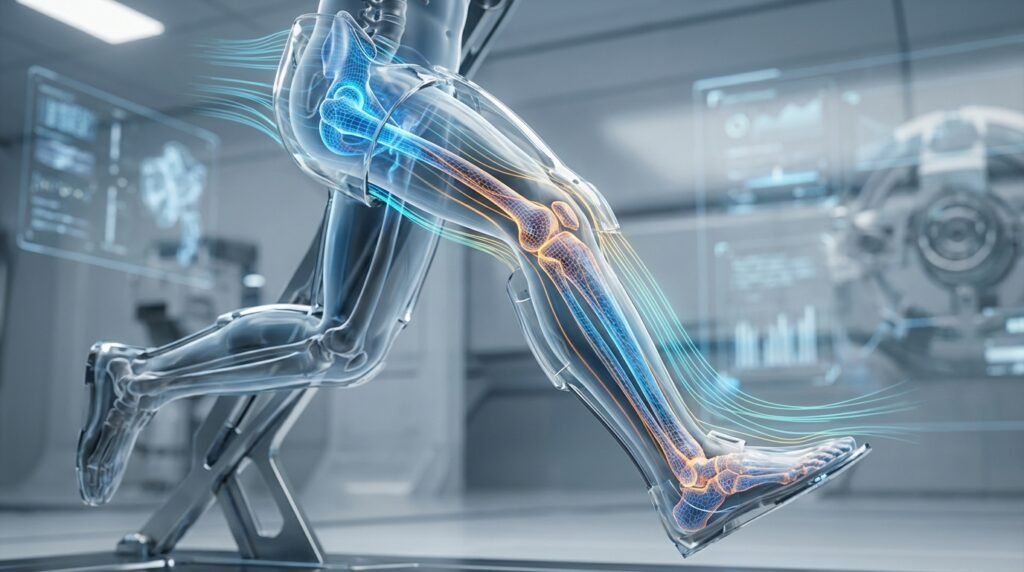
Image courtesy of Dassault Systèmes SIMULIA, illustrating human body simulation.
This article dives into the practical aspects of biomechanics simulation, offering a friendly, engineer-to-engineer guide on its core principles, applications, typical workflows, essential tools, and critical verification steps. We’ll focus on how structural engineers, mechanical engineers, and product designers can leverage these techniques to create safer, more effective solutions.
What is Biomechanics?
At its heart, biomechanics is the application of mechanical engineering principles (statics, dynamics, fluid mechanics, material science) to biological systems. It’s about understanding how forces, movements, and material properties interact within living organisms. For human biomechanics, this means studying everything from the stresses in a bone under impact to the fluid dynamics of blood flow through arteries.
The Role of Simulation in Biomechanics
Traditional experimental methods in biomechanics are often invasive, expensive, or ethically constrained. This is where simulation steps in. Using techniques like Finite Element Analysis (FEA) and Multi-body Dynamics (MBD), engineers can create virtual models of biological structures and predict their behavior under various conditions. This capability is invaluable for:
- Virtual Prototyping: Rapidly testing design iterations for medical implants or protective gear without physical prototypes.
- Injury Mechanism Analysis: Understanding how injuries occur and developing strategies for prevention.
- Performance Optimization: Analyzing athletic movements or ergonomic designs to maximize efficiency and minimize risk.
- Patient-Specific Analysis: Customizing treatments or devices based on individual anatomical data.
Key Principles and Governing Equations
While the underlying mathematics can be complex, the practical application often boils down to familiar engineering concepts:
- Equilibrium Equations: For static analyses, ensuring forces and moments balance.
- Constitutive Models: Describing how biological materials (bone, soft tissue, cartilage) deform and respond to stress. These are often non-linear, anisotropic, viscoelastic, or hyperelastic, making them more challenging than typical engineering materials.
- Contact Mechanics: Crucial for simulating interactions between bones in a joint or an implant and tissue.
- Fluid Dynamics: For blood flow, respiration, or even joint lubrication (often CFD).
Key Applications Across Engineering Disciplines
Biomechanics simulation touches numerous fields, each with unique challenges and opportunities for innovation.
Medical Device Design & Development
This is arguably the largest application area. Engineers use simulation to:
- Optimize Implants: Design hip replacements, dental implants, spinal fusion devices, or stents to ensure longevity, proper load transfer, and reduced stress shielding. Tools like Abaqus and ANSYS Mechanical are heavily utilized for complex material models and contact.
- Prosthetics & Orthotics: Improve fit, comfort, and functionality of artificial limbs or corrective braces. Multi-body dynamics software like ADAMS can simulate the interaction between the device and the body during motion.
- Surgical Planning: Simulate surgical procedures to predict outcomes, minimize risks, and assist in tool design.
Orthopedics and Injury Prevention
Understanding the mechanics of the musculoskeletal system is vital:
- Bone Fracture Analysis: Predicting fracture risk under specific loading conditions or analyzing how different fixation techniques affect bone healing.
- Joint Kinematics & Kinetics: Studying the motion and forces within joints like the knee or shoulder to understand arthritis progression or ligament injuries.
- Impact Biomechanics: Assessing the effects of impact on the head (concussion), spine, or extremities for safety equipment design (e.g., helmets, protective pads).
Sports Science & Performance Optimization
Simulation provides a non-invasive way to analyze athletic performance:
- Ergonomics of Equipment: Designing more efficient cycling frames, running shoes, or sports equipment by analyzing athlete-equipment interaction.
- Movement Analysis: Studying gait, throwing motions, or swing mechanics to improve technique and reduce injury risk.
- Protective Gear Design: Validating designs for helmets, body armor, and guards to absorb impact effectively.
The Practical Workflow: From CAD to Insight
A typical biomechanics simulation project follows a structured approach, akin to other FEA or CFD projects, but with unique considerations.
Step 1: Geometry Acquisition & Pre-processing
This is where your model begins. Biological geometries are often complex and irregular.
- Medical Imaging: MRI, CT scans, and X-rays are primary sources. These raw image data need to be segmented to create 3D surface or solid models.
- CAD Modeling: For devices or implants, standard CAD software (e.g., CATIA, SolidWorks) is used. The challenge is often integrating these with patient-specific biological geometries.
- Simplification: Biological models can be incredibly detailed. Knowing when and how to simplify (e.g., removing small features, creating idealized joints) is crucial for computational efficiency without losing fidelity.
Step 2: Material Modeling
This is a critical and often challenging step due to the complex, heterogeneous nature of biological tissues.
- Bone: Often modeled as anisotropic and elastic, with properties varying by direction (cortical vs. cancellous).
- Soft Tissues (Muscles, Ligaments, Tendons, Cartilage): Typically non-linear, hyperelastic (like rubber), and sometimes viscoelastic (time-dependent). Ogden or Mooney-Rivlin models are common.
- Implants: Standard engineering materials like titanium alloys or polymers.
- Reference Data: Material properties are usually obtained from experimental literature.
Step 3: Meshing Strategies for Biological Tissues
Meshing biological geometries requires careful consideration.
- Irregular Shapes: Tetrahedral elements are often preferred for complex, irregular geometries obtained from scans.
- Contact Regions: Fine meshes are essential in areas of high stress gradient or contact (e.g., bone-implant interface, joint surfaces) to accurately capture stress concentrations.
- Element Quality: Poor element quality (skew, aspect ratio) can lead to convergence issues or inaccurate results.
- Adaptive Meshing: For large deformation or evolving contact problems, adaptive meshing techniques can be beneficial.
Step 4: Boundary Conditions and Loading
Accurately representing physiological conditions is paramount.
- Physiological Loads: These are derived from experimental data (e.g., force plates, motion capture, muscle activity data). They can include gravitational forces, muscle contractions, joint reaction forces, and impact loads.
- Constraints: Restricting degrees of freedom where appropriate (e.g., fixing a bone distal from a region of interest, simulating soft tissue support).
- Dynamic vs. Static: Many biomechanical problems involve movement, requiring explicit dynamic analyses or quasi-static approaches for slow-moving processes.
Step 5: Solver Execution & Post-processing
Once the model is defined, the solver does the heavy lifting.
- FEA Solvers: Commercial software like Abaqus, ANSYS Mechanical, or MSC Nastran are robust and widely used.
- Multi-body Dynamics (MBD) Solvers: ADAMS is a key tool for systems involving many moving parts and joints.
- Post-processing: Visualizing results like stress, strain, deformation, contact pressure, and displacement. Understanding where maximum stresses occur and comparing them to material failure criteria is critical.
Essential Tools for Biomechanics Simulation
A range of software and programming languages underpin biomechanics simulation.
Commercial FEA Software
- Abaqus (Dassault Systèmes SIMULIA): Renowned for its advanced non-linear capabilities, sophisticated material models (including hyperelasticity and viscoelasticity), and robust contact algorithms, making it a go-to for complex biomechanical problems.
- ANSYS Mechanical: A comprehensive suite offering a wide array of physics capabilities, user-friendly interface, and strong integration with CAD. Excellent for general-purpose biomechanics and coupled-physics problems.
- MSC Nastran/Patran: Long-standing industry standards, particularly strong in linear and non-linear structural analysis.
Multi-body Dynamics (MBD) Software
- ADAMS (MSC Software): Specializes in simulating the motion of mechanical systems with multiple interconnected parts, ideal for analyzing the kinematics and kinetics of joints, prosthetics, and robotic systems.
Programming & Scripting
- Python: Widely used for scripting pre-processing tasks (e.g., automating geometry cleanup, mesh generation), post-processing (data extraction, visualization), and integrating different software tools. Libraries like NumPy, SciPy, and Matplotlib are indispensable.
- MATLAB: Excellent for data analysis, algorithm development, and custom post-processing, especially for analyzing experimental biomechanics data.
Specialized Tools
- Mimics/3-matic (Materialise): Software specifically designed for medical image segmentation and patient-specific modeling, bridging the gap between medical scans and FEA models.
- OpenSim: An open-source software for musculoskeletal modeling and simulation, widely used in academic research for analyzing human movement.
| Software/Tool | Primary Use Case | Key Features | Typical Users |
|---|---|---|---|
| Abaqus | Complex non-linear, contact, advanced material models | Robust solvers, explicit dynamics, user-defined material subroutines | Researchers, advanced simulation engineers |
| ANSYS Mechanical | General-purpose FEA, multi-physics coupling | Comprehensive FEA, user-friendly GUI, scripting API | Industry engineers, product designers |
| ADAMS (MSC) | Multi-body dynamics, kinematic & kinetic analysis | Simulating motion of connected parts, joint reactions | Robotics engineers, prosthetics designers |
| Python/MATLAB | Scripting, data analysis, pre/post-processing automation | Custom algorithms, data visualization, workflow integration | Simulation engineers, data scientists, researchers |
| Mimics/3-matic | Medical image segmentation, 3D printing preparation | Fast, accurate segmentation from CT/MRI, mesh generation | Medical device engineers, clinical researchers |
Verification & Sanity Checks: Ensuring Reliable Results
Just like any complex simulation, biomechanics models demand rigorous verification to ensure confidence in your results.
Mesh Sensitivity Analysis
The mesh density significantly impacts accuracy and computational cost. Perform studies to ensure your results are independent of mesh refinement. For instance, run a simulation with coarse, medium, and fine meshes and compare key output parameters (e.g., peak stress, displacement). If the results change significantly with mesh refinement, your mesh might be too coarse.
Boundary Condition Sensitivity
Biomechanical loading conditions often have inherent variability. Test the sensitivity of your results to reasonable variations in applied loads, constraints, or material properties. For example, vary joint reaction forces by ±10% to understand the impact on peak stresses.
Convergence Criteria
For non-linear analyses, ensuring the solver converges to a stable solution is crucial. Pay attention to convergence plots (force, displacement, residual norms) and understand what constitutes a well-converged solution. Adjust solver settings (e.g., increment size, tolerance) if convergence issues arise.
Validation Against Experimental Data
Whenever possible, compare your simulation results against published experimental data, cadaveric studies, or clinical outcomes. While direct experimental validation may not always be feasible for every project, leveraging existing literature for similar scenarios builds confidence in your model’s predictive capabilities. Remember, simulations illustrate potential behavior, not guaranteed outcomes, without validation.
Physical Intuition & Engineering Judgment
Always ask: Do the results make sense physically? Are the deformations realistic? Are the stress magnitudes within expected ranges for the materials involved? Gross errors (e.g., incorrect units, swapped material properties) can often be caught with a strong engineering gut feeling.
Common Challenges and How to Overcome Them
Biomechanics simulation, while powerful, comes with its own set of hurdles.
Complex Material Properties
Biological tissues exhibit highly non-linear, anisotropic, and often time-dependent behavior, making accurate material modeling difficult. This requires choosing appropriate constitutive models and finding reliable experimental data for calibration.
- Tip: Start with simpler isotropic elastic models to establish a baseline, then progressively introduce complexity (e.g., hyperelasticity, anisotropy) as needed.
- Tip: Leverage specialized user-defined material models (e.g., UMATs in Abaqus) if built-in options are insufficient.
Accurate Loading Conditions
Quantifying precise physiological loads (e.g., muscle forces during a specific activity) can be challenging without specialized experimental equipment (motion capture, force plates). This often involves making reasonable assumptions or using inverse dynamics approaches.
- Tip: Consult biomechanics literature for typical load magnitudes during various activities.
- Tip: Perform sensitivity studies to understand how variations in load affect your critical outputs.
Computational Cost
High-fidelity models with complex geometries, non-linear materials, and contact interactions can be computationally intensive, requiring significant computing resources and time.
- Tip: Use submodeling techniques to focus computational power on critical regions.
- Tip: Strategically simplify non-critical parts of the model (e.g., coarser mesh in regions of low stress, rigid body assumptions).
- Tip: Optimize solver settings and consider parallel processing options.
Ethical Considerations
When dealing with human body models, engineers must be mindful of ethical implications. Simulation is a tool for understanding and prediction, not a replacement for clinical judgment or real-world testing (where appropriate, for devices).
- Tip: Always frame simulation results as ‘predictions’ or ‘insights’ into potential behavior.
Tips for Effective Biomechanics Simulation
- Start Simple: Begin with a simplified model and gradually add complexity (geometry, materials, loads) to build confidence and debug issues.
- Leverage Existing Data: Don’t reinvent the wheel. Utilize published material properties, loading conditions, and anatomical data from reputable sources.
- Collaborate: Biomechanics is interdisciplinary. Collaborate with experts in anatomy, physiology, and clinical practice to ensure your models are physiologically realistic.
- Document Everything: Meticulously record assumptions, material properties, boundary conditions, and solver settings. This is crucial for reproducibility and troubleshooting.
- Seek Guidance: For those looking to dive deeper or streamline their biomechanics simulation projects, EngineeringDownloads.com offers a range of downloadable project templates, Python scripts for automation, and even online consultancy to guide you through complex analyses.
Future Trends in Biomechanics Simulation
The field is constantly evolving. Expect to see increased integration of:
- Artificial Intelligence & Machine Learning: For faster analysis, predictive modeling, and identifying trends in large datasets.
- Patient-Specific Modeling: Routine creation of highly accurate models directly from individual patient scan data to personalize treatments and devices.
- Multi-scale Modeling: Linking simulations from the cellular level up to whole-body mechanics.
- Real-time Simulation: Faster solvers allowing for near real-time feedback in clinical or training scenarios.