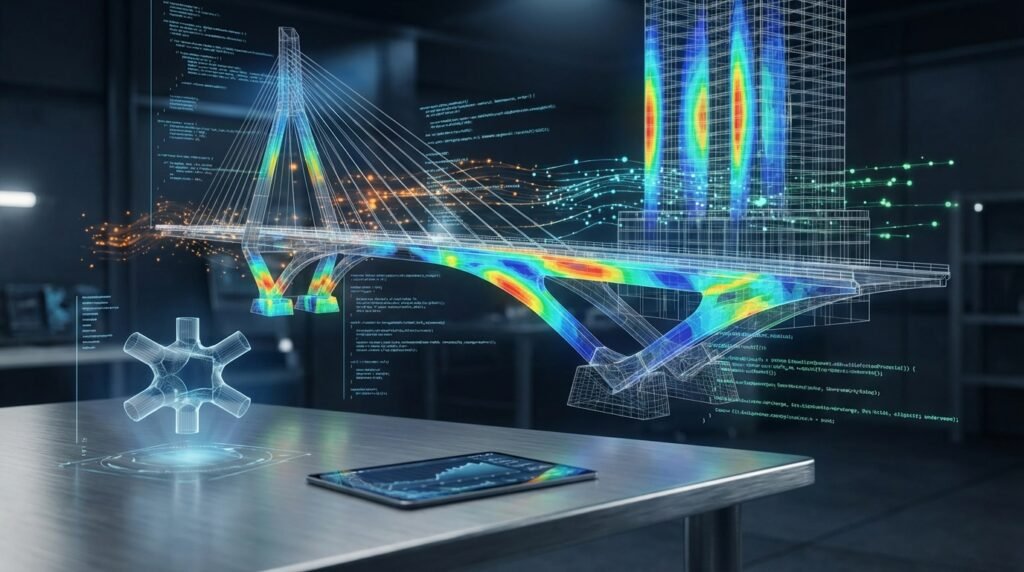
In the demanding world of structural engineering, accurately predicting how structures behave under extreme loads – especially seismic events – is paramount. Traditional linear elastic analysis often falls short when engineers need to understand complex non-linear material behavior, geometric non-linearity, or dynamic response. This is where OpenSees, the Open System for Earthquake Engineering Simulation, steps in.
Developed at the Pacific Earthquake Engineering Research (PEER) Center at UC Berkeley, OpenSees is a powerful, open-source finite element software framework. It empowers engineers and researchers to develop sophisticated models and conduct advanced non-linear analyses of structural and geotechnical systems. If you’re tackling seismic performance, progressive collapse, or other complex structural challenges, OpenSees offers an incredibly flexible and robust platform.

Image Credit: Unsplash/Scott Blake
Why OpenSees Matters for Modern Structural Engineering
OpenSees isn’t just another finite element analysis (FEA) tool; it’s a versatile framework designed for highly specialized, non-linear dynamic analysis. Its open-source nature means transparency, continuous development by a global community, and unparalleled flexibility for customization.
Key Capabilities and Features
Engineers choose OpenSees for its extensive library and advanced functionalities:
- Non-linear Material Models: A vast array of constitutive models for concrete, steel, soil, and other materials, capturing their complex inelastic behavior under various loading conditions. This is crucial for performance-based seismic design.
- Diverse Element Library: From truss and beam-column elements to shell, solid, and zero-length elements, supporting both force-based and displacement-based formulations.
- Advanced Analysis Procedures: Beyond static analysis, OpenSees excels in non-linear dynamic time-history analysis, pushover analysis, cyclic analysis, and eigenvalue analysis.
- Solver Algorithms: A wide range of robust solution algorithms and integrators to handle the challenges of non-linear equation systems.
- Scripting Interface: Primarily controlled via Tcl (Tool Command Language) and increasingly with Python, allowing for powerful automation, parametric studies, and custom analysis routines.
- Parallel Computing: Support for parallel processing, enabling faster execution of large-scale, complex models.
Getting Started with OpenSees: Your First Steps
Jumping into OpenSees can seem daunting, but breaking it down into manageable steps makes the process smoother.
1. Installation and Setup
- Download: Obtain the latest stable release from the official OpenSees website. Downloads are typically available for Windows, Linux, and macOS.
- Installation: Follow the platform-specific instructions. For Windows, it usually involves unzipping and adding the OpenSees executable to your system’s PATH variable for easy command-line access.
- Verify Installation: Open a command prompt or terminal and type
opensees. If installed correctly, you should see the OpenSees interpreter prompt.
2. Understanding the Scripting Paradigm (Tcl & Python)
OpenSees models are built and executed through scripts. While Tcl is the traditional language, Python offers significant advantages for pre-processing, post-processing, and integration with other engineering tools.
- Tcl Basics: Familiarize yourself with basic Tcl commands for variable assignment, loops, and procedures. OpenSees commands are functions called within Tcl scripts.
- Python Integration: The
OpenSeesPylibrary allows you to interact with OpenSees directly from Python. This is highly recommended for modern workflows due to Python’s extensive ecosystem for data science, automation, and visualization.
Practical Workflow: Building Your First OpenSees Model
Let’s outline a typical sequence for setting up and running a structural analysis in OpenSees.
1. Model Definition (Pre-processing)
This phase involves defining the structural geometry, materials, and elements.
- Start the Model: Initiate the OpenSees model with a specific number of dimensions (e.g.,
model Basic -ndm 2 -ndf 3for 2D, 3 degrees of freedom per node). - Define Nodes: Use the
nodecommand to specify nodal coordinates (e.g.,node 1 0.0 0.0). - Define Materials: Specify material properties using commands like
uniaxialMaterial(for fiber sections) ornDMaterial(for 2D/3D elements). For example,uniaxialMaterial Steel01 1 $Fy $E0 $bdefines a steel material with yielding. - Define Sections (for beams/columns): Combine material models into cross-sections using
sectioncommands, often with fiber discretization for non-linear behavior. - Define Elements: Connect nodes with elements. Examples include
elasticBeamColumnfor linear behavior ornonlinearBeamColumnfor advanced non-linear analysis, referencing previously defined sections and materials. - Define Constraints (Boundary Conditions): Fix degrees of freedom at supports using the
fixcommand (e.g.,fix 1 1 1 1 0 0to fix all DOFs at node 1). - Define Recorders: Specify what output data you want to save (e.g., nodal displacements, element forces, global response). Use
recorder Node -file 'disp.out' -time -node 1 -dof 1 2 3 disp.
2. Loading and Analysis
Once the model is defined, apply loads and choose the analysis method.
- Define Load Patterns: Use
patterncommands (e.g.,timeSeries Linear 1,pattern Plain 1 1 { ... load commands ... }) to specify how loads are applied over time or incrementally. - Define Analysis Steps: This is where you set up the solver. Commands like
integrator(e.g.,integrator LoadControl 0.1),numberer,constraints,system, andalgorithmare used. - Perform Analysis: Execute the analysis using
analyze $numSteps $dtfor dynamic analysis oranalyze $numIncrementsfor static analysis.
3. Post-processing and Visualization
After the analysis, you’ll interpret the results.
- Read Recorder Files: The output files (e.g.,
.out,.txt) generated by recorders contain the analysis results. - Plotting & Visualization: While OpenSees itself doesn’t have a built-in sophisticated GUI for post-processing, Python (with libraries like Matplotlib, NumPy, and Pandas) is ideal for reading these text files, processing data, and generating publication-quality plots of response histories, force-deformation curves, and deformed shapes. Tools like EngineeringDownloads.com’s custom scripting services can help create Python scripts for efficient post-processing and visualization.
Verification & Sanity Checks in OpenSees
Thorough verification is critical for any FEA, especially with non-linear analysis.
- Small Models First: Start with simple, well-understood models (e.g., a cantilever beam with known analytical solutions) to verify material models and elements.
- Mesh Sensitivity: Conduct studies to ensure your results are not overly dependent on mesh density.
- Boundary Conditions: Double-check that all supports and constraints are applied correctly and logically. A common mistake is unintended releases or restraints.
- Material Properties: Verify input parameters for non-linear material models. Plot stress-strain curves for individual materials to ensure they behave as expected.
- Load Application: Confirm that loads are applied at the correct nodes/elements and in the correct direction and magnitude.
- Convergence Checks: For non-linear analysis, monitor convergence. Poor convergence often points to issues in the model (e.g., ill-defined materials, excessive load steps, unstable algorithms).
- Comparison: Whenever possible, compare OpenSees results against hand calculations, simpler FEA software (like Abaqus for basic cases), or published experimental data.
- Energy Balance: For dynamic analysis, monitor the energy balance (input energy, kinetic energy, strain energy, damping energy). Significant discrepancies can indicate issues.
Common Challenges and Troubleshooting
Even experienced OpenSees users encounter issues. Here’s how to approach them:
- Convergence Failure: This is frequent in non-linear analysis. Try reducing load steps, using different algorithms (e.g., Newton, Krylov-Newton), changing the convergence test criteria (e.g., NormDispIncr, EnergyIncr), or applying damping. Check for numerical instabilities or material models that become unstable.
- Syntax Errors: Tcl and Python are sensitive to syntax. Always review the error messages carefully; they often point directly to the line number and type of error.
- Incompatible Units: OpenSees is unit-agnostic, meaning you must maintain a consistent unit system throughout your script. Mixing units (e.g., kN for force and mm for length without conversion) leads to incorrect results.
- Memory Issues: For very large models, OpenSees can consume significant memory. Consider using coarser meshes where appropriate, optimizing element types, or utilizing parallel processing.
- Unexpected Deformations: Run a small static analysis first to ensure the structure deforms logically under simple gravity or lateral loads before moving to complex dynamic analyses. Check for mechanisms or incorrect support conditions.
Integrating OpenSees with Other Engineering Tools
Leveraging OpenSees’s scripting capabilities opens doors for powerful integration.
- Python for Pre and Post-processing: As mentioned, Python (with libraries like NumPy, SciPy, Matplotlib, Pandas) is invaluable for automating script generation, running parametric studies, extracting results from output files, and creating sophisticated data visualizations. You can even use Python to drive OpenSeesPy.
- CAD/CAE Workflows: While OpenSees doesn’t have a direct CAD interface, Python scripts can be used to parse geometry data from other CAE tools or generate OpenSees input files based on geometric definitions.
- MATLAB Integration: Similar to Python, MATLAB can be used to generate OpenSees input scripts, read output files, and perform data analysis, especially for users more comfortable in the MATLAB environment.
- External Visualization Software: For 3D visualization of deformed shapes and stress contours, you might export data in formats readable by general-purpose visualization software.
Analysis Types in OpenSees: An Illustrative Comparison
Choosing the right analysis type is critical for accurate structural assessment. OpenSees supports a range of methods:
| Analysis Type | Description | Typical Application | Key Output Insights |
|---|---|---|---|
| Linear Elastic Static | Assumes material linearity, small deformations. Calculates response to static loads. | Preliminary design, simple gravity/wind load checks (though OpenSees is overkill). | Displacements, internal forces (axial, shear, moment), stresses. |
| Non-linear Static (Pushover) | Applies incrementally increasing lateral loads to a structure to simulate seismic demand. Accounts for material and geometric non-linearity. | Performance-based seismic design, determining structural capacity (e.g., base shear vs. roof displacement). | Pushover curve, plastic hinge formation sequence, drift limits, ultimate capacity. |
| Non-linear Dynamic (Time History) | Subjecting a non-linear model to a ground motion record (acceleration time history). Accounts for both material/geometric non-linearity and dynamic effects. | Advanced seismic performance assessment, collapse simulation, research. | Time-history of displacements, velocities, accelerations, internal forces, plastic deformation, energy dissipation. |
| Eigenvalue Analysis | Determines the natural frequencies and mode shapes of a structure. | Dynamic characteristic assessment, input for response spectrum analysis (less common directly in OpenSees for full nonlinear). | Natural frequencies, mode shapes, modal participation factors. |
Best Practices for Effective OpenSees Usage
Maximize your efficiency and accuracy with these practical tips:
- Modularity: Break down your script into logical sections (e.g., define nodes, define materials, define elements, apply loads, run analysis). Use Tcl procedures or Python functions.
- Comments: Document your code extensively. Explain design choices, material parameters, and complex logic.
- Version Control: Use Git or a similar system to track changes to your OpenSees scripts. This is essential for collaborative projects and for reverting to previous versions.
- Parameterization: Define key model parameters (e.g., material strengths, dimensions, load magnitudes) as variables at the beginning of your script. This makes parametric studies easy and reduces errors.
- Start Simple: Begin with the simplest possible model that captures the essential physics, verify it, and then progressively add complexity.
- Learn from Examples: The OpenSees website and community forums offer numerous example scripts. Study them to understand best practices.
- Community Engagement: Participate in forums or user groups. The OpenSees community is a valuable resource for troubleshooting and learning.
When to Choose OpenSees for Your Project
OpenSees is an excellent choice when:
- You need to perform advanced non-linear analysis (material and/or geometric).
- Your project involves complex seismic performance assessment or collapse simulation.
- You require custom material models, elements, or analysis procedures not available in commercial software.
- You want to conduct extensive parametric studies or automation that benefits from scripting.
- You are working on academic research or innovative engineering solutions where transparency and customizability are crucial.
- Budget constraints prevent access to expensive commercial FEA packages (OpenSees is free and open-source).
Conclusion
OpenSees is a formidable tool in the hands of a knowledgeable structural engineer. Its capabilities for advanced non-linear analysis, coupled with the flexibility of Tcl and Python scripting, make it indispensable for tackling complex structural challenges, particularly in seismic engineering. By understanding its workflow, applying rigorous verification, and adhering to best practices, you can unlock its full potential to design safer, more resilient structures.
Further Reading
For official documentation and the latest releases, visit the OpenSees website.