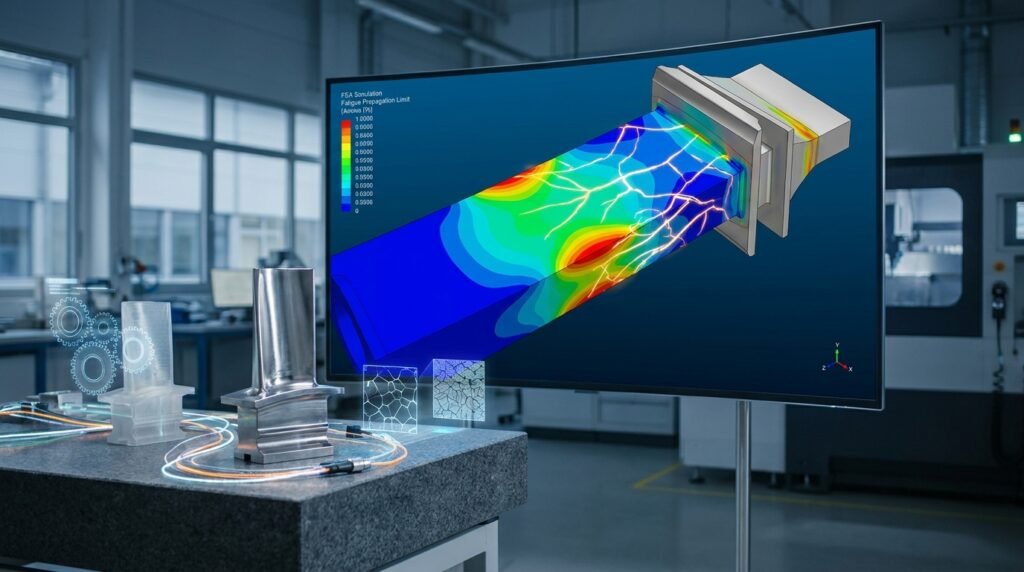
As an engineer, you’re constantly pushing the boundaries of design and analysis, whether it’s through complex FEA (Finite Element Analysis) for structural integrity, CFD (Computational Fluid Dynamics) for optimizing fluid flow, or multidisciplinary CAE (Computer-Aided Engineering) projects. Each simulation generates a mountain of data: input files, meshing parameters, boundary conditions, solver settings, results, and post-processing visuals. Without a robust system, this treasure trove of information can quickly become a chaotic mess. That’s where Simulation Data Management (SDM) comes in.
SDM is not just about storing files; it’s about systematically organizing, tracking, and retrieving all aspects of your simulation work. It ensures reproducibility, enhances collaboration, and ultimately saves valuable engineering time and resources.

Image source: Wikimedia Commons – Data Lifecycle Management Process
The Growing Challenge: Why SDM Matters Now More Than Ever
Modern engineering simulations are more complex than ever. From detailed structural analyses in Abaqus or ANSYS Mechanical for aerospace components to advanced FFS Level 3 assessments in oil & gas, the scope and scale of data generated are immense. This complexity brings several challenges:
- Data Volume Overload: A single CFD run in Fluent or OpenFOAM can produce gigabytes of transient results. Managing hundreds or thousands of such files across multiple projects is a monumental task.
- Collaboration Hurdles: Teams often work remotely or across different departments. Sharing data, ensuring everyone has the latest version, and tracking changes becomes incredibly difficult without a central system.
- Auditability and Traceability: In regulated industries like aerospace or biomechanics, knowing exactly which input parameters, mesh, and solver settings produced a specific result is critical for compliance and certification.
- Reproducibility: Can you recreate a two-year-old simulation result with confidence? Without proper SDM, reproducing past work, debugging issues, or validating design changes becomes a significant headache.
Core Pillars of Effective Simulation Data Management
A successful SDM strategy rests on several foundational elements:
Centralized Storage & Accessibility
Imagine all your simulation data – CAD models from CATIA, analysis decks for Nastran, results from ADAMS – residing in one easily accessible, secure location. This centralization prevents data silos and ensures that everyone works from a single source of truth.
- Version Control: Crucial for tracking changes, reverting to previous states, and managing parallel development without overwriting work.
- Metadata & Tagging: Attaching descriptive information (e.g., project name, engineer, date, simulation type, material properties, solver version) to each file makes it searchable and understandable.
- Access Control: Defining who can view, edit, or delete specific data ensures security and integrity.
Standardized Workflows & Naming Conventions
Consistency is key. Establishing clear guidelines for how files are named, organized, and processed minimizes confusion and improves efficiency.
- Uniform Naming: A consistent scheme for files (e.g.,
[ProjectID]_[Component]_[AnalysisType]_[Version].inp) makes files immediately identifiable. - Folder Structures: A predefined hierarchy (e.g.,
ProjectX/SubassemblyY/FEA/Mesh/V1/) helps locate data quickly. - Process Checklists: Documenting the steps for each simulation type ensures all critical inputs and settings are captured.
Automation & Integration
Manual data handling is prone to errors and incredibly time-consuming. Automating repetitive tasks and integrating your simulation tools with your SDM system can transform your workflow.
- Scripting: Use Python or MATLAB to automate pre-processing, post-processing, data extraction, and report generation. Many tools like Abaqus and ANSYS offer extensive API support for this.
- CAD-CAE Integration: Seamlessly linking CAD models to your CAE setup ensures design changes propagate efficiently and correctly.
Practical Workflow: Implementing SDM in Your Projects
Here’s a step-by-step approach to integrate effective SDM practices into your engineering projects:
Step 1: Define Your SDM Strategy
Before implementing any tools, understand your team’s specific needs and pain points.
- Needs Assessment: What types of simulations do you perform? How many engineers are involved? What regulatory requirements exist?
- Tool Selection: Consider dedicated SDM software, Product Lifecycle Management (PLM) systems, Product Data Management (PDM) systems, or even robust file-sharing solutions with strict protocols.
- Pilot Project: Start with a small, manageable project to test your chosen strategy and tools.
Step 2: Establish Naming Conventions & Folder Structures
This is foundational for discoverability.
- Project-Level Folder:
/Projects/[ProjectName]/ - Discipline-Specific Folders:
/Projects/[ProjectName]/FEA/,/Projects/[ProjectName]/CFD/,/Projects/[ProjectName]/CAD/ - Analysis Subfolders:
/FEA/[Component]_[AnalysisType]/(e.g.,/FEA/WingSpar_StaticStress/) - Version Control within Analysis:
/WingSpar_StaticStress/V1.0/,/WingSpar_StaticStress/V1.1/(or use a dedicated versioning system). - File Naming: Example:
PJM001_WSpar_Static_V1-0_Pre.inp(Project ID, Component, Analysis, Version, Stage).
Step 3: Implement Version Control for Simulation Files
Whether using a dedicated PDM/PLM system or simple file versioning, this is non-negotiable.
- For Scripts (Python, MATLAB): Utilize Git or SVN.
- For Simulation Models & Results: Most commercial SDM/PLM tools integrate directly with CAE software (e.g., Abaqus, ANSYS). If not, implement a strict manual versioning system (e.g., copying entire analysis folders for major revisions).
- Check-in/Check-out: Ensure only one person can edit a file at a time to prevent conflicts.
Step 4: Document Everything
The ‘why’ and ‘how’ are as important as the ‘what’.
- Simulation Log: A simple text file or spreadsheet in each analysis folder detailing:
- Date, engineer, software version.
- Key assumptions, simplifications.
- Mesh details (element count, quality metrics).
- Boundary conditions and loads (with references).
- Material properties (source/reference).
- Solver settings (tolerance, time steps).
- Summary of results and key observations.
- Report Templates: Use standardized templates for internal reports and presentations.
Step 5: Archive & Retrieve with Ease
Once a project is complete, data should be archived, but still retrievable.
- Metadata Richness: Ensure archived data is heavily tagged with all relevant metadata for easy searching years down the line.
- Data Compression: Consider compressing large result files (e.g., CFD transient data) for long-term storage, while retaining raw data for auditability.
- Deprecation Policy: Define how long different types of data need to be kept.
Verification & Sanity Checks: A Critical SDM Component
Effective SDM also encompasses the process integrity of your simulations. Poor quality input or unchecked results render even perfectly managed data useless.
Pre-Analysis Checks
- Mesh Quality: Before running any solver (Abaqus, ANSYS Mechanical, MSC Nastran, Fluent, OpenFOAM), ensure your mesh quality metrics (aspect ratio, skewness, Jacobian) are within acceptable limits. A poor mesh can lead to divergence or inaccurate results.
- Boundary Conditions (BCs) & Loads: Double-check that all BCs are applied correctly and loads are realistic. Visualizing them in your pre-processor is crucial.
- Material Properties: Verify that the correct material models and properties are assigned (e.g., Young’s modulus, yield strength, density, thermal conductivity).
- Solver Settings: Review solver parameters like time steps, convergence criteria, and solution controls.
During-Analysis Monitoring
- Convergence: For iterative solvers (common in CFD and non-linear FEA), monitor convergence plots. If residuals plateau or diverge, investigate immediately.
- Solution Stability: Keep an eye on error messages or warnings from the solver.
Post-Analysis Validation
- Results Interpretation: Do the results make physical sense? Are displacements, stresses, temperatures, or flow patterns consistent with expectations? Use contour plots, vector plots, and animations.
- Sensitivity Studies: Vary key input parameters (e.g., mesh density, material properties, load magnitudes) to understand their impact on results. This builds confidence in your models.
- Comparison: Whenever possible, compare simulation results to hand calculations, experimental data, or simpler analytical solutions. For instance, comparing the deflection of a simply supported beam from FEA to beam theory.
Common SDM Pitfalls and How to Avoid Them
Even with good intentions, pitfalls can arise:
- Lack of Standardization: Multiple engineers using different naming conventions or folder structures leads to chaos. Solution: Enforce clear, documented standards across the team.
- Poor Version Control: Overwriting files or losing previous iterations. Solution: Implement dedicated version control tools or strict manual protocols.
- Ignoring Metadata: Files stored without context are useless later. Solution: Mandate metadata entry for every simulation run.
- Underestimating Data Volume: Running out of storage or slow network access due to massive files. Solution: Plan for scalable storage, implement data compression, and consider cloud solutions.
- Siloed Data: Critical information trapped on individual workstations. Solution: Centralize storage and promote collaborative platforms.
Leveraging Tools for Enhanced SDM
Modern engineering demands powerful tools to manage simulation data effectively.
Dedicated SDM/PLM/PDM Systems
These enterprise-level solutions are designed for comprehensive data management.
- Benefits: Centralized repository, integrated version control, automated workflows, audit trails, robust security, direct integration with popular CAE tools like Abaqus, ANSYS, MSC Apex, CATIA.
- Examples: Siemens Teamcenter, Dassault Systèmes ENOVIA, PTC Windchill.
Scripting & Automation
For custom workflows and integrating disparate tools, scripting is indispensable.
- Python: Widely used for automating CAE tasks, pre-processing (e.g., mesh generation scripts for OpenFOAM), post-processing (e.g., extracting data from ANSYS Fluent results or Abaqus ODB files), and creating custom GUIs.
- MATLAB: Excellent for mathematical modeling, signal processing, and complex data visualization, often used for post-processing simulation results or developing custom analysis algorithms.
Cloud-Based Solutions
Offer scalability, accessibility, and often integrated SDM features.
- Benefits: Access from anywhere, reduced local hardware burden, collaboration features, built-in backups.
- Considerations: Data security, internet dependency, subscription costs.
Comparing SDM Approaches
| Feature | Manual/Basic File System | Hybrid (File System + Scripts) | Integrated PLM/SDM System |
|---|---|---|---|
| Cost | Low | Medium (scripting development) | High (licensing, implementation) |
| Scalability | Poor | Moderate | Excellent |
| Version Control | Manual/Error-prone | Scripted/Basic (e.g., Git for scripts) | Automated, robust, traceable |
| Collaboration | Difficult | Improved with shared drives | Seamless, concurrent access |
| Audit Trail | Non-existent | Limited (manual logs) | Comprehensive, automated |
| Integration | None | Custom via APIs | Native with CAE/CAD tools |
Need help streamlining your SDM setup or mastering advanced automation scripts using Python or MATLAB? Our experts at EngineeringDownloads.com offer tailored tutoring and online consultancy to get you started and optimize your engineering workflows effectively.
Key Takeaways for Engineers
- Prioritize SDM: It’s an investment that pays dividends in efficiency, accuracy, and compliance.
- Standardize Early: Establish naming conventions and folder structures from the outset.
- Embrace Version Control: Never lose track of your simulation iterations again.
- Document Thoroughly: Contextualize your data with detailed logs and metadata.
- Automate Wisely: Leverage Python and MATLAB to free up engineering time.
- Verify & Validate: Ensure the quality of your simulation outputs is paramount.
Further Reading
For more insights into data management best practices, consider exploring resources from authoritative organizations: