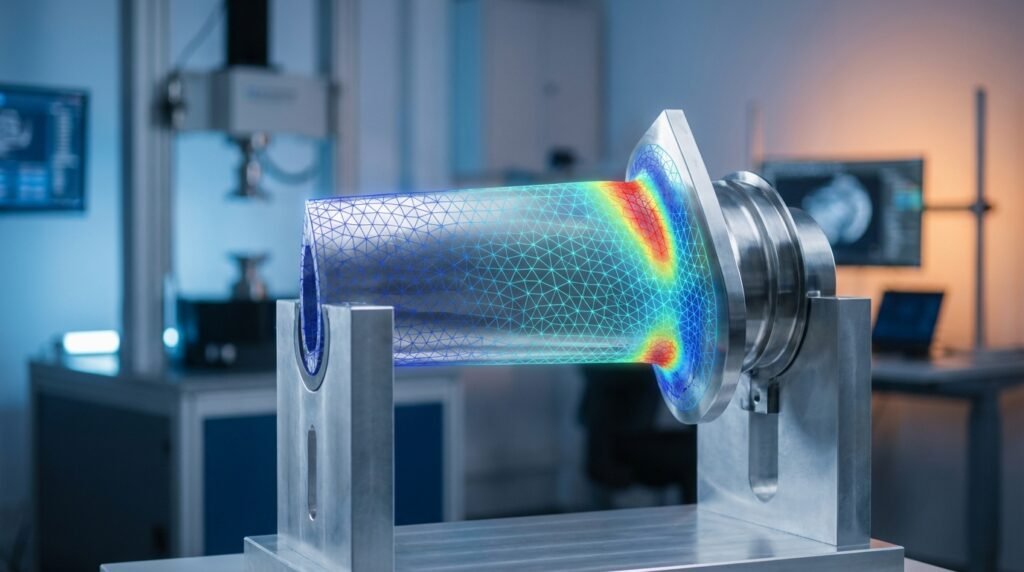
In the demanding world of Computer-Aided Engineering (CAE), efficiency, accuracy, and robust analysis are paramount. Engineers across disciplines – from structural integrity in Oil & Gas to complex aerodynamics in Aerospace, and intricate biomechanics – rely on powerful simulation tools. But what if you could streamline these processes, automate repetitive tasks, and unlock deeper insights from your simulation data?
Enter Python. Far from being just a general-purpose programming language, Python has emerged as an indispensable tool for CAE professionals. Its versatility, extensive library ecosystem, and ease of use make it a game-changer for enhancing engineering workflows, integrating disparate tools, and pushing the boundaries of what’s possible in simulation and analysis.

Courtesy of Wikimedia Commons (CC BY-SA 4.0). Illustrative of data workflow applicable to CAE.
The Power of Python in CAE Workflows
Python’s adoption in CAE is driven by several compelling advantages that directly address common engineering challenges:
1. Automation of Repetitive Tasks
- Pre-processing: Generating complex geometries, creating meshes, defining material properties, and applying boundary conditions can be tedious. Python scripts can automate these steps, drastically reducing setup time and human error. Think about parametric studies where only a dimension changes – Python handles the updates effortlessly.
- Solver Execution: Launching multiple simulations with varying parameters, monitoring their progress, and managing output files can be automated, allowing engineers to focus on analysis rather than task management.
- Post-processing: Extracting specific results (e.g., maximum stress, average temperature, flow rates) from large datasets and generating standardized reports can be fully scripted.
2. Data Pre-processing and Post-processing
CAE simulations generate massive amounts of data. Python excels at handling, manipulating, and visualizing this data:
- Cleaning and Transformation: Python libraries can clean noisy simulation outputs, interpolate data, or transform coordinate systems to prepare data for analysis.
- Feature Extraction: Identifying critical stress points, regions of high velocity, or potential failure locations becomes more efficient.
- Advanced Visualization: Beyond what standard CAE software offers, Python allows for highly customized, interactive, and publication-quality plots and animations.
3. Custom Scripting and Solver Interfacing
Most commercial CAE software (like Abaqus, ANSYS Mechanical, ANSYS Fluent/CFX, MSC Nastran) provide Python APIs (Application Programming Interfaces). These APIs enable engineers to:
- Extend software capabilities with custom functionalities.
- Create sophisticated macros for complex operations.
- Integrate different CAE tools into a seamless workflow.
- Interact with open-source solvers like OpenFOAM directly.
4. Optimization and Parametric Studies
Design optimization is a cornerstone of modern engineering. Python facilitates:
- Parametric Modeling: Easily modify design parameters and run numerous simulations to explore the design space.
- Integration with Optimization Algorithms: Connect CAE solvers with powerful optimization libraries (e.g., SciPy’s optimization modules) to find optimal designs based on various objective functions and constraints.
- Design of Experiments (DoE): Automate the creation and analysis of design matrices for efficient exploration of parameter sensitivity.
5. CAD-CAE Integration
Bridging the gap between CAD (Computer-Aided Design) and CAE is crucial. Python can help:
- Automate Geometry Preparation: Convert CAD models to analysis-ready geometries, simplify features, or parameterize models.
- Drive CAD Software: Some CAD packages (e.g., CATIA with its scripting capabilities) can be controlled via Python, enabling integrated design and analysis loops.
Key Python Libraries for CAE Engineers
The strength of Python lies in its rich ecosystem of libraries:
- NumPy: The fundamental package for numerical computing in Python. Essential for array operations, linear algebra, and handling large datasets efficiently.
- SciPy: Builds on NumPy, offering modules for optimization, integration, interpolation, signal processing, and more. Critical for many advanced CAE analyses.
- Pandas: Provides high-performance, easy-to-use data structures and data analysis tools, particularly for tabular data. Ideal for managing simulation inputs and outputs.
- Matplotlib: The go-to library for creating static, interactive, and animated visualizations in Python. Perfect for plotting stress contours, displacement plots, or CFD streamlines.
- Plotly: For creating interactive, web-based visualizations. Excellent for sharing dynamic results.
- VTK (Visualization Toolkit): A powerful, open-source system for 3D computer graphics, image processing, and visualization. Often used for advanced scientific visualization, especially for volumetric and field data.
- Gmsh: An open-source 3D finite element mesh generator. Python can drive Gmsh to create complex meshes.
- Solver-Specific APIs:
Abaqus Scripting Interface: For controlling Abaqus/CAE directly.PyMAPDL(ANSYS Mechanical APDL): Pythonic interface for ANSYS Mechanical.pyFluent: For scripting ANSYS Fluent.OpenFOAM Utilities: Python scripts can parse and generate OpenFOAM case files, and automate solver execution.
- Scikit-learn: For machine learning. Useful for building surrogate models or reduced-order models (ROMs) to speed up iterative simulations.
- SimPy: A process-based discrete-event simulation framework. Applicable in manufacturing or logistics simulations related to engineering systems.
Practical Workflows: Python in Action
Let’s dive into some actionable ways Python can transform your CAE process.
Pre-processing Automation: Building an Input Deck
Imagine needing to run an FEA model for a pressure vessel with varying wall thicknesses and material properties. Manually creating input files for each iteration is prone to errors and time-consuming.
- Define Parameters: Store all variable parameters (e.g., wall thickness, material yield strength, internal pressure) in a Python dictionary or a CSV file.
- Geometry Generation (Illustrative Example): For simple geometries, Python can directly generate nodes and elements. For complex cases, Python can script a CAD tool or a meshing software’s API (e.g., Abaqus/CAE, ANSYS Workbench). For instance, in Abaqus, you could script commands to create sketches, extrude features, and partition parts.
- Meshing (Illustrative Example): Scripting the meshing process ensures consistent mesh quality across design iterations. You could define seed sizes, element types, and meshing algorithms within your Python script.
- Boundary Conditions & Loads: Identify surfaces or nodes for applying boundary conditions (BCs) and loads. Python can select these entities based on their coordinates or names and apply the desired conditions. For example, applying a pressure load on an inner surface or fixing degrees of freedom on a support.
- Material Properties: Define materials from a database or a table and assign them to parts based on your script’s logic.
- Generate Solver Input File: Finally, Python constructs the full input file (e.g.,
.inpfor Abaqus, APDL script for ANSYS) by combining all generated data and parameters into the correct solver syntax.
Common Pitfalls: Ensure consistent naming conventions for parts and surfaces if interacting with a GUI-driven CAE package. Validate that all necessary parameters are passed to the solver input correctly, especially units.
Running and Monitoring Simulations
Once your input file is ready, Python can manage the simulation execution:
- Launch Solver: Use Python’s
subprocessmodule to call the CAE solver executable with the generated input file. - Monitor Progress: Periodically check log files for convergence status, error messages, or solution progress. You can even set up email notifications for long-running jobs.
- Parallel Execution: For parametric studies, Python can orchestrate running multiple simulations concurrently on different cores or machines (e.g., using
multiprocessingor job schedulers).
Post-processing and Data Analysis
After a simulation completes, the real work of extracting insights begins.
- Extract Results: Use solver-specific APIs (e.g., Abaqus’
odbAPI, PyMAPDL) or general file parsing techniques to extract desired results like nodal displacements, element stresses, or fluid velocities. - Data Manipulation: Load the extracted data into Pandas DataFrames for easy manipulation, filtering, and aggregation. Calculate derived quantities (e.g., principal stresses, strain energy).
- Visualization:
- Standard Plots: Use Matplotlib to create 2D plots (e.g., stress vs. time, pressure drop vs. flow rate).
- Contour Plots: For complex geometries, visualize stress or temperature distributions on surfaces or cross-sections using libraries like Matplotlib (for 2D slices) or VTK/Plotly (for 3D representations).
- Animations: Create animations for transient analyses (e.g., modal vibrations, transient thermal responses, CFD flow evolution).
- Custom Report Generation: Generate automated reports in PDF or HTML formats, including key results, plots, and summaries.
Optimization and Parametric Studies
Python is excellent for closing the loop between analysis and design refinement.
- Define Objective Function: Create a Python function that takes design parameters as input, runs a simulation (or calls your automated script), extracts a key result (e.g., mass, maximum stress, drag coefficient), and returns this as the objective to minimize or maximize.
- Define Constraints: Specify limits on parameters or performance metrics (e.g., stress must be below yield, displacement within tolerance).
- Select Optimizer: Use optimization routines from SciPy (e.g.,
scipy.optimize.minimize) or specialized libraries for more complex scenarios (e.g., genetic algorithms). - Iterative Process: The Python script repeatedly modifies design parameters, runs the CAE simulation, evaluates the objective function and constraints, and guides the optimizer towards an optimal solution.
Applications of Python in CAE (Illustrative)
- Structural Integrity and FFS Level 3 (Oil & Gas): Automating fatigue crack growth assessments or fracture mechanics analysis for pipelines and pressure vessels. Python can manage vast material property databases and integrate with standards-based assessment procedures.
- Aerospace Component Design: Parametric optimization of aircraft wing structures for weight reduction while meeting stiffness and strength requirements. Python can drive FEA solvers like MSC Nastran or Abaqus.
- Biomechanics: Prosthetic Optimization: Designing custom prosthetics by automating the variation of geometry parameters and analyzing stress distribution under various loading conditions, often using FEA tools.
- CFD for HVAC/Automotive: Automating the setup of hundreds of CFD simulations (e.g., using OpenFOAM or ANSYS Fluent) to optimize airflow paths in data centers or vehicle aerodynamics.
Verification & Sanity Checks: Ensuring Reliability
While Python automates the workflow, human oversight and validation remain critical. Here are essential sanity checks:
- Mesh Sensitivity Study: Always confirm that your results are independent of mesh density. Python can automate running simulations with different mesh sizes and plotting the convergence of key results.
- Boundary Condition Validation: Visually inspect applied loads and constraints in the pre-processor. Does the total reaction force match the applied load (for static equilibrium)? Are displacements in expected directions?
- Convergence Criteria: For iterative solvers (FEA, CFD), ensure that the solution has truly converged. Python can parse solver logs to check for convergence of residuals and physical quantities.
- Hand Calculations & Analytical Solutions: For simplified cases or specific components, compare simulation results against simpler analytical solutions or hand calculations. This builds confidence in your model setup.
- Sensitivity Analysis: Understand how output quantities change with small variations in input parameters (material properties, loads, geometry). Python can automate this process.
- Units Consistency: Double-check that all inputs and solver settings use a consistent unit system. Python can help enforce this programmatically.
Common Mistakes and Troubleshooting Tips
- Environment Setup Issues: Python packages can have dependencies. Use virtual environments (
venvor Conda environments) to manage project-specific dependencies. - API Misunderstanding: CAE software APIs can be complex. Start with small, isolated scripts to understand specific commands before integrating them into larger workflows. Refer to the official documentation diligently.
- Performance Bottlenecks: Python itself can be slower than compiled languages for heavy numerical computations. Leverage NumPy’s vectorized operations or consider using Numba for just-in-time compilation of critical loops.
- Version Incompatibility: Python versions and library versions can cause issues. Always specify exact versions in your project’s
requirements.txtfile. CAE software APIs might also have specific Python version requirements. - Debugging: Use print statements liberally or a dedicated Python debugger (like
pdb) to step through your scripts and inspect variable values.
Getting Started with Python for CAE: A Checklist
- Install Python: Recommend Anaconda or Miniconda for easy package management, especially if you’re new to Python.
- Install Essential Libraries: NumPy, SciPy, Pandas, Matplotlib, Plotly.
- Choose an IDE: VS Code, PyCharm, or Jupyter Notebooks (excellent for interactive data exploration and scripting prototypes) are popular choices.
- Learn Python Basics: Focus on variables, data types, control flow (loops, conditionals), functions, and object-oriented programming concepts.
- Familiarize with CAE Software APIs: If using commercial software, delve into their Python scripting documentation.
- Practice with a Simple Project: Start by automating a trivial task in your CAE software, like changing a material property or extracting a single result. Gradually increase complexity.
Comparing Python Libraries for CAE Tasks
| Task Area | Primary Python Libraries | Key Features/Benefits |
|---|---|---|
| Numerical Computing | NumPy, SciPy |
Efficient array operations, linear algebra, advanced math functions. |
| Data Management & Analysis | Pandas |
DataFrames for tabular data, filtering, grouping, merging. |
| 2D/3D Visualization | Matplotlib, Plotly, VTK |
Static plots, interactive web plots, advanced 3D scientific visualization. |
| Optimization | SciPy.optimize, DEAP (for genetic algos) |
Root finding, curve fitting, constrained and unconstrained minimization. |
| Solver Interfacing | Solver-specific APIs (e.g., PyMAPDL, pyFluent, Abaqus Scripting), subprocess |
Direct control over CAE software, command execution, input/output management. |
| Machine Learning (for ROMs/surrogate models) | scikit-learn |
Regression, classification, clustering, dimensionality reduction. |
Are you looking for custom Python scripts to supercharge your CAE workflows? Or perhaps expert guidance on integrating Python with your existing simulation tools? EngineeringDownloads.com offers specialized tutoring and consultancy services tailored to your engineering needs. We can help you automate, optimize, and gain deeper insights from your simulations.
Conclusion
Python is no longer just a programming language; it’s a strategic asset for any engineering team engaged in CAE. Its ability to automate, analyze, and optimize makes it an indispensable tool for tackling complex challenges in FEA, CFD, and structural engineering. By mastering Python, engineers can significantly reduce simulation times, improve result accuracy, and drive innovation in product design and analysis. The future of CAE is undeniably linked to intelligent automation, and Python is leading the charge.