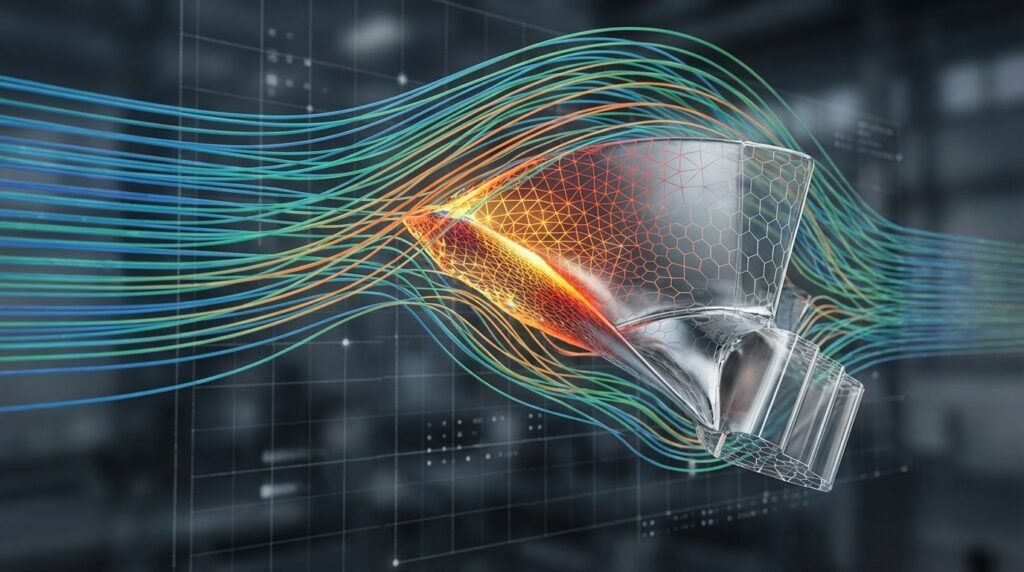
When diving into the world of dynamic or transient engineering simulations, whether it’s structural impact, fluid flow, or thermal transients, one parameter often holds the key to both accuracy and computational efficiency: the time step. Mismanaging it can lead to wildly inaccurate results, outright solution divergence, or unnecessarily long run times. This isn’t just about tweaking a number; it’s about understanding the underlying physics and numerical methods.
Understanding and correctly managing time step sensitivity is a crucial skill for any simulation engineer. It’s the difference between a reliable prediction and a garbage-in, garbage-out scenario. Let’s explore how to master this critical aspect of modern CAE workflows.

Image source: Wikimedia Commons.
Why Time Step Sensitivity is Critical in Engineering Simulations
In time-dependent simulations, we’re essentially marching through time, calculating the system’s state at discrete points. The ‘time step’ is the duration of each of these small marches. The challenge arises because the choice of this duration directly impacts:
- Accuracy: Too large a time step can miss critical transient events or smooth out important non-linear behavior, leading to incorrect peak stresses, fluid velocities, or temperature gradients.
- Stability: In many numerical schemes, if the time step is too large, the solution can become unstable and diverge, giving you meaningless, oscillating, or exploding results.
- Computational Cost: Conversely, choosing an excessively small time step drastically increases the number of calculations required, prolonging simulation times from hours to days or even weeks.
For engineers working on high-stakes projects in aerospace, oil & gas, biomechanics, or structural integrity (FFS Level 3 assessments), these factors aren’t just academic; they directly affect design validation, safety assessments, and project timelines.
The Core Concept: How Time Steps Influence Accuracy and Stability
At its heart, time step sensitivity is about resolving the temporal evolution of your system correctly. Imagine trying to capture a fast-moving object with a slow-shutter camera – you’ll get a blur. Similarly, a large time step ‘blurs’ the rapid changes in your simulation.
Explicit vs. Implicit Methods: A Quick Refresher
The choice of time integration method heavily dictates time step requirements:
- Explicit Methods: These methods calculate the state at the current time step directly from the state at the previous time step. They are typically computationally cheaper per time step but come with a strict stability limit (e.g., the Courant-Friedrichs-Lewy or CFL condition). If your time step exceeds this limit, the solution will almost certainly diverge. Tools like Abaqus/Explicit, LS-DYNA, or specific OpenFOAM solvers often use explicit schemes for highly dynamic events like impact or blast.
- Implicit Methods: These methods involve solving a system of equations at each time step, implicitly incorporating information from the current (unknown) state. While more computationally intensive per step (often requiring iterations), they are generally unconditionally stable for linear problems, meaning there’s no inherent upper limit on the time step for stability, though accuracy still demands a sufficiently small one. Abaqus/Standard, ANSYS Mechanical, and ANSYS Fluent commonly employ implicit schemes for quasi-static, non-linear, or steady-state solutions approaching convergence.
The Trade-off: Accuracy, Stability, and Computational Cost
It’s a classic engineering compromise:
- Large Time Step: Faster run, but potentially inaccurate or unstable.
- Small Time Step: Slower run, but greater accuracy and stability.
Your goal is to find the largest possible time step that still provides sufficient accuracy and numerical stability for your specific engineering problem.
When Time Step Sensitivity Becomes a Major Concern
While all transient simulations deal with time steps, some scenarios amplify their importance:
Dynamic Analyses (Impact, Blast, Vibration)
For applications like vehicle crash simulations (ADAMS), bird strike in aerospace, or blast loading on structures, very short duration, high-frequency events occur. Here, explicit methods are common, and the time step needs to be small enough to capture wave propagation and contact dynamics accurately. The CFL condition often dictates the maximum stable time step, typically in the microsecond or nanosecond range.
Fluid Flow (CFD) with Transients
In CFD simulations (e.g., using ANSYS Fluent, CFX, or OpenFOAM) involving transient phenomena like vortex shedding, pulsating flows, or rapid valve closures, the time step must be fine enough to resolve the smallest relevant turbulent eddies or flow features. A good rule of thumb is to ensure several time steps occur within the period of the shortest physical phenomenon you wish to resolve.
Highly Non-linear Structural Problems
Situations involving large deformations, material plasticity, contact interaction (e.g., with MSC Patran/Nastran or Abaqus), or buckling can exhibit complex non-linear behavior. Even with implicit solvers, large time steps can lead to convergence difficulties, inaccurate load path predictions, or failure to capture critical events like initial contact or plastic yielding.
Coupled Field Simulations
When multiple physics are interacting (e.g., fluid-structure interaction in biomechanics, or thermal-structural analysis), the time step must satisfy the requirements of all coupled fields, often leading to a conservative (smaller) time step choice.
Practical Workflow for Managing Time Step Sensitivity
Here’s a step-by-step guide to tackling time step sensitivity like a seasoned pro:
Step 1: Initial Estimation & Method Selection
- Understand the Physics: What’s the shortest characteristic time scale in your problem? (e.g., wave speed across an element, period of vibration, time for a fluid particle to cross a cell).
- Choose Integration Method: Explicit for highly dynamic, short-duration events; Implicit for longer duration, quasi-static, or mildly dynamic events.
- Initial Time Step Guess:
- For Explicit (e.g., Abaqus/Explicit, LS-DYNA): Calculate the stable time increment based on the CFL condition (smallest element size divided by wave speed of the material). Many solvers provide an automatic stable time increment calculation, but understand its basis.
- For Implicit (e.g., ANSYS Mechanical, Abaqus/Standard): Start with a reasonably small time step. For structural problems, aim for a few hundred to a few thousand steps over the total analysis time. For CFD, typically 10-100 time steps per physical flow-through time.
Step 2: Performing the Sensitivity Study
This is where the ‘sensitivity’ part comes in. You’ll run your simulation multiple times with different time step sizes.
- Define Your Range: Choose at least three different time steps: your initial guess, one significantly smaller (e.g., half), and one significantly larger (e.g., double).
- Monitor Key Results: Identify critical output parameters. For structural analysis, this might be peak displacement, stress in a critical region, or reaction forces. For CFD, it could be drag, lift, pressure drop, or temperature at a specific point.
- Systematic Variation:
- Run Simulation A: Time Step =
Δt - Run Simulation B: Time Step =
0.5 * Δt - Run Simulation C: Time Step =
2.0 * Δt - (Optional) Run Simulation D: Time Step =
0.25 * Δt
- Run Simulation A: Time Step =
Step 3: Interpreting Results and Making Decisions
- Plot Results vs. Time Step: Plot your chosen key output parameters against the time step size.
- Check for Convergence: Your results are considered ‘time step independent’ when further reducing the time step causes negligible change (e.g., less than 5%) in your key output parameters.
- Balance Accuracy and Cost: Select the largest time step that provides acceptable accuracy. Sometimes, a slight compromise in accuracy (e.g., 2-5% error from the converged solution) can significantly reduce computational cost.
- Convergence Criteria: For implicit solvers, ensure that individual time steps converge within the specified tolerances (e.g., force/moment residual, energy criteria). Divergence within a time step is a clear sign that the step is too large or boundary conditions are problematic.
Step 4: Iteration and Refinement
Time step sensitivity is often intertwined with mesh sensitivity. Always perform both. A coarse mesh might mask time step issues, and a fine mesh won’t help if your time step is too large. Refine your time step and mesh iteratively until both are converged.
Common Pitfalls and Troubleshooting
Too Large a Time Step: Instability & Inaccuracy
- Symptoms: Solution divergence, oscillating results, unphysical values (e.g., negative pressures, excessively high temperatures), numerical noise.
- Troubleshooting: Reduce the time step. Check energy balance (for explicit solvers, total energy should be conserved; for implicit, ensure equilibrium iterations converge within tolerance).
Too Small a Time Step: Excessive Computational Cost
- Symptoms: Extremely long run times, minimal change in results when further reduced.
- Troubleshooting: Systematically increase the time step until results start to change significantly or stability issues arise, then step back slightly.
Numerical Damping Issues
Some implicit solvers (like ANSYS Mechanical, Abaqus/Standard) employ numerical damping to help convergence. While useful, excessive damping can smooth out important high-frequency responses, making your results artificially stable but inaccurate. Monitor damping energy if available.
Incorrect Boundary Conditions (BCs) or Material Models
Sometimes, what appears to be a time step issue is actually a problem with poorly defined boundary conditions, contact settings, or material properties. Always verify these fundamental inputs before extensively tuning your time step.
Verification & Sanity Checks for Time-Dependent Analyses
Beyond the sensitivity study itself, always employ these checks:
Energy Balance Monitoring
For dynamic explicit simulations, monitor kinetic energy, internal energy, external work, and total energy. Total energy should remain constant (or change predictably with external work). Discrepancies often indicate stability issues or hourglassing.
Comparison with Analytical Solutions or Benchmarks
Whenever possible, compare a simplified version of your problem against known analytical solutions or benchmark experimental data. This provides strong confidence in your numerical approach, including time step selection.
Mesh Sensitivity (Always Combined!)
Just as critical as time step sensitivity. A solution must be both mesh-independent and time-step independent. Always perform both studies in conjunction. You can’t achieve accurate results with a poorly resolved mesh, regardless of your time step.
Post-Processing Visual Inspection
Visually inspect your results’ evolution over time. Do deformations look reasonable? Are fluid flow patterns physically consistent? Are peak stresses or temperatures occurring at expected locations and times? Unphysical ‘jumps’ or ‘jitters’ in animations often point to time step or stability problems.
Leveraging Advanced Tools & Techniques
Software-Specific Features
- Automatic Time Stepping: Most modern FEA (Abaqus, ANSYS Mechanical, MSC Nastran) and CFD (Fluent, OpenFOAM) solvers offer adaptive or automatic time stepping. These algorithms adjust the time step dynamically based on solution convergence, error estimates, or explicit stability limits. While powerful, always understand their underlying criteria and use them judiciously.
- Sub-cycling: In coupled problems, different physics might operate on different time scales. Some solvers allow ‘sub-cycling’ where one physics domain is solved with a finer time step within a larger master time step for the other domain.
Automation with Python & MATLAB
For extensive time step sensitivity studies, manual execution is inefficient. Leverage scripting languages like Python (for Abaqus scripting, ANSYS ACT, or OpenFOAM pre/post-processing) or MATLAB (for data analysis, custom solvers, or interfacing with commercial codes) to:
- Automate input file generation for different time steps.
- Batch run simulations.
- Extract and plot key results.
- Perform statistical analysis of convergence.
This allows for a more rigorous and repeatable sensitivity analysis, a hallmark of robust simulation practices.
Adaptive Time Stepping
Adaptive time stepping is a sophisticated technique where the solver itself adjusts the time step size during the simulation. It aims to use larger time steps when the solution changes slowly and smaller steps when rapid changes or non-linear events occur (e.g., contact initiation, material yielding, shock wave propagation). This balances accuracy and computational efficiency automatically, but often requires careful tuning of control parameters.
Actionable Checklist: Ensuring Robust Time-Dependent Simulations
- ✓ Have I identified the shortest physical time scale in my problem?
- ✓ Is my chosen integration method (explicit/implicit) appropriate for the physics?
- ✓ If explicit, have I confirmed my time step satisfies the CFL condition?
- ✓ Have I performed a time step sensitivity study with at least three different time step sizes?
- ✓ Have I monitored key output parameters and plotted them against time step size?
- ✓ Is my solution demonstrably time step independent (i.e., results don’t change significantly with smaller steps)?
- ✓ Have I also performed a mesh sensitivity study? (Always do both!)
- ✓ Am I monitoring energy balance (explicit) or convergence criteria (implicit) for each time step?
- ✓ Does the visual inspection of my results (animations) appear physically realistic?
- ✓ Have I leveraged adaptive time stepping or automation where appropriate?
Illustrative Time Step Impact on Simulation Results
This table illustrates how varying the time step can affect typical output parameters in a hypothetical transient simulation. Values are purely illustrative.
| Time Step Size (µs) | Peak Displacement (mm) | Max Stress (MPa) | Solution Time (hours) | Convergence (Y/N) |
|---|---|---|---|---|
| 100 | 5.2 (Unstable) | Diverged | 0.5 | N |
| 50 | 10.8 | 215 | 1.2 | Y |
| 25 | 11.0 | 223 | 3.5 | Y |
| 12.5 | 11.05 | 224 | 12.0 | Y |
In this illustrative example, a time step of 25 µs would be considered converged and acceptable, offering a good balance between accuracy and computational cost.
Further Reading / Reference
For a deeper dive into time integration methods and their numerical stability, consult authoritative resources like the OpenFOAM User Guide: Time Stepping.
Enhance Your Simulation Skills with EngineeringDownloads.com
Mastering time step sensitivity, mesh convergence, and numerical stability is fundamental for reliable engineering simulations. For deeper dives into specific simulation challenges or to get hands-on with practical templates and scripts for time step sensitivity studies, explore the resources available at EngineeringDownloads.com. Our expert consultants also offer online tutoring and specialized project support for Abaqus, ANSYS, OpenFOAM, and Python/MATLAB automation, helping you achieve robust and efficient CAE workflows.