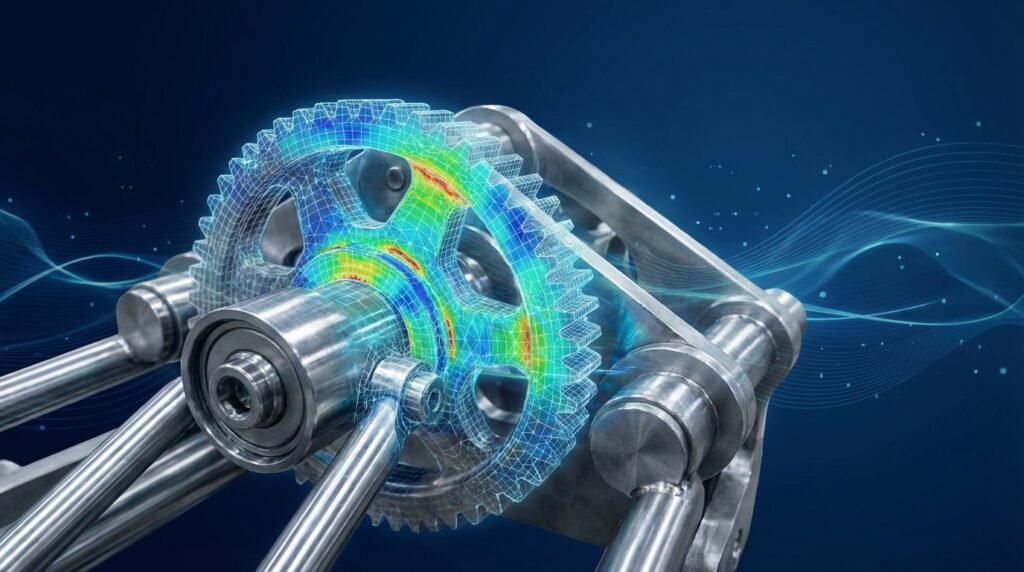
In the world of modern engineering, numerical simulations like Finite Element Analysis (FEA) and Computational Fluid Dynamics (CFD) are indispensable. They provide deep insights into product performance, structural integrity, and fluid dynamics. However, these high-fidelity simulations often come with a significant cost: time. Running hundreds or thousands of simulations for design optimization, sensitivity analysis, or uncertainty quantification can be computationally prohibitive, sometimes taking days or even weeks.
This is where Surrogate Modeling steps in. Also known as metamodeling, response surface modeling, or model emulation, surrogate modeling involves creating a ‘model of a model.’ It’s a faster, less computationally expensive approximation of your complex, high-fidelity simulation. Think of it as building a quick, statistical shortcut that mimics the behavior of your detailed engineering analysis.

Illustrative example of a response surface, a common output of surrogate models.
Why Surrogate Models are a Game-Changer for Engineers
For engineers working across disciplines from structural analysis in Oil & Gas to aerodynamic optimization in Aerospace, surrogate models offer immense value by addressing several key challenges:
- Computational Cost Reduction: The primary driver. Replace expensive simulation calls with lightning-fast evaluations from the surrogate model.
- Accelerated Design Optimization: Explore vast design spaces in fractions of the time, allowing for more aggressive optimization routines.
- Efficient Sensitivity Analysis: Quickly understand how input parameters influence output responses without running full parametric studies.
- Uncertainty Quantification: Assess the impact of input variability on performance metrics more practically.
- Real-Time Performance Prediction: Enable rapid what-if scenarios or even real-time decision support systems.
- Intellectual Property Protection: Distribute a ‘lightweight’ model without revealing the underlying complex physics or proprietary simulation setups.
Understanding the Core Concepts of Surrogate Modeling
At its heart, surrogate modeling involves a few fundamental ideas:
Input and Output Parameters
- Inputs (Design Variables): These are the parameters you want to vary in your engineering simulation. Examples include material properties (e.g., Young’s Modulus, yield strength), geometric dimensions (e.g., beam thickness, fillet radius), boundary conditions (e.g., applied pressure, temperature), or even operational parameters (e.g., flow rate, RPM).
- Outputs (Responses/Performance Metrics): These are the results you’re interested in predicting. Common outputs include maximum stress, displacement, natural frequency, pressure drop, lift-to-drag ratio, fatigue life, or temperature distribution.
Training Data and the ‘Black Box’
A surrogate model learns by observing. You feed it a set of ‘training data’ composed of various input combinations and their corresponding outputs from your full, high-fidelity simulations. The simulation itself is often treated as a ‘black box’—the surrogate doesn’t need to understand the underlying physics, only the relationship between inputs and outputs.
Key Surrogate Modeling Techniques
There are several powerful techniques available, each with its strengths and ideal use cases. Choosing the right one depends on the complexity of your problem, the nature of your data, and the required accuracy.
Response Surface Methodology (RSM)
RSM uses polynomial functions to approximate the relationship between inputs and outputs. It’s often effective for problems with relatively smooth, well-behaved response surfaces.
- Pros: Relatively simple to implement and interpret, computationally inexpensive to build.
- Cons: May struggle with highly nonlinear or non-monotonic responses, accuracy can drop significantly outside the sampled region.
- Use Cases: Initial design exploration, optimization of processes with few variables.
Kriging (Gaussian Process Regression)
Kriging is a geostatistical method that provides both a prediction and a measure of uncertainty (the ‘Kriging variance’). It’s particularly good at interpolating scattered data and modeling complex, non-linear relationships.
- Pros: Excellent interpolation capabilities, provides uncertainty estimates, robust for complex surfaces.
- Cons: Can be computationally expensive for very large datasets, choice of correlation function requires care.
- Use Cases: Global optimization, uncertainty quantification, situations where confidence in prediction is important.
Radial Basis Functions (RBF)
RBF networks are neural network-like structures that use radial basis functions as activation functions. They are strong interpolators and can approximate complex functions effectively.
- Pros: Good for interpolation, handles high-dimensional data reasonably well, relatively fast to train.
- Cons: Extrapolation can be poor, choice of basis function and its parameters can be critical.
- Use Cases: Interpolation tasks, shape optimization.
Artificial Neural Networks (ANN) and Deep Learning (DL)
ANNs are a class of machine learning algorithms inspired by the human brain. Deep learning, a subset of ANN, uses multiple layers to model complex, hierarchical relationships. While powerful, they often require larger datasets.
- Pros: Can model highly complex and nonlinear relationships, excellent for high-dimensional data.
- Cons: Requires significant data, computationally intensive to train, ‘black box’ nature can make interpretation difficult, prone to overfitting.
- Use Cases: Very complex engineering problems, image/pattern recognition in engineering data.
Comparing Surrogate Modeling Techniques
Here’s a quick comparison of some common techniques:
| Technique | Complexity | Data Size | Uncertainty Est. | Interpolation Quality | Extrapolation Quality |
|---|---|---|---|---|---|
| Polynomial Regression (RSM) | Low to Medium | Small to Medium | No (standard error) | Fair | Poor |
| Kriging (GPR) | Medium to High | Medium | Yes | Excellent | Fair to Good |
| Radial Basis Functions (RBF) | Medium | Medium to Large | No | Excellent | Poor |
| Artificial Neural Networks (ANN) | High | Large | No (difficult) | Good to Excellent | Fair |
Practical Workflow for Implementing Surrogate Models in Engineering
Implementing a surrogate model effectively is a structured process:
Step 1: Define Your Problem and Objectives
Clearly state what you want to achieve. Are you optimizing a structural component for minimum weight while maintaining stress limits? Are you trying to predict the fatigue life of an FFS Level 3 assessment component under varying loads? The clarity here drives all subsequent steps.
Step 2: Identify Key Inputs and Outputs
List all potential design variables and performance metrics. Be judicious; too many inputs can lead to the ‘curse of dimensionality,’ requiring an unfeasibly large number of training simulations. Prioritize variables with significant impact.
Step 3: Choose a Sampling Strategy (Design of Experiments – DOE)
This is crucial. How will you select the input combinations for your high-fidelity simulations to generate training data? Good DOE ensures representative data distribution across your design space.
- Full Factorial: Explores all combinations of levels for each factor. Good for few variables, but explodes combinatorially.
- Latin Hypercube Sampling (LHS): Ensures each input variable’s range is sampled uniformly. Highly efficient for a given number of samples.
- Optimal Space-Filling Designs (e.g., D-optimal): Aims to maximize the ‘distance’ between sample points, often providing good coverage.
- Central Composite Designs (CCD) & Box-Behnken Designs (BBD): Common in RSM for fitting quadratic models efficiently.
Step 4: Run High-Fidelity Simulations (Generate Training Data)
Execute your chosen DOE using your primary simulation software. This could be Abaqus for complex non-linear FEA, ANSYS Mechanical for structural analysis, ANSYS Fluent or OpenFOAM for CFD, or MSC Nastran for aerospace structures. Automate this process using scripting (Python, MATLAB) as much as possible to save time and reduce errors.
Step 5: Select a Surrogate Model Type
Based on your understanding of the problem’s nonlinearity, data size, and the need for uncertainty quantification, select an appropriate technique (Kriging, RBF, RSM, ANN, etc.).
Step 6: Train the Surrogate Model
Using the generated input-output pairs, train your chosen surrogate model. Libraries like scikit-learn (Python) offer implementations of Gaussian Processes (Kriging), Polynomial Features (RSM), and Neural Networks. MATLAB’s Statistics and Machine Learning Toolbox also provides extensive capabilities. This step involves fitting the model parameters to your data.
Step 7: Validate and Verify the Surrogate
Before deployment, rigorously test your surrogate’s accuracy. This often involves:
- Splitting Data: Use a separate ‘test set’ (samples not used for training) to evaluate the model’s predictive capability on unseen data.
- Metrics: Calculate R-squared (coefficient of determination), Root Mean Squared Error (RMSE), and Mean Absolute Error (MAE).
- Cross-Validation: Techniques like K-fold cross-validation can provide a more robust estimate of model performance, especially with smaller datasets.
Step 8: Utilize the Surrogate for Engineering Tasks
Once validated, deploy your surrogate model for its intended purpose:
- Optimization: Integrate the surrogate into an optimization loop (e.g., genetic algorithms, gradient-based methods).
- Sensitivity Analysis: Rapidly perform global sensitivity analysis (e.g., Sobol indices) or local sensitivity studies.
- Parametric Studies: Quickly explore the design space without re-running full simulations.
Engineering Applications of Surrogate Modeling
Surrogate models find applications across a vast spectrum of engineering disciplines:
FEA and Structural Engineering
- Shape Optimization: Optimizing component geometry (e.g., brackets, airfoils, pressure vessel heads) for minimal stress concentration or weight, often integrating with CAD systems like CATIA or SolidWorks.
- Material Selection: Quickly evaluate the impact of different material properties on structural response.
- Fatigue Analysis (FFS Level 3): Rapidly predict fatigue life or crack growth rates under various loading scenarios or material defects, crucial for Fitness-for-Service (FFS) Level 3 assessments in Oil & Gas.
- Contact Mechanics: Speeding up the analysis of complex contact problems in ADAMS or similar multibody dynamics software.
CFD and Fluid Dynamics
- Aerodynamic/Hydrodynamic Optimization: Design optimal wing profiles, turbine blades, or ship hulls for improved lift/drag ratios or reduced cavitation.
- Flow Assurance: In Oil & Gas, surrogate models can predict pressure drop or flow characteristics in pipelines under varying conditions, accelerating design choices.
- Heat Transfer: Optimize cooling channels or heat exchanger designs for desired thermal performance.
Other Advanced Applications
- Biomechanics: Optimizing prosthetic limb designs or implant geometries based on patient-specific loads.
- CAD-CAE Workflows: Seamlessly integrate surrogate models into iterative design processes, bridging CAD (e.g., CATIA) and CAE (e.g., Abaqus) more efficiently.
- Multi-Physics Simulations: Accelerate coupled problems like fluid-structure interaction.
Verification & Sanity Checks for Surrogate Models
A surrogate model is only useful if it’s reliable. Thorough verification is paramount.
Quantitative Metrics
- R-squared (R²): Indicates how well the model explains the variability of the response. A value closer to 1 (e.g., 0.95+) suggests a good fit.
- Root Mean Squared Error (RMSE): Measures the average magnitude of the errors. Lower RMSE is better.
- Mean Absolute Error (MAE): Similar to RMSE but less sensitive to outliers.
Visual Inspection
- Predicted vs. Actual Plots: Plot your surrogate’s predictions against the actual simulation results for the test set. Points should ideally fall along a 45-degree line.
- Residual Plots: Plot the error (residual) against predicted values or input variables. Look for random scattering; patterns suggest model deficiencies.
- Response Surface Plots: For 2-3 input variables, visualize the surrogate’s response surface and compare it mentally (or with sparse full simulations) to expected physical behavior.
Sparse Full Simulation Validation
Pick a few critical, unsampled points within your design space and run full, high-fidelity simulations. Compare these ‘ground truth’ results directly with your surrogate’s predictions. This provides high confidence in key regions.
Sensitivity Checks
Perform sensitivity analysis on the surrogate model itself. Do the sensitivities of outputs to inputs make physical sense? Do they align with engineering intuition? For example, increasing a beam’s thickness should generally decrease its maximum stress.
Common Mistakes and Troubleshooting in Surrogate Modeling
Even seasoned engineers can fall into common traps. Here’s how to avoid and troubleshoot them:
Insufficient or Poor Quality Training Data
- Mistake: Not enough simulation runs, or runs concentrated in a small, unrepresentative region of the design space.
- Troubleshooting: Increase the number of training points, improve your DOE strategy (e.g., use LHS for global coverage), and ensure your simulation runs converge properly and produce valid results.
Overfitting or Underfitting
- Mistake: An overfit model captures noise in the training data and performs poorly on unseen data. An underfit model is too simple and can’t capture the underlying trends.
- Troubleshooting: For overfitting, consider a simpler surrogate model, reduce model complexity (e.g., lower polynomial order, fewer ANN layers), or increase training data. For underfitting, try a more complex model (e.g., Kriging, higher-order polynomials), ensure sufficient data.
Extrapolation Issues
- Mistake: Using the surrogate model to predict responses for input combinations far outside the range of the training data. Surrogates are generally interpolators, not extrapolators.
- Troubleshooting: Always define your design space carefully and avoid making predictions outside its bounds. If you need to explore new regions, expand your DOE and retrain the model.
Ignoring Model Uncertainty (Especially with Kriging)
- Mistake: Only looking at the mean prediction from a Kriging model without considering its uncertainty estimates.
- Troubleshooting: Utilize the Kriging variance. High variance indicates regions where the model is less confident, suggesting where additional full simulations might be beneficial to improve accuracy.
Misinterpretation of Results
- Mistake: Blindly trusting surrogate results without engineering intuition or validation against a few full simulations.
- Troubleshooting: Always sanity-check predictions. Do they make physical sense? Use the validation steps discussed above.
Tools and Libraries for Surrogate Modeling
Automation is key to efficient surrogate modeling, often achieved through scripting and specialized libraries:
Python
scikit-learn: A comprehensive machine learning library offering Gaussian Process Regressors (Kriging), Polynomial Features for RSM, Support Vector Machines, and various neural network models.SciPy: Provides functions for interpolation (e.g., RBF interpolation) and optimization.PySMT: A Python library for sampling, uncertainty quantification, and surrogate modeling, including Kriging and RBF.GPy/GPflow: Specialized libraries for Gaussian Process modeling.- Scripting: Python is excellent for automating CAE software (e.g., Abaqus Python scripting, ANSYS Mechanical APDL scripting via
pyMAPDL, controlling OpenFOAM runs).
MATLAB
- Statistics and Machine Learning Toolbox: Includes functions for Gaussian Process Regression, Response Surface Modeling, and neural networks.
- Curve Fitting Toolbox: Useful for polynomial and spline-based surrogate models.
- Optimization Toolbox: For integrating surrogate models into optimization workflows.
- Scripting: MATLAB is widely used for driving CAE tools and post-processing.
Commercial CAE Software
- ANSYS DesignXplorer: Integrates DOE, RSM, and goal-driven optimization directly within the ANSYS Workbench environment.
- LS-OPT: A powerful design optimization and probabilistic analysis tool often used with LS-DYNA, capable of building various surrogate models.
- Many other CAE packages offer similar integrated optimization and surrogate modeling capabilities.
The EngineeringDownloads.com Edge: Enhance Your Workflow
Mastering surrogate modeling significantly boosts your efficiency in simulation-driven design. To further accelerate your journey, explore our repository for downloadable Python and MATLAB scripts. These resources can help you automate complex simulation setups, streamline data generation for your surrogate models, and even provide templates for common surrogate modeling workflows. If you face a particularly challenging optimization problem or need guidance on selecting the best surrogate technique for your project, consider our expert tutoring or online consultancy services. We’re here to help you bridge the gap between theory and practical application.
Conclusion
Surrogate modeling is no longer a niche academic topic; it’s a vital tool for any engineer grappling with the computational demands of high-fidelity simulations. By embracing techniques like Kriging, RSM, and RBFs, and integrating them into your FEA and CFD workflows, you can unlock unprecedented speed in design exploration, optimization, and uncertainty quantification. This empowers you to innovate faster, make more informed decisions, and ultimately deliver superior engineering solutions. Start integrating surrogate models into your design process today and experience the transformative power of accelerated engineering analysis.
Further Reading
For a detailed overview of Response Surface Methodology, a foundational technique in surrogate modeling, refer to the NIST Engineering Statistics Handbook: Response Surface Methodology