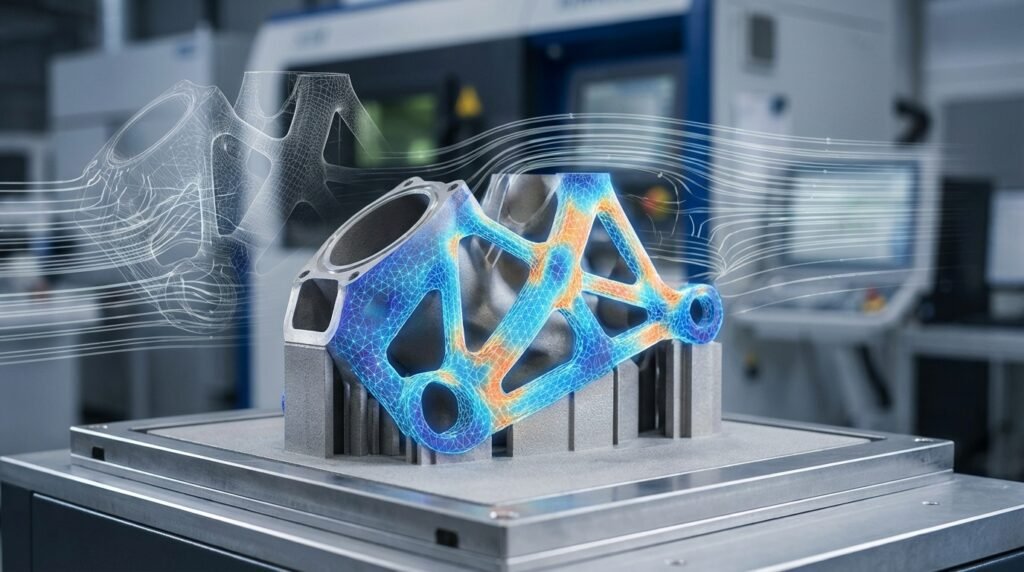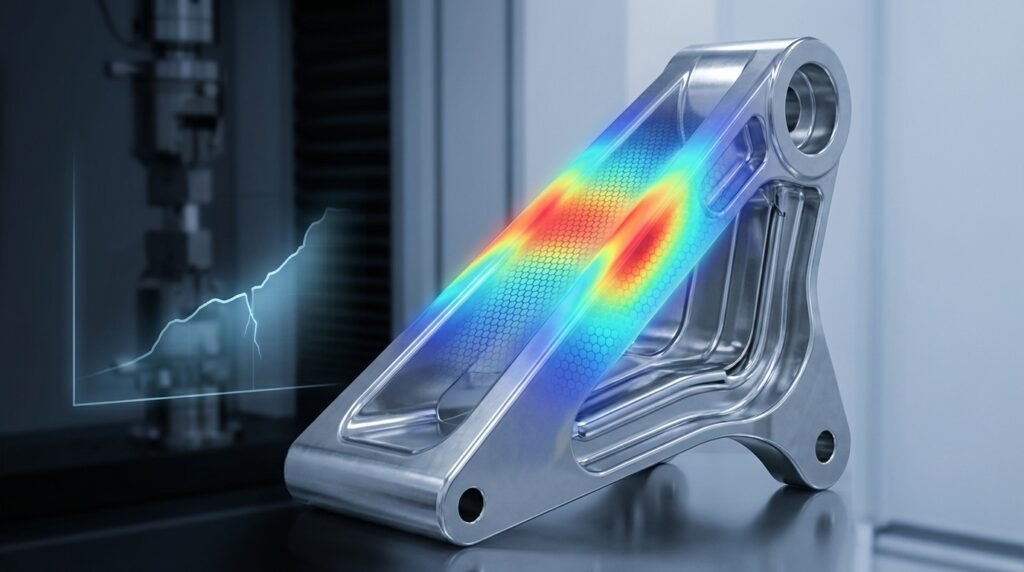
Unlocking Structural Integrity with Advanced Finite Element Analysis (FEA)
Finite Element Analysis (FEA) has revolutionized how engineers design, test, and validate structures across industries like aerospace, oil & gas, and biomechanics. It’s no longer just a computational tool; it’s an indispensable partner in ensuring the safety, reliability, and optimal performance of complex engineering systems. But like any powerful tool, its effectiveness hinges on how well it’s wielded. This article delves into the best practices for applying FEA to structural integrity assessments, moving beyond basic theory to practical workflows, common pitfalls, and essential verification techniques.
Whether you’re a seasoned analyst or just stepping into advanced simulation, understanding these practices will elevate your analysis quality and confidence in your results. We’ll explore everything from model setup in tools like Abaqus and ANSYS Mechanical to crucial post-processing insights and how Python/MATLAB can automate your workflows.

An illustrative FEA stress analysis of a welded pressure vessel head.
What is FEA for Structural Integrity?
At its core, FEA for structural integrity involves using numerical methods to predict how a product, structure, or component reacts to forces, vibrations, heat, and other physical effects. For structural integrity, the focus is often on stress, strain, deformation, fatigue life, and fracture mechanics under various loading conditions, from static loads to dynamic impacts and thermal cycles. It’s about ensuring a structure can safely perform its intended function throughout its lifespan, often adhering to industry standards like API 579 / ASME FFS-1 (Fitness-For-Service).
Why FEA is Crucial for Modern Engineering
- Early Design Validation: Identify potential failure points or areas of high stress concentration early in the design phase, reducing costly physical prototyping.
- Complex Geometries & Loads: Accurately analyze structures with intricate geometries and complex loading scenarios that are difficult or impossible to evaluate with analytical methods alone.
- Material Behavior: Incorporate advanced material models, including non-linear elasticity, plasticity, creep, and fatigue, to get a realistic response.
- Safety & Compliance: Demonstrate compliance with industry codes, standards, and regulatory requirements, particularly in critical sectors like oil & gas and aerospace.
- Optimization: Drive design optimization to reduce weight, improve performance, or extend service life while maintaining structural integrity.
Key Stages of an FEA Project for Structural Integrity
A successful FEA project is more than just running a simulation; it’s a structured process that demands careful planning and execution.
1. Problem Definition & Scope
Before touching any software, clearly define:
- Objective: What do you need to find out? (e.g., maximum stress, deformation, buckling load, fatigue life, crack propagation rates).
- System Boundaries: Which parts of the structure are critical? What can be simplified or excluded?
- Loading Conditions: Identify all relevant loads (pressure, thermal, mechanical, seismic, dynamic) and their magnitudes, directions, and durations.
- Material Properties: What material are you analyzing? Do you need linear elastic, plastic, hyperelastic, or other complex models?
- Expected Outcomes: What criteria will define success or failure (e.g., yield stress limits, displacement limits, FFS criteria)?
2. Pre-processing: Geometry, Meshing, Material Properties
This is where the physical problem is translated into a computational model. It’s often the most time-consuming stage but crucial for accurate results.
Geometry Simplification
CAD models are often too detailed for FEA. Remove small features (fillets, chamfers, small holes) that don’t significantly affect the global structural response but would create excessively fine meshes. Use symmetry where possible to reduce model size.
Meshing Strategies
The finite element mesh discretizes your geometry. Choose element types (solids, shells, beams), mesh density, and quality carefully.
- Element Choice: Use solid elements for bulky components, shell elements for thin-walled structures, and beam elements for slender members.
- Mesh Density: Refine the mesh in areas of high-stress gradients or critical regions (e.g., near welds, holes, sharp corners). A coarser mesh can be used in regions far from areas of interest.
- Mesh Quality: Prioritize elements with good aspect ratios, Jacobian ratios, and minimal skewness. Poor quality elements can lead to inaccurate or failed solutions.
Material Models and Boundary Conditions
- Material Models: Select the appropriate material model (e.g., linear elastic, elastic-plastic with hardening, creep, hyperelastic). Ensure you have reliable material data (Young’s Modulus, Poisson’s Ratio, Yield Strength, Stress-Strain curves).
- Boundary Conditions (BCs): These define how the model interacts with its environment. Accurately apply displacement constraints (fixed, roller, symmetry) and loads (pressure, force, moments, prescribed displacement/temperature). Incorrect BCs are a leading cause of inaccurate results.
3. Solver Execution
This is where the FEA software (like Abaqus, ANSYS Mechanical, or MSC Nastran) computes the solution based on your pre-processed model. For large, complex models, this can be computationally intensive, often requiring high-performance computing (HPC) resources. If you’re looking to run complex FEA models, EngineeringDownloads.com offers affordable HPC rental, specialized online courses, and expert project consultancy to support your advanced analysis needs.
4. Post-processing & Interpretation
Extract meaningful information from the vast amount of data generated by the solver. Visualize results, identify critical areas, and compare them against your design criteria. Focus on:
- Deformation: Plot the deformed shape to understand structural behavior.
- Stress & Strain: Review contour plots for stress (e.g., Von Mises, principal stresses) and strain. Identify stress concentrations.
- Safety Factors: Calculate safety factors based on material yield or ultimate strength.
- Fatigue & Fracture: If applicable, use advanced post-processing to assess fatigue life or fracture mechanics parameters (e.g., stress intensity factors).
Practical Workflow for Structural FEA
Here’s a typical step-by-step workflow you can follow for most structural integrity FEA projects:
Step 1: CAD Model Preparation
- Import & Clean: Import your CAD model (e.g., from CATIA). Check for gaps, overlaps, or small slivers.
- Simplify: Suppress or remove non-essential features (small fillets, holes, chamfers) to reduce meshing complexity and computational cost. Aim for a “mid-surface” representation for thin components if using shell elements.
- Partition: Divide complex geometries into simpler regions to control meshing more effectively, especially around areas of interest.
Step 2: Material and Property Assignment
- Define Materials: Input material properties (Young’s Modulus, Poisson’s Ratio, Density, Yield Strength, Stress-Strain curves for plasticity) into your FEA software.
- Assign Sections: Assign appropriate section properties (e.g., solid section, shell thickness, beam profiles) to the respective geometry regions.
Step 3: Meshing Refinement
- Global Mesh: Start with a relatively coarse global mesh to get an initial feel for the model’s behavior.
- Local Refinement: Systematically refine the mesh in high-stress gradient areas or critical regions. Perform mesh convergence studies (discussed later) to ensure results are independent of mesh density.
- Element Quality Check: Routinely check element quality (aspect ratio, skewness, Jacobian) and remesh problematic areas.
Step 4: Applying Loads and Boundary Conditions
- Loads: Apply all anticipated loads (e.g., pressure on a vessel wall, concentrated forces, moments, gravity, thermal expansion). Ensure correct units and directions.
- Constraints: Apply displacement constraints that accurately represent how the structure is supported or connected. Consider friction if contact is involved.
- Interactions: Define contact properties, fasteners, welds, or other connections between parts.
Step 5: Solver Setup and Execution
- Analysis Type: Select the correct analysis type (e.g., static, transient, buckling, fatigue, explicit dynamics).
- Solver Parameters: Configure solver settings, including convergence criteria, time steps (for transient analyses), and output requests.
- Monitor Progress: During solution, monitor convergence plots and error messages to catch issues early.
Step 6: Results Interpretation and Reporting
- Review Plots: Visualize stress, strain, displacement, and reaction forces. Identify max/min values and critical locations.
- Validate: Compare results with hand calculations, experimental data, or previous analyses if available.
- Report: Document your methodology, assumptions, results, and conclusions clearly. Include plots, tables, and a discussion of any limitations.
Common Mistakes in FEA and How to Avoid Them
Even experienced engineers can fall into common FEA traps. Here’s how to steer clear:
Over-simplifying Geometry
While simplification is good, removing critical features (like small holes at high-stress locations or intricate weld details that impact local stress) can lead to inaccurate results. Balance simplification with the need for accuracy in relevant areas.
Poor Mesh Quality
Using coarse or distorted elements in critical regions will produce incorrect stress values. Always perform a mesh quality check and refine problematic elements. Stress results are highly sensitive to mesh quality.
Incorrect Boundary Conditions
Applying overly stiff (over-constrained) or overly loose (under-constrained) boundary conditions can drastically alter results. Think carefully about how your component is truly supported and loaded in reality.
Neglecting Material Non-linearity
Assuming linear elastic behavior when stresses exceed the material’s yield strength will provide misleading stress and displacement values. For accurate structural integrity assessment, especially for FFS Level 3, incorporating plasticity, creep, or other non-linear material models is essential.
Misinterpreting Results
Simply looking at the maximum Von Mises stress isn’t always enough. Understand what different stress types mean (principal, shear, hydrostatic), their orientation, and how they relate to the failure criteria of your material. Be wary of “singularities” at point loads or sharp corners which are mathematical artifacts, not physical stresses.
Verification & Sanity Checks for Robust FEA
Never take FEA results at face value. A rigorous verification process is non-negotiable.
Mesh Convergence Study
This is paramount. Rerun your analysis with progressively finer meshes in critical regions and plot a key output parameter (e.g., maximum stress or displacement) against the number of elements or degrees of freedom. The results should converge to a stable value, indicating that the mesh is sufficiently fine. If it doesn’t, your results are mesh-dependent and unreliable.
Boundary Condition Checks
Ensure reaction forces/moments at constrained boundaries balance the applied loads. Visualize the deformed shape to check if it makes physical sense. Look for rigid body motion if the model is under-constrained.
Load Path Verification
Trace the load path through your structure. Does the stress distribution logically follow how forces are transmitted? Stress should generally flow from load application points to support points.
Convergence Criteria
For non-linear analyses, check the solver’s convergence history. Ensure that equilibrium iterations converge within the specified tolerances. Non-convergence often points to model instabilities or incorrect settings.
Hand Calculations & Analytical Solutions
Whenever possible, compare key results (e.g., deflection of a simple beam, stress in a thin-walled pressure vessel) to simplified hand calculations or exact analytical solutions. This provides a crucial sanity check for your overall model setup.
Sensitivity Analysis
Explore how variations in input parameters (material properties, load magnitudes, boundary condition locations) affect your results. This helps understand the robustness of your design and identifies critical parameters.
Leveraging Advanced Tools and Automation
The FEA landscape is continually evolving, with powerful software and automation capabilities.
FEA Software Spotlight
Leading commercial FEA software packages offer extensive capabilities for structural integrity:
| Software | Key Strengths | Typical Applications | Learning Curve |
|---|---|---|---|
| Abaqus | Highly robust for non-linear, explicit dynamics, and advanced material models (e.g., plasticity, fracture mechanics). | Aerospace (impact, crash), Biomechanics (tissue response), Oil & Gas (pipeline integrity), Advanced FFS. | High |
| ANSYS Mechanical | Comprehensive, user-friendly interface, strong multiphysics capabilities, broad range of linear/non-linear analyses. | General structural, thermal-stress, vibration, fatigue, coupled-field analyses across various industries. | Medium to High |
| MSC Nastran | Renowned for linear static, dynamic (modal, frequency response), and aeroelasticity. Often used in aerospace. | Aerospace structures, automotive NVH (Noise, Vibration, Harshness), general structural analysis. | High |
Python and MATLAB for Automation
Integrating scripting languages like Python and MATLAB into your FEA workflow can significantly boost efficiency:
- Pre-processing: Automate geometry creation, meshing parameters, and boundary condition application, especially for repetitive tasks or parametric studies.
- Post-processing: Extract specific results, perform custom calculations (e.g., stress linearization, fatigue damage accumulation), generate plots, and create automated reports.
- Parametric Studies: Easily vary design parameters and rerun simulations to explore design space or perform optimization.
- Software Integration: Most major FEA packages (Abaqus, ANSYS) provide Python APIs, allowing you to script complex workflows directly.
Conclusion
Mastering Finite Element Analysis for structural integrity is a journey that combines theoretical understanding with practical application and rigorous verification. By adhering to best practices in problem definition, pre-processing, analysis, and post-processing, engineers can leverage the full power of FEA to deliver safer, more reliable, and optimized designs. Remember to critically evaluate your models, question your assumptions, and always perform sanity checks. Your diligence in these steps will define the quality and trustworthiness of your engineering insights.