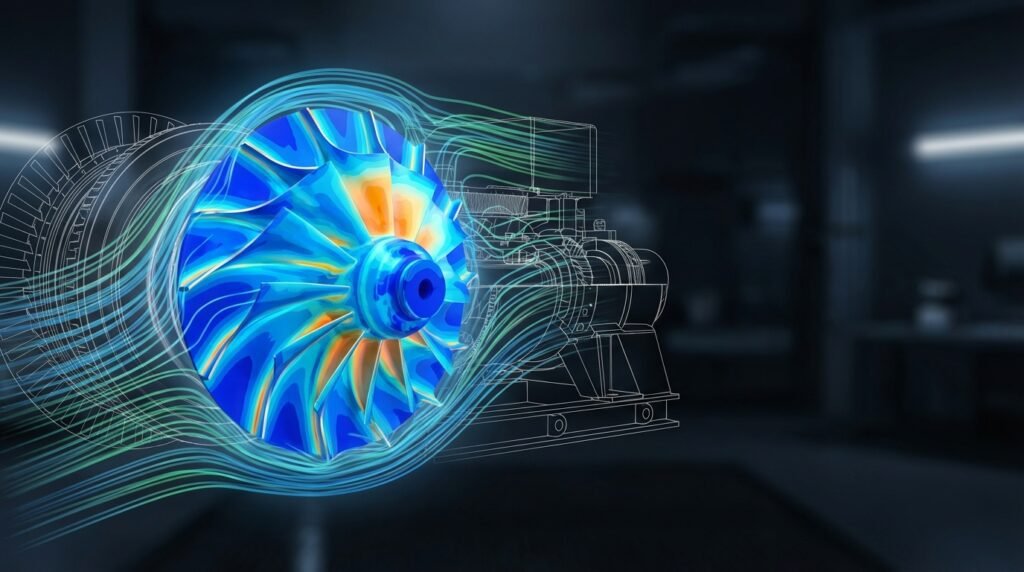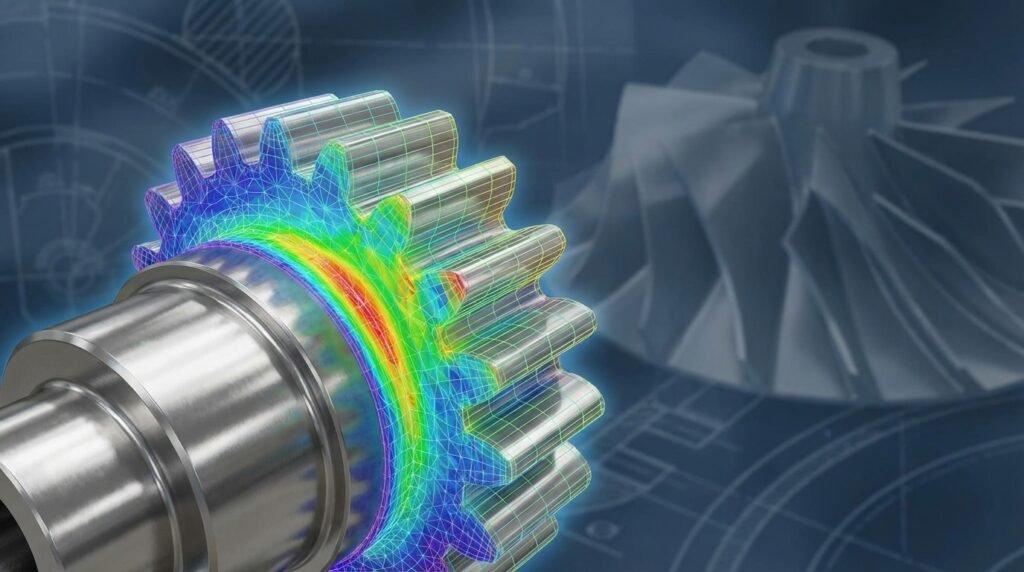
Finite Element Analysis (FEA) has transformed how engineers approach structural integrity assessments. From aerospace components to oil & gas pipelines, understanding how structures behave under various loads is paramount. This guide will walk you through the practical aspects of using FEA to ensure the safety, reliability, and longevity of your designs, moving beyond theoretical concepts to actionable steps.

Image Credit: Wikimedia Commons / Creative Commons Attribution-Share Alike 3.0 Unported license.
Understanding Structural Integrity and FEA’s Role
Structural integrity is the ability of a structure to withstand its intended loads without failure, unacceptable deformation, or damage throughout its operational life. It’s not just about avoiding catastrophic collapse; it also encompasses resistance to fatigue, fracture, corrosion, and other degradation mechanisms.
What is Structural Integrity?
At its core, structural integrity means a component or system can perform its function safely and reliably. This involves considering various failure modes, such as:
- Yielding: Permanent deformation due to stresses exceeding the material’s yield strength.
- Fracture: Material separation, often brittle or ductile.
- Fatigue: Progressive localized damage occurring when a material is subjected to cyclic loading.
- Buckling: Instability leading to sudden large deformations, particularly in slender compressive members.
- Creep: Time-dependent deformation under constant stress at elevated temperatures.
- Corrosion: Degradation due to chemical or electrochemical reactions.
Why FEA for Structural Integrity?
Traditional hand calculations, while fundamental, are often limited to simplified geometries and loading conditions. FEA provides a powerful numerical method to analyze complex structures with intricate geometries, heterogeneous materials, and diverse loading scenarios. Here’s why it’s indispensable:
- Detailed Stress & Strain Analysis: Pinpoint stress concentrations, critical areas for potential failure, and predict deformation patterns.
- Complex Geometries: Easily handle irregular shapes, cut-outs, and fillets that are impractical for analytical solutions.
- Material Non-linearity: Incorporate plasticity, hyperelasticity, and viscoelasticity.
- Diverse Load Cases: Simulate static, dynamic, thermal, fluid pressure, and multi-physics interactions.
- Optimization & Design Iteration: Quickly evaluate design changes, optimize material usage, and improve performance without costly physical prototyping.
- Predictive Capability: Estimate remaining life, guide inspection intervals (e.g., in FFS Level 3 assessments for oil & gas), and inform maintenance strategies.
The FEA Workflow for Structural Integrity Assessment
A systematic approach is crucial for reliable FEA results. Here’s a breakdown of the typical workflow:
1. Problem Definition & Pre-processing
This phase is arguably the most critical. Garbage in, garbage out applies strongly here.
a. Geometry Creation/Import
- Simplification: Start by simplifying the CAD model. Remove small features (fillets, chamfers, holes) that don’t significantly affect global behavior unless they are specifically critical stress concentration points.
- Defeaturing: Tools like Abaqus/CAE, ANSYS SpaceClaim, or CATIA offer robust defeaturing capabilities.
- Mid-Surfaces/Beams: For thin-walled structures, consider using mid-surfaces (shell elements) or beam elements for slender components to reduce computational cost.
b. Material Properties
Accurate material data is fundamental.
- Linear Elastic: Young’s Modulus (E) and Poisson’s Ratio (ν) are usually sufficient for small deformations.
- Non-linear: For plasticity, you’ll need stress-strain curves (true stress vs. true plastic strain). Temperature-dependent properties are vital for thermal analyses.
- Anisotropy: If the material has directional properties (e.g., composites), define these carefully.
c. Meshing Strategies
The mesh discretizes your geometry into finite elements. Quality and density are key.
- Element Types: Choose appropriate elements (solids, shells, beams). High-order elements (e.g., quadratic) offer better accuracy for a given mesh density but are more computationally intensive.
- Mesh Density: Refine the mesh in areas of high stress gradient (e.g., corners, holes, load application points) and coarsen it in regions with minimal stress change.
- Aspect Ratio & Skewness: Aim for elements with aspect ratios close to 1 and low skewness to avoid numerical inaccuracies.
Here’s a quick comparison of common element types:
| Element Type | Application | Advantages | Disadvantages |
|---|---|---|---|
| 3D Solid (Hexahedral) | Thick sections, general 3D stress analysis | Accurate for complex stress states | High computational cost, meshing complexity |
| 3D Solid (Tetrahedral) | Complex geometries, automated meshing | Easy to mesh irregular shapes | Prone to ‘locking’, less accurate than hex for same count |
| Shell (Quadrilateral/Triangular) | Thin-walled structures (plates, shells) | Reduced computational cost, good for bending | Requires mid-surface creation, not for thick sections |
| Beam (Line) | Slender members (trusses, frames, shafts) | Very efficient, captures axial, bending, torsion | Requires cross-section definition, not for local effects |
d. Boundary Conditions & Loads
Accurately representing how the structure is supported and loaded is paramount.
- Constraints: Fix degrees of freedom (DOF) at supports. Use fixed (all DOF restricted), pinned (rotations free, translations restricted), or roller (specific translations free) conditions.
- Loads: Apply forces, pressures, moments, accelerations, thermal loads, or prescribed displacements. Ensure units are consistent!
- Symmetry: Utilize symmetry planes to reduce model size and computation time when applicable.
2. Solver Execution
Once pre-processing is complete, the solver takes over.
a. Choosing the Right Analysis Type
- Static Structural: For steady loads where inertial effects are negligible.
- Dynamic (Modal/Transient): For time-varying loads, vibrations, or impact.
- Buckling: Predict critical buckling loads for slender structures.
- Thermal: Analyze temperature distributions and thermal stresses.
- Fatigue: Estimate component life under cyclic loading, often using stress-life (S-N) or strain-life (E-N) approaches.
- Fracture Mechanics (XFEM/VCCT): For assessing crack initiation and propagation, crucial for FFS Level 3.
b. Solver Settings
Configure solver parameters for accuracy and efficiency:
- Convergence Criteria: For non-linear analyses, define tolerance for force, displacement, or energy residual norms.
- Time Steps (Non-linear/Dynamic): Adjust step size to capture non-linear behavior or dynamic response accurately.
- Output Requests: Specify what results to save (stresses, strains, displacements) and at which locations or time steps.
3. Post-processing & Interpretation
Visualizing and understanding the results is where insights are gained.
a. Visualizing Results
- Deformation Plots: Confirm the expected deformation patterns and magnitudes. Apply a scaling factor to visualize small deformations.
- Stress Contours: Identify regions of high stress (Von Mises, Principal Stresses). Pay attention to units!
- Strain Plots: Understand how material is deforming.
b. Critical Regions & Stress Concentrations
These are often at sharp corners, holes, or sudden changes in cross-section. Analyze these areas closely.
- Mesh Refinement: If stress gradients are very high, further refine the mesh in these areas for more accurate local stress values.
- Singularities: Be aware that theoretical stress singularities can occur at sharp re-entrant corners in linear elastic analyses. FEA will show very high stresses here, which might not be physically accurate without considering plasticity or fracture mechanics.
c. Safety Factors & Design Margins
Compare your peak stresses to material strength limits (yield, ultimate tensile strength), incorporating appropriate safety factors based on industry standards (e.g., ASME, API, Eurocode).
d. Fatigue & Fracture Mechanics Considerations
For cyclic loading or existing defects, these advanced analyses are crucial. FFS Level 3 assessments, common in oil & gas, rely heavily on detailed FEA to evaluate the remaining life of damaged components using fracture mechanics principles.
Practical Workflow: A Case Study Approach
Let’s consider a simplified example: Assessing a pressure vessel nozzle connection for structural integrity under internal pressure.
Example Scenario: Pressure Vessel Nozzle
An internal pressure of 10 MPa (illustrative) is applied to a steel pressure vessel with a welded nozzle. We want to check for potential yielding in the critical weld toe region.
Step 1: CAD Model Preparation
Import the CAD model of the vessel and nozzle. Simplify unnecessary details like small bolt holes far from the region of interest. Ensure clean geometry for meshing.
Step 2: Material Assignment
Assign steel properties: Young’s Modulus = 200 GPa, Poisson’s Ratio = 0.3. For a more advanced analysis, include a plastic stress-strain curve if yielding is expected.
Step 3: Meshing Refinement
Use 3D solid elements (e.g., C3D8R in Abaqus or SOLID186 in ANSYS). Apply a fine mesh around the nozzle-shell intersection, especially at the weld toe, as this is a high-stress gradient area. A coarser mesh can be used in regions further away.
Step 4: Applying Loads & BCs
- Internal Pressure: Apply 10 MPa uniformly to the internal surfaces of the vessel and nozzle.
- Boundary Conditions: Restrain the vessel’s base (or one end) to prevent rigid body motion. Apply symmetry boundary conditions if the geometry and loading allow for it to reduce the model size. For example, if the vessel is cylindrical and the nozzle is radial, you might model a quarter or half section.
Step 5: Running the Simulation (Abaqus/ANSYS)
Set up a static general step. Ensure non-linear geometry is considered if large deformations are possible (though for a typical pressure vessel, small deformation theory might suffice). Run the job.
Step 6: Post-processing Critical Areas
- Deformation Plot: Check that the vessel expands as expected.
- Von Mises Stress: Visualize the stress distribution. Identify the peak Von Mises stress, likely around the nozzle-shell junction (weld toe).
- Comparison: Compare this peak stress to the material’s yield strength (e.g., 345 MPa for typical pressure vessel steel). If the peak stress exceeds the yield strength, consider a more detailed non-linear analysis or design modification.
- Fatigue: If the pressure is cyclic, extract stress ranges for fatigue assessment.
Verification & Sanity Checks in FEA
Blindly trusting FEA results is a common and dangerous mistake. Verification is paramount.
Mesh Convergence Studies
This is non-negotiable. Rerun the analysis with successively finer meshes, especially in critical regions. Plot a key result (e.g., peak stress, displacement) against the number of elements or element size. When the result converges to a stable value, your mesh is sufficiently refined.
Boundary Condition Validation
- Realistic Constraints: Do your BCs accurately represent how the component is supported in reality? Over-constraining can lead to artificially low stresses; under-constraining can lead to rigid body motion errors.
- Load Path: Does the load flow through the structure as expected? Visualize reaction forces.
Hand Calculation Cross-Checks
For simplified sub-regions or global behavior, perform basic analytical calculations (e.g., beam bending, plate deflection, pressure vessel formulas like Lame’s equation) to get order-of-magnitude checks on displacements or stresses.
Load Path Analysis
Visually inspect the stress contours. Does the stress distribution make physical sense? Are stresses concentrating where expected?
Sensitivity Analysis
Investigate the impact of uncertainties in input parameters (material properties, load magnitudes, boundary conditions) on your results. How sensitive is your critical stress to a slight variation in Young’s Modulus, for example?
Model Validation (if experimental data exists)
If physical test data is available, compare your FEA results to it. This is the ultimate form of validation. Ensure you are comparing apples to apples (same load, same location, same measurement type). If you need help with model validation or expert guidance, EngineeringDownloads.com offers specialized online consultancy services.
Common Pitfalls and How to Avoid Them
Even experienced engineers can fall into these traps:
- Overly Complex Models: Unnecessary detail increases meshing difficulty, computational time, and debugging effort. Simplify first.
- Incorrect Boundary Conditions: Leading to either unrealistic stiffness or global instability. Double-check every constraint.
- Inadequate Meshing: Especially in high-gradient areas, leading to inaccurate stress predictions. Always perform mesh convergence studies.
- Misinterpreting Stress Concentrations: Distinguish between true stress concentrations and numerical singularities at sharp corners. Consider plasticity or fatigue implications.
- Ignoring Non-Linearities: If deformations are large, materials yield, or contacts are involved, linear elastic analysis will be inaccurate.
- Incorrect Units: A simple error that can invalidate an entire analysis. Be diligent with unit consistency.
Leveraging Automation: Python & MATLAB in FEA Workflows
Automation can significantly streamline repetitive FEA tasks, especially in parametric studies or design optimization.
Scripting Pre-processing Tasks
- Geometry Generation: Create parametric geometries using Python scripts with tools like Abaqus/CAE scripting or ANSYS APDL/Python.
- Mesh Generation: Automate meshing parameters and local refinements based on design rules.
- Boundary Conditions & Loads: Apply loads and constraints programmatically, especially for complex or varying scenarios.
Automating Post-processing & Reporting
- Data Extraction: Extract specific stress/strain values, reaction forces, or displacements from result files using Python libraries.
- Custom Plots & Visualizations: Generate standardized plots and contour maps.
- Automated Reports: Create reports summarizing critical results, safety factors, and design compliance checks.
Parametric Studies & Optimization
Run hundreds or thousands of simulations by varying design parameters (e.g., wall thickness, material grade, hole diameter) and automatically extracting performance metrics. This is invaluable for robust design and optimization.
EngineeringDownloads.com provides downloadable Python scripts and MATLAB templates to kickstart your FEA automation journey, saving you valuable time.
Tools of the Trade
Several powerful software packages are available:
Commercial Software
- Abaqus: Renowned for its advanced non-linear capabilities, material models, and implicit/explicit solvers. Excellent for complex structural integrity assessments, including fracture mechanics.
- ANSYS Mechanical: A comprehensive suite offering strong capabilities in structural, thermal, and fluid dynamics (with Fluent/CFX). User-friendly interface with powerful meshing and post-processing.
- MSC Nastran: A highly respected solver, often used with pre/post processors like MSC Patran. Strong in linear, non-linear, and dynamic analysis, particularly in aerospace.
- CATIA (with Generative Structural Analysis): Often used in CAD-CAE workflows for integrated design and analysis, especially in automotive and aerospace.
Open-Source Alternatives
- CalculiX: An open-source FEA solver capable of linear and non-linear static, dynamic, and thermal analyses. Often paired with PrePoMax for GUI-based pre/post-processing.
- Code_Aster: Developed by EDF, powerful for structural and thermal analysis, particularly in nuclear and civil engineering.
- OpenFOAM (with solid mechanics solvers): Primarily CFD, but extensions exist for solid mechanics. More command-line driven, offering high flexibility for advanced users.
Maximizing Your FEA Skills for Structural Integrity
FEA for structural integrity is a continuous learning process. Stay updated with new software features, material models, and industry standards. Continuously refine your modeling techniques, prioritize verification, and leverage automation to enhance your productivity and the reliability of your analyses.
Conclusion
FEA is an indispensable tool for modern engineering, offering deep insights into the behavior of complex structures. By mastering its workflow, diligently performing verification checks, and avoiding common pitfalls, you can confidently contribute to the design and assessment of safe and reliable engineering systems. Embrace the power of FEA, and unlock new possibilities in structural integrity.
Further Reading: ANSYS Blog: Why FEA Stress Analysis is the Best Option for Your Design