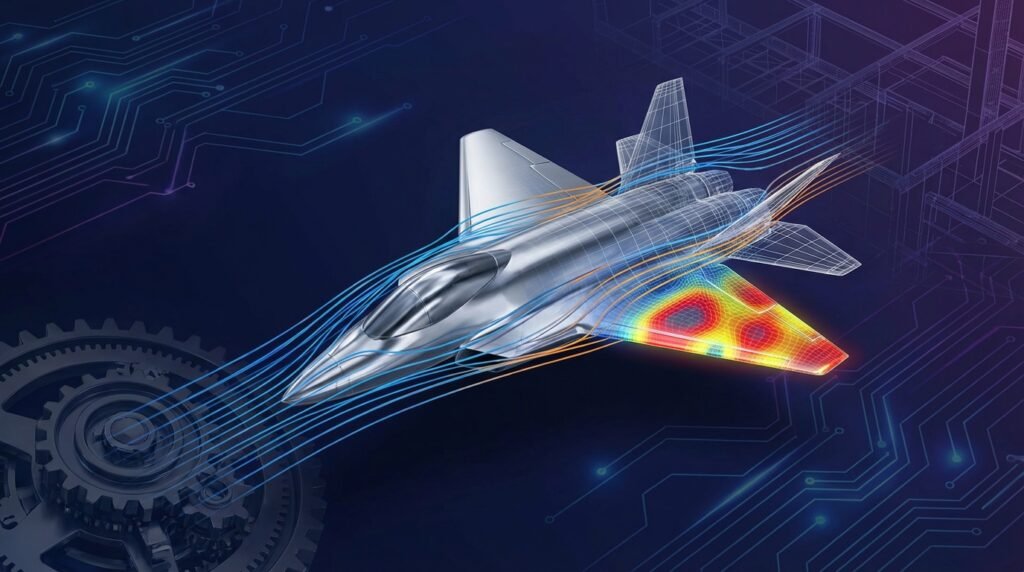
Elevate Your Engineering Skills with Expert CAE Tutoring
In today’s fast-paced engineering world, Computer-Aided Engineering (CAE) is no longer a niche skill; it’s a fundamental requirement. From designing robust aerospace components to optimizing fluid flow in oil & gas pipelines, CAE simulations provide critical insights, reduce prototyping costs, and accelerate product development. However, mastering complex software and underlying physics principles can be challenging. That’s where expert CAE tutoring comes in, offering a personalized path to proficiency.

Image by NASA Glenn Research Center, Public domain, via Wikimedia Commons
At EngineeringDownloads.com, we understand the practical demands of the industry. Our tutoring focuses on hands-on application, real-world scenarios, and the critical thinking necessary to become a highly effective simulation engineer. This guide will walk you through the immense benefits of dedicated CAE tutoring and how it can propel your career forward.
Why Personalized CAE Tutoring Matters for Engineers
Online tutorials and software manuals are valuable, but they often lack the personalized touch needed to overcome specific hurdles. Here’s why one-on-one or small-group CAE tutoring offers a significant advantage:
- Tailored Learning Path: Your tutor can adapt the curriculum to your exact needs, whether you’re struggling with meshing in Abaqus, boundary conditions in ANSYS Mechanical, or advanced turbulence models in Fluent.
- Clarify Complex Concepts: Get immediate answers to your questions about FEA, CFD, structural integrity, FFS Level 3 assessments, or biomechanics simulations. A tutor can explain intricate theories with practical examples.
- Hands-on Problem Solving: Work through your own project challenges or industry-relevant case studies under expert guidance. This practical application solidifies understanding far more effectively than passive learning.
- Best Practices & Troubleshooting: Learn industry best practices, common pitfalls, and effective troubleshooting techniques that aren’t always covered in standard documentation.
- Software Proficiency: Gain practical expertise in leading software like Abaqus, ANSYS, OpenFOAM, CATIA, ADAMS, and MSC Patran/Nastran, understanding their strengths and limitations.
- Career Advancement: Develop the confidence and skills employers are actively seeking, enhancing your career prospects in fields like automotive, aerospace, medical devices, and oil & gas.
Who Benefits Most from CAE Tutoring?
CAE tutoring is not just for beginners. Engineers at various stages of their careers can leverage expert guidance:
1. Engineering Students & Recent Graduates
- Bridge the Gap: Translate theoretical knowledge into practical simulation skills.
- Project Support: Get help with academic projects, theses, or capstone designs using CAE tools.
- Job Readiness: Build a portfolio of simulation work that impresses potential employers.
2. Young Professionals & Mid-Career Engineers
- Upskill & Specialize: Transition into a new domain (e.g., from structural to CFD) or deepen expertise in a specific area like fatigue analysis.
- Problem-Solving Edge: Get assistance with challenging real-world engineering problems from your current role.
- Software Migration: Smoothly transition to new CAE platforms or learn advanced features of existing ones.
3. Experienced Engineers & Managers
- Adopt New Technologies: Understand emerging CAE trends like topology optimization, additive manufacturing simulation, or Python/MATLAB integration for automation.
- Validate & Review: Enhance your ability to critically review and validate simulation results from your team or consultants.
- Strategic Insight: Gain a deeper understanding of CAE capabilities to make informed project and resource allocation decisions.
Key Areas Covered in Comprehensive CAE Tutoring
Our tutoring programs delve into a broad spectrum of CAE disciplines, ensuring you gain a holistic understanding and specialized skills.
Finite Element Analysis (FEA) Tutoring
- Fundamentals: Element types, meshing guidelines, linear vs. non-linear analysis.
- Structural Mechanics: Stress, strain, displacement, buckling, vibration analysis, contact mechanics.
- Advanced Topics: Material non-linearity (plasticity, hyperelasticity), geometric non-linearity, fracture mechanics, fatigue analysis.
- Industry Applications: Pressure vessel design, aerospace component integrity, civil engineering structures, biomechanical implants.
- Tools: Abaqus, ANSYS Mechanical, MSC Nastran, SolidWorks Simulation.
Computational Fluid Dynamics (CFD) Tutoring
- Governing Equations: Navier-Stokes, turbulence models (k-epsilon, k-omega, LES, DES).
- Fluid Flow Phenomena: Laminar vs. turbulent flow, internal/external flow, heat transfer, multiphase flow.
- Advanced Concepts: Reacting flows, aerodynamics, hydrodynamics, combustion modeling.
- Industry Applications: Aerodynamic drag optimization, HVAC system design, pump and valve performance, oil & gas pipeline flow, biomedical fluid dynamics.
- Tools: ANSYS Fluent, ANSYS CFX, OpenFOAM, STAR-CCM+.
Multibody Dynamics (MBD) Tutoring
- Principles: Kinematics, kinetics, rigid and flexible body dynamics.
- Simulation: Mechanism analysis, dynamic response, force and torque calculations.
- Applications: Robotic systems, vehicle dynamics, industrial machinery.
- Tools: ADAMS, RecurDyn.
CAD-CAE Integration Workflows
Seamless integration of CAD and CAE is crucial for efficient design and analysis cycles.
- Geometry Preparation: Importing, de-featuring, simplifying complex CAD models for simulation.
- Parametric Studies: Linking CAD parameters to CAE models for design optimization.
- Software Interaction: Best practices for using tools like CATIA, SolidWorks, or Inventor with CAE solvers.
Material Modeling & Advanced Analysis
- Constitutive Models: Isotropic, anisotropic, orthotropic materials; elastic, plastic, viscoelastic, hyperelastic.
- Composite Materials: Laminate theory, failure criteria for composites.
- Specialized Analyses: Coupled-field analysis (thermo-mechanical, fluid-structure interaction), explicit dynamics (impact, crash), manufacturing process simulation.
Practical Workflow: From CAD to Actionable Insight
A structured approach is key to successful CAE. Here’s a typical workflow, refined through expert tutoring.
1. Problem Definition & Goals
- Clarify Objectives: What do you want to achieve? (e.g., determine max stress, optimize pressure drop, predict fatigue life).
- Identify Key Parameters: Which variables are critical for the analysis?
- Establish Success Criteria: How will you know if your simulation is accurate and useful?
2. Geometry Preparation (CAD)
- Simplify: Remove small features, fillets, and holes that are irrelevant to the analysis to reduce mesh size and computational cost.
- Clean Up: Repair gaps, overlaps, and free edges in the geometry.
- Parting Lines: Create necessary parting lines for complex meshing strategies.
3. Meshing Strategies
- Element Type Selection: Choose appropriate elements (e.g., solid, shell, beam, fluid, coupled) based on geometry and physics.
- Mesh Density: Refine mesh in critical regions (stress concentrations, high gradients) and coarsen elsewhere.
- Mesh Quality: Monitor aspect ratio, skewness, Jacobian, and orthogonal quality for accurate results.
- Tools: HyperMesh, ANSYS Meshing, Patran.
4. Boundary Conditions & Loads
- Accurate Representation: Apply realistic constraints (fixed, pinned, symmetric) and loads (pressure, force, temperature, flow rates).
- Avoid Over-constraining: Ensure the model is not artificially stiffened.
- Initial Conditions: Set initial velocity, pressure, temperature for transient analyses.
5. Material Properties
- Accurate Data: Use appropriate material models (elastic, plastic, hyperelastic) and their corresponding properties (Young’s Modulus, Poisson’s Ratio, yield strength, density, thermal conductivity, viscosity).
- Temperature Dependence: Account for property variation with temperature if relevant.
6. Solver Setup & Execution
- Analysis Type: Select static, dynamic, thermal, fluid, explicit, implicit.
- Solver Settings: Define convergence criteria, time steps, output requests.
- Computational Resources: Understand how to leverage HPC (High-Performance Computing) if available.
7. Post-Processing & Interpretation
- Visualize Results: Stress, strain, displacement, velocity vectors, pressure contours, temperature profiles.
- Critical Locations: Identify areas of interest.
- Data Extraction: Plot results, generate reports, extract specific values for design checks.
Verification & Sanity Checks: Trust Your Simulation Results
Generating beautiful color plots is easy; generating *reliable* results requires rigorous verification. This is a crucial skill nurtured through expert tutoring.
1. Mesh Sensitivity Analysis
- Procedure: Run the simulation with progressively finer meshes and observe the change in critical results (e.g., maximum stress, peak velocity).
- Convergence: The solution is mesh-independent when results no longer significantly change with further mesh refinement.
- Takeaway: Ensures your results aren’t artifacts of poor mesh quality.
2. Convergence Criteria
- Solver Output: Always monitor the solver’s convergence plots and error messages.
- Residuals: For CFD, ensure mass, momentum, and energy residuals drop to acceptable levels (e.g., 1e-4 to 1e-6).
- Force/Moment/Energy Balance: Check that reaction forces match applied loads, and energy is conserved.
3. Hand Calculations & Analytical Solutions
- Simple Cases: For simplified geometries and loading, compare your CAE results to known analytical solutions or simplified hand calculations.
- Bounding Box Approach: Estimate upper and lower bounds for your expected results based on engineering judgment.
- Example: For a cantilever beam under tip load, calculate the maximum bending stress using beam theory and compare it to your FEA result. If your FEA shows 100 MPa and hand calcs show 95 MPa, you’re likely in a good range. If FEA shows 10 MPa or 1000 MPa, something is wrong.
4. Physics Intuition & Common Sense
- Expected Behavior: Do the deformations, flow patterns, or temperature distributions make physical sense?
- Boundary Condition Impact: Are regions near constraints behaving as expected?
- Disproportionate Results: If a small load causes huge deformation, or vice-versa, investigate.
5. Unit Consistency
- Crucial Check: Ensure all input units (geometry, material properties, loads) are consistent within your chosen system (SI, Imperial, custom).
- Software Defaults: Be aware of default units in software and always verify.
6. Sensitivity Analysis
- Parameter Variation: Systematically vary key input parameters (e.g., material property, load magnitude, boundary condition location) to understand their impact on results.
- Robustness: Helps assess the robustness of your design and simulation model.
Common Mistakes in CAE & How Tutoring Helps You Avoid Them
Even experienced engineers can fall into these traps. Tutoring provides the guidance to navigate them.
- Over-reliance on Defaults: Software defaults are a starting point, not always the optimal setting for your specific problem. Tutors teach you when and how to customize.
- Poor Mesh Quality: Bad elements can lead to inaccurate, non-convergent, or even erroneous results. Learn advanced meshing techniques and quality checks.
- Incorrect Boundary Conditions (BCs): Applying the wrong loads or constraints is one of the most common causes of incorrect results. Tutors emphasize understanding the physical problem to define BCs accurately.
- Ignoring Convergence Warnings: A simulation that hasn’t converged is not a valid result. Tutoring helps you diagnose and resolve convergence issues.
- Misinterpreting Results: High stresses at sharp corners (singularities) or localized flow effects might not always indicate failure but rather a modeling artifact. Learn how to interpret results in context.
- Lack of Verification: Skipping sanity checks and validation against known data can lead to costly design errors.
Leveraging Programming for CAE: Python & MATLAB Automation
Modern CAE workflows increasingly integrate scripting for automation, pre-processing, and post-processing. Our tutoring covers practical applications of programming in CAE:
- Python Scripting: Automate repetitive tasks in Abaqus (Python scripting interface), ANSYS, OpenFOAM. Create custom pre/post-processing scripts.
- MATLAB: Develop custom analysis tools, process large datasets from simulations, perform optimization studies.
- API Integration: Learn how to interact with CAE software APIs to streamline your analysis pipeline.
- Parametric Studies & Optimization: Use scripting to efficiently run multiple simulations with varying parameters and find optimal designs.
Choosing the Right CAE Tutoring Program
When seeking CAE tutoring, consider these factors:
- Expertise: Does the tutor have practical industry experience in the specific software and engineering domain you need?
- Personalization: Is the program flexible enough to cater to your individual learning style and objectives?
- Practical Focus: Does it emphasize hands-on application over purely theoretical lectures?
- Support & Resources: Are there additional resources, templates, or project files available?
At EngineeringDownloads.com, we offer expert-led CAE tutoring designed by seasoned engineers for engineers. Our programs cover the core tools and theoretical foundations, helping you master challenging simulations, troubleshoot effectively, and apply your knowledge to real-world problems. Explore our tutoring options, downloadable project templates, and ready-to-use Python/MATLAB scripts to accelerate your learning journey.
Further Reading
For more detailed insights into the fundamentals of Finite Element Analysis, consider resources from reputable academic institutions like Carnegie Mellon University’s explanation of FEA.
Frequently Asked Questions About CAE Tutoring
| Question | Answer | |
|---|---|---|
| What is CAE Tutoring? | CAE Tutoring involves personalized, one-on-one or small-group instruction focused on Computer-Aided Engineering tools and principles. It helps engineers and students master simulation software (like FEA, CFD) and apply them to real-world design and analysis problems. | |
| Which CAE software can I learn through tutoring? | Our tutoring covers a wide range of industry-standard software, including Abaqus, ANSYS Mechanical, ANSYS Fluent/CFX, OpenFOAM, CATIA, ADAMS, MSC Patran/Nastran, and integration with scripting languages like Python and MATLAB. | |
| Is CAE tutoring suitable for beginners or experienced engineers? | Both! Beginners can build a strong foundation, while experienced engineers can upskill in new domains (e.g., FFS Level 3, biomechanics), master advanced features, troubleshoot complex issues, or learn automation techniques. | |
| How does tutoring differ from online courses? | Tutoring offers personalized attention, allowing you to ask specific questions, work on your own projects, and receive tailored feedback that generic online courses often cannot provide. It adapts to your pace and learning style. | |
| What kind of engineering problems can I solve with CAE skills? | You can tackle a vast array of problems, including structural integrity analysis, fluid flow optimization, heat transfer prediction, fatigue assessment in oil & gas components, aerodynamic design, crashworthiness, and even biomechanical device performance. | |
| How long does it take to become proficient in CAE with tutoring? | Proficiency varies based on prior experience and dedication. However, consistent, focused tutoring significantly accelerates the learning process, often providing practical skills and confidence within weeks or months, compared to much longer self-study periods. |
Conclusion
Investing in expert CAE tutoring is an investment in your engineering future. It’s about more than just learning software; it’s about developing the critical thinking, problem-solving skills, and practical expertise that drive innovation and ensure reliable engineering designs. Unlock your full potential and navigate the complexities of modern engineering simulation with confidence.