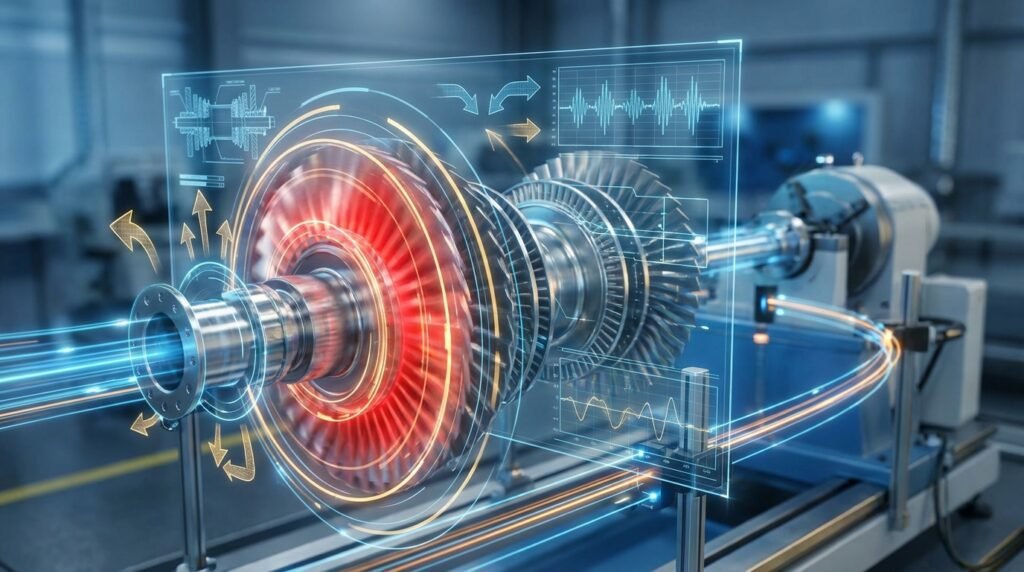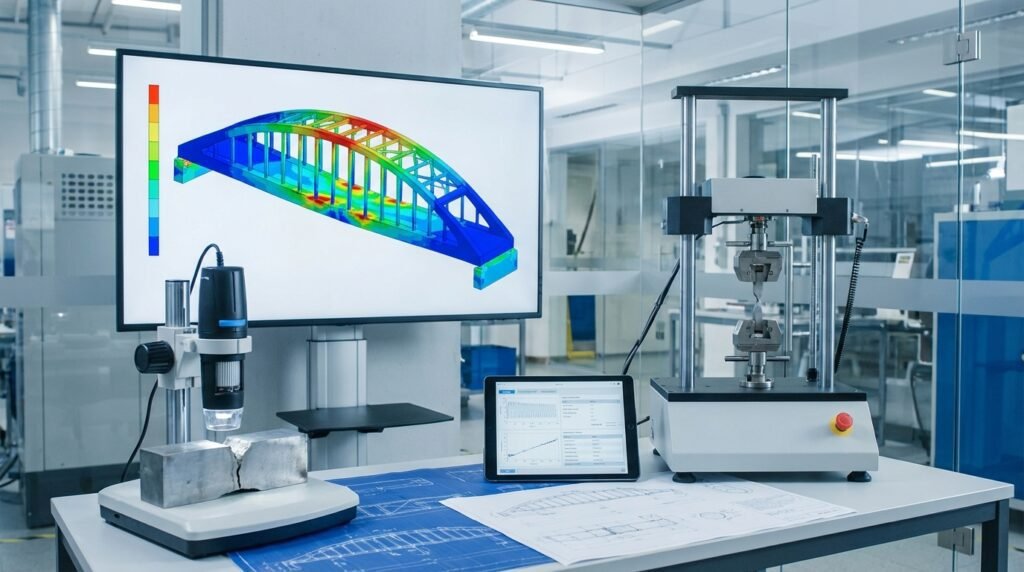
The world of engineering simulation, often referred to as Computer-Aided Engineering (CAE), is undergoing a profound transformation. What was once the domain of complex physics-based solvers and high-performance computing (HPC) is now being supercharged by Artificial Intelligence (AI). For engineers, this isn’t just a buzzword; it’s a game-changer, promising faster iterations, smarter designs, and more accurate predictions.
Whether you’re deeply involved in structural engineering, CFD, biomechanics, or material science, understanding how AI integrates with your CAE workflows is becoming essential. This article will guide you through the practical aspects, applications, and considerations for leveraging AI in your daily engineering tasks, ensuring you stay ahead in this rapidly evolving field.

Image via Wikimedia Commons, licensed under CC BY-SA 4.0.
What is AI in CAE?
At its core, AI in CAE involves applying artificial intelligence techniques, such as machine learning (ML) and deep learning (DL), to enhance and automate various stages of the engineering simulation process. This can range from accelerating model setup and execution to intelligently interpreting results and even discovering novel designs.
Why AI for CAE? The Drivers
- Speed & Efficiency: Traditional CAE simulations can be computationally expensive and time-consuming. AI offers methods to drastically reduce simulation time, enabling more design iterations and faster time-to-market.
- Complexity & Data Volume: Modern engineering problems generate immense datasets and involve intricate geometries or multiphysics interactions. AI is adept at finding patterns and making predictions from such complex data, often beyond human capability.
- Automation & Optimization: Repetitive tasks in pre-processing and post-processing can be automated, freeing engineers to focus on higher-value activities. AI also powers advanced optimization algorithms, leading to superior product performance or material usage.
- Knowledge Extraction: AI can learn from vast archives of past simulation results and experimental data, codifying engineering knowledge and making it accessible for future projects.
Key Applications of AI in CAE Workflows
AI’s influence spans the entire CAE lifecycle, from preparing models to analyzing the final output.
Pre-processing Enhancements
The initial setup often consumes a significant portion of a project’s timeline. AI streamlines this critical phase.
Automated Meshing and Geometry Preparation
- Smart Mesh Generation: AI algorithms can learn optimal meshing strategies based on geometry features, desired accuracy, and past successful simulations. This reduces manual effort and improves mesh quality for tools like Abaqus, ANSYS Mechanical, or OpenFOAM.
- Geometry Repair & Simplification: Complex CAD models (e.g., from CATIA) often have flaws or unnecessary details for simulation. AI can automatically detect and repair common geometry issues, de-feature CAD models, and simplify them while preserving essential characteristics, accelerating the CAD-CAE workflow.
Smart Material Model Selection
- Data-Driven Material Property Prediction: Based on a component’s operating conditions, manufacturing process, and desired performance, AI can suggest or even predict optimal material properties and constitutive models. This is particularly valuable in biomechanics for patient-specific implant design or in advanced materials for aerospace applications.
- Reduced-Order Material Models: For complex material behaviors, AI can create simplified, yet accurate, material models that speed up simulation without significant loss of fidelity.
Simulation Acceleration and Optimization
This is where AI directly impacts the compute-intensive core of CAE.
Surrogate Models and Reduced Order Models (ROMs)
- Surrogate Models: Instead of running a full-fidelity FEA or CFD simulation repeatedly (e.g., in Fluent/CFX or MSC Nastran), AI can build a ‘surrogate model’ that quickly predicts the simulation’s output for new input parameters. These models are trained on a limited set of full simulations and can provide near real-time predictions, ideal for parametric studies and design optimization.
- Reduced Order Models (ROMs): ROMs use AI and data science techniques to reduce the dimensionality of complex systems, allowing simulations to run orders of magnitude faster. They are critical for applications requiring rapid feedback, such as digital twins for structural integrity monitoring or real-time control systems.
Topology Optimization with AI
- Generative Design: AI can explore vast design spaces autonomously, generating innovative, lightweight, and high-performance geometries that might be impossible for a human engineer to conceive. Coupled with topology optimization, AI can guide the design process to meet specific structural, thermal, or fluid dynamics requirements, pushing the boundaries of what’s possible in additive manufacturing.
Post-processing and Data Interpretation
Making sense of large simulation output files is another area ripe for AI intervention.
Automated Result Analysis and Feature Detection
- Critical Feature Identification: AI can automatically scan simulation results to identify critical stress concentrations, fatigue hotspots, flow separation points in CFD, or potential failure locations. This reduces the manual effort of poring over contour plots and streamlines the assessment process for structural integrity evaluations.
- Anomaly Detection: By learning from normal simulation behaviors, AI can flag anomalous results or unexpected behaviors, indicating potential issues with the model setup, material data, or even suggesting areas for further investigation in failure analysis (FFS Level 3).
Predictive Maintenance and Digital Twins
- Digital Twins: AI-powered digital twins combine real-time sensor data with high-fidelity CAE models (often ROMs) to predict the future behavior and remaining useful life of physical assets. This is transformative for industries like Oil & Gas, where predicting equipment failure can prevent costly downtime and ensure safety.
- Failure Prediction: Leveraging AI, historical data, and simulation results, engineers can build models that predict when a component is likely to fail under various operating conditions, enabling proactive maintenance strategies.
Practical Workflow for Integrating AI in CAE
Integrating AI isn’t just about applying a new tool; it’s about rethinking parts of your engineering process. Here’s a practical, step-by-step approach:
Step 1: Define the Problem and Data Strategy
- Identify a bottleneck: Where in your current CAE workflow do you spend the most time, or where are the biggest inefficiencies? Is it meshing, long simulation runtimes, or complex result interpretation?
- Set clear objectives: What do you want AI to achieve? (e.g., reduce simulation time by 50%, automate 80% of mesh generation for a specific component class).
- Assess data availability: Do you have sufficient, high-quality historical simulation data, experimental data, or sensor data to train an AI model? Data is the fuel for AI.
Step 2: Data Collection and Preprocessing
- Gather relevant data: Collect input parameters (geometry, material properties, loads, boundary conditions) and corresponding output results (stress, strain, temperature, pressure, deformation). Ensure your data covers the operational envelope you’re interested in.
- Clean and preprocess data: This is often the most time-consuming step. Handle missing values, normalize data, remove outliers, and transform data into a suitable format for AI algorithms. Python libraries like Pandas and NumPy are invaluable here.
Step 3: Model Selection and Training
- Choose appropriate AI techniques: For regression tasks (e.g., predicting stress), consider neural networks, random forests, or support vector machines. For classification (e.g., defect detection), convolutional neural networks (CNNs) might be suitable. For optimization, reinforcement learning could be explored.
- Train the model: Use a portion of your processed data to train the AI model. This involves tuning hyperparameters and iterating to achieve optimal performance. Tools like TensorFlow, PyTorch, or Scikit-learn (often via Python scripts) are commonly used.
- Validate the model: Test the trained model on unseen data (validation set) to ensure it generalizes well and isn’t overfitting. Evaluate performance using relevant metrics (e.g., R-squared for regression, accuracy for classification).
Step 4: Integration and Deployment
- Integrate with existing tools: How will your AI model fit into your current CAE software ecosystem? This might involve developing custom Python scripts to link with Abaqus scripting (Python API), ANSYS Workbench automation, or integrating AI predictions into a CAD environment.
- Deploy for use: Make the AI model accessible to engineers. This could be a standalone application, a plugin for CAE software, or an automated script running on your HPC cluster. For those looking to deepen their understanding or tackle complex AI-driven CAE projects, EngineeringDownloads provides resources like affordable HPC rental, online courses, internship-style training, and project consultancy.
Step 5: Iteration and Refinement
- Monitor performance: Continuously monitor the AI model’s performance in real-world engineering scenarios. Is it still accurate? Are new edge cases emerging?
- Retrain and update: As new data becomes available or engineering requirements change, periodically retrain and update your AI models to maintain accuracy and relevance.
Common AI Techniques Used in CAE
Understanding the fundamental AI approaches helps in selecting the right tool for the job.
Machine Learning (ML) Fundamentals
ML is a subset of AI that enables systems to learn from data without explicit programming. In CAE, this includes:
- Regression: Predicting continuous values, like stress, deformation, or fluid velocity, based on input parameters.
- Classification: Categorizing data, such as identifying if a design will pass or fail a stress test, or classifying mesh quality.
- Clustering: Grouping similar data points, useful for identifying design families or simulation scenarios.
Deep Learning (DL) for Complex Tasks
Deep Learning uses neural networks with many layers to learn complex patterns. It excels in tasks like:
- Image Recognition: Analyzing simulation contour plots (e.g., stress maps from FEA or pressure fields from CFD) to detect features like crack initiation points or flow instabilities.
- Complex Surrogate Modeling: Building highly accurate, non-linear surrogate models for highly complex physics.
Reinforcement Learning (RL) for Optimization
RL involves an ‘agent’ learning to make optimal decisions through trial and error within an environment, maximizing a ‘reward’ signal. In CAE:
- Topology Optimization: An RL agent can iteratively modify a design’s geometry to meet performance goals while minimizing material.
- Automated Control: Developing autonomous agents for controlling manufacturing processes based on real-time simulation feedback.
Here’s a quick overview of how these techniques align with CAE applications:
| AI Technique | Typical Application in CAE | Key Benefit | Considerations |
|---|---|---|---|
| Supervised Learning | Predictive modeling (stress, strain), surrogate models, material property prediction | Fast predictions, robust regression | Requires labeled training data, generalization |
| Unsupervised Learning | Data clustering, anomaly detection, dimensionality reduction (e.g., PCA) | Discover hidden patterns, reduce data complexity | Interpretation can be difficult, requires domain expertise |
| Reinforcement Learning | Optimization (topology, process control), autonomous design agents | Optimal decision-making, explores design space | High computational cost for training, complex reward function design |
| Deep Learning | Image processing (defect detection from results), complex surrogate models, CFD flow prediction | Handles complex non-linearities, learns features automatically | Data hungry, “black box” nature, large computational resources |
Verification and Sanity Checks in AI-Enhanced CAE
As engineers, trust in results is paramount. When AI is involved, a new layer of verification becomes necessary.
Data Integrity and Bias Checks
- Source Validation: Ensure your training data comes from reliable sources (validated simulations, calibrated experiments). Garbage in, garbage out.
- Distribution Analysis: Check if your training data adequately covers the range of inputs and outputs relevant to your problem. Gaps can lead to unreliable predictions.
- Bias Detection: Be aware of potential biases in your training data. For example, if all your simulation data is from steel structures, the AI model might perform poorly on aluminum components.
Model Performance Evaluation
- Standard Metrics: Use established metrics like R-squared, Mean Squared Error (MSE), Root Mean Squared Error (RMSE) for regression tasks, or accuracy, precision, recall, and F1-score for classification tasks.
- Validation Set Performance: Always evaluate your AI model on a separate, unseen validation dataset to ensure it generalizes beyond the training data.
Comparison with Traditional Methods
- Benchmark Against Full Simulations: For critical cases, compare AI predictions (e.g., from a surrogate model) directly against full-fidelity FEA/CFD simulations (e.g., using Abaqus, ANSYS, or OpenFOAM). Quantify the error.
- Experimental Validation: Whenever possible, validate AI predictions against real-world experimental data. This provides the highest level of confidence.
Sensitivity and Robustness Analysis
- Input Sensitivity: Understand how sensitive your AI model’s output is to small changes in its input parameters. This can reveal unstable models or identify critical design drivers.
- Robustness Testing: Test the AI model’s performance under various conditions, including slight deviations from the training data’s range, to ensure it handles uncertainties gracefully.
Challenges and Best Practices
While AI offers immense potential, there are practical hurdles to navigate.
Data Quality and Quantity
- Challenge: Generating sufficient high-quality, labeled data for complex engineering problems can be expensive and time-consuming.
- Solution: Start with simpler problems, leverage data augmentation techniques, or explore transfer learning from pre-trained models where applicable.
Interpretability and Trust
- Challenge: Many powerful AI models (especially deep learning) can act as ‘black boxes,’ making it hard for engineers to understand why a particular prediction or design was made.
- Solution: Utilize Explainable AI (XAI) techniques, perform sensitivity analyses, and always cross-validate AI results with traditional methods or physical intuition.
Computational Resources
- Challenge: Training complex AI models, especially deep neural networks, requires significant computational power (GPUs, high-end CPUs).
- Solution: Leverage cloud-based HPC solutions, optimize model architectures, and utilize efficient training frameworks. Consider using EngineeringDownloads’ affordable HPC rental services for your computationally intensive AI-CAE projects.
Skill Gap and Collaboration
- Challenge: Bridging the gap between traditional engineering expertise and AI/data science skills.
- Solution: Foster cross-functional teams, invest in continuous learning for engineers (e.g., Python for data science, machine learning basics), and collaborate with AI specialists.
Best Practices Checklist
- Start Small: Tackle a well-defined problem with clear data before scaling up.
- Domain Expertise First: AI is a tool; engineering intuition remains paramount.
- Robust Data Strategy: Invest time in data collection, cleaning, and preparation.
- Continuous Validation: Never stop verifying AI model performance.
- Version Control: Manage your AI models and data iterations just like software or CAD files.
- Scalability Planning: Design your AI integration with future growth in mind.
Industry-Specific Applications and Tools
AI in CAE is making waves across numerous engineering disciplines.
Aerospace and Automotive
These sectors heavily rely on CAE for lightweighting, crashworthiness, aerodynamics (CFD with Fluent/CFX), and structural integrity. AI accelerates design optimization, predicts material performance under extreme conditions, and enhances the fidelity of digital twins for aircraft and vehicle maintenance.
Oil & Gas and Structural Integrity
For large-scale infrastructure like pipelines, offshore platforms, and pressure vessels, AI helps in predictive maintenance, risk assessment (e.g., FFS Level 3), and optimizing inspection schedules. AI-driven ROMs can simulate complex structural responses in real-time, aiding decision-making.
Biomechanics and Medical Devices
AI enables personalized medicine by accelerating patient-specific simulations (e.g., blood flow, bone implant interaction). It helps in the design of optimized prosthetics, surgical tools, and drug delivery systems by rapidly exploring design variations and predicting biological responses.
Software and Programming Ecosystem
The practical implementation of AI in CAE often involves:
- CAE Software: Abaqus, ANSYS (Mechanical, Fluent, CFX), MSC Patran/Nastran, ADAMS (for multi-body dynamics), OpenFOAM (for CFD).
- Programming Languages: Python is the dominant language for AI, with rich libraries like TensorFlow, PyTorch, Scikit-learn, and Pandas. MATLAB also offers robust toolboxes for machine learning and data analysis.
- Cloud Platforms: AWS, Azure, Google Cloud provide scalable computing resources and managed AI services.
The Future of AI in CAE
The trajectory for AI in CAE is one of increasing integration and sophistication. We can anticipate more autonomous design agents, more accurate and faster multi-physics simulations, and the proliferation of physics-informed AI models that blend data-driven insights with fundamental engineering principles. The synergy between AI and high-performance computing will continue to push the boundaries of what engineers can achieve.
Conclusion
AI is no longer a futuristic concept for engineering; it’s a present-day reality transforming how we approach Computer-Aided Engineering. By embracing AI, engineers can unlock unprecedented levels of efficiency, innovation, and accuracy in their work. The key is to approach AI with a practical mindset, focusing on clear objectives, robust data strategies, and continuous validation. The future of engineering simulation is intelligent, and AI is its guiding force.
Further Reading:
ANSYS Blog: AI and Machine Learning in Engineering Simulation