Demystifying Trust in AI Simulations for Engineering
The world of engineering simulation is rapidly evolving, with Artificial Intelligence (AI) becoming an increasingly powerful ally. From optimizing designs in structural engineering to predicting fluid dynamics in aerospace, AI offers unprecedented speed and insights. But as engineers, our core principle is reliability. So, how do we confidently trust the results generated by AI simulations? This article provides a practical, engineer-to-engineer guide to building that essential trust.

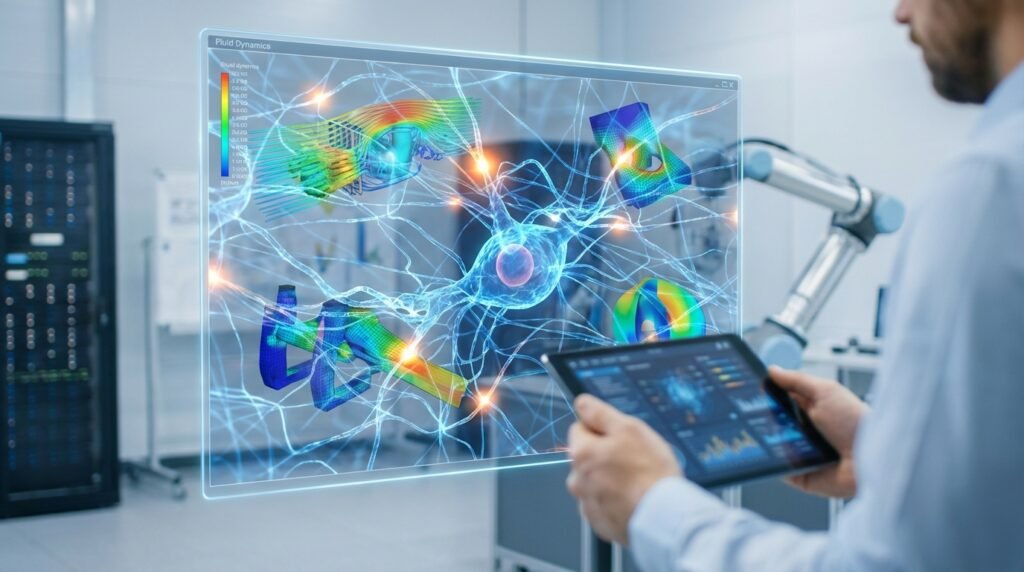
Image: A conceptual representation of a deep neural network, a common AI architecture.
Why Trust is Paramount in AI-Augmented Simulations
In traditional Finite Element Analysis (FEA) or Computational Fluid Dynamics (CFD), we rely on well-established physics and numerical methods. Introducing AI brings new variables and black-box elements that can feel daunting. Without a robust framework for trust, critical decisions based on AI-derived results could lead to:
- Design Flaws: Catastrophic failures in structural integrity or component performance.
- Safety Risks: Unforeseen hazards in applications like aerospace or oil & gas.
- Financial Losses: Costly prototypes, reworks, or warranty claims.
- Reputational Damage: Erosion of confidence in engineering solutions.
Building trust isn’t about blindly accepting AI; it’s about understanding its capabilities, limitations, and how to rigorously verify its outputs.
Understanding AI’s Role in Engineering Simulation
AI isn’t replacing traditional physics-based simulations; it’s enhancing them. Here are common applications:
- Surrogate Models (Reduced Order Models – ROMs): AI creates fast, approximate models based on many full-fidelity simulation runs. Useful for design space exploration, optimization, and real-time control.
- Parameter Optimization: AI algorithms efficiently explore design parameters (e.g., material properties, geometry) to find optimal solutions, often integrated with tools like Abaqus or ANSYS Mechanical.
- Predictive Maintenance: Analyzing sensor data from equipment to predict failures, extending the life of assets in industries like Oil & Gas.
- Generative Design: AI suggests novel designs based on performance criteria.
- Data-Driven Material Characterization: Inferring material properties from limited experimental data for more accurate FEA inputs.
Practical Workflow for AI-Augmented Simulations
Integrating AI into your CAD-CAE workflow requires a structured approach. Here’s a typical process:
1. Define the Problem and AI Scope
- Clearly articulate: What specific engineering problem are you trying to solve with AI? (e.g., reduce CFD run time, optimize structural weight, predict fatigue life).
- Identify AI’s role: Is it for rapid prototyping, design optimization, or real-time performance prediction?
- Set performance metrics: How will you measure the AI model’s success? (e.g., accuracy within 5%, 10x speedup).
2. Data Collection and Preparation
Garbage in, garbage out applies fiercely to AI.
- Source Data: Leverage existing high-fidelity simulations (Abaqus, ANSYS Fluent, OpenFOAM), experimental data, or sensor readings.
- Data Quantity & Quality: Ensure sufficient data points cover the operational design space. Clean data thoroughly, handling outliers and missing values.
- Feature Engineering: Select or create relevant input features (e.g., geometry parameters, boundary conditions, material properties) and output targets (e.g., stress, strain, pressure, temperature).
- Data Splitting: Divide data into training, validation, and test sets.
3. AI Model Selection and Training
Choosing the right AI model is crucial.
- Algorithm Choice: Neural Networks (e.g., using Python with TensorFlow/PyTorch), Gaussian Processes, Random Forests, Support Vector Machines are common choices, depending on data and problem type.
- Hyperparameter Tuning: Optimize model parameters (e.g., learning rate, number of layers) using the validation set to prevent overfitting.
- Training: Train the AI model on your prepared data.
4. Integration with Traditional CAE Tools
AI often works best when integrated.
- API/Scripting: Use Python or MATLAB to connect AI models with commercial software like Abaqus, ANSYS, or MSC Nastran, automating data exchange.
- Workflow Automation: Develop scripts that automatically feed parameters to the AI model and interpret its output back into the CAE environment for further analysis or visualization.
5. Deployment and Monitoring
- Deployment: Integrate the trained and validated AI model into your engineering workflow. This could be for rapid design iterations in CATIA or for real-time monitoring of structural integrity.
- Continuous Monitoring: Regularly check the AI model’s performance against new simulation runs or experimental data to detect drift or degradation.
Verification & Sanity Checks for AI-Enhanced Models
This is where the rubber meets the road. Trust is earned through rigorous validation.
Traditional V&V Still Applies
Don’t abandon your fundamental engineering practices:
- Mesh Independence: For any underlying FEA/CFD, ensure your mesh is fine enough.
- Boundary Conditions (BCs): Double-check that BCs and loads are physically accurate and consistently applied.
- Convergence: Ensure your physics-based solvers (if used for training data or comparison) have converged properly.
- Physics Principles: Do the results make physical sense? A simple hand calculation or first-principles check can reveal gross errors.
AI-Specific Verification and Validation (V&V)
Beyond traditional checks, AI models demand their own rigorous evaluation:
1. Training Data Quality and Coverage
- Representativeness: Does the training data adequately cover the full range of operating conditions and design variations you expect to encounter? AI struggles with extrapolation outside its training domain.
- Bias Detection: Check for any inherent biases in the data collection process that could lead to skewed predictions.
2. Model Accuracy Metrics
Quantify your AI model’s performance on the unseen test set:
- Mean Absolute Error (MAE): Average magnitude of errors.
- Root Mean Squared Error (RMSE): Sensitive to large errors.
- R-squared (R²): Proportion of variance explained by the model.
- Visual Inspection: Plot predicted vs. actual values. Look for systematic deviations.
3. Extrapolation Limits & Interpolation Robustness
- Boundaries: Explicitly define the parameter space where your AI model is valid. Do not trust results outside this domain without further validation.
- Interpolation: Test the model’s performance within its trained space. Does it smoothly interpolate between known data points?
4. Sensitivity Analysis
How much does an output change if an input changes slightly?
- Input Perturbation: Vary input parameters within small, realistic ranges and observe the AI model’s response. Compare this to expected physical behavior or a full-fidelity simulation.
- Feature Importance: Understand which input features the AI model considers most critical. Tools exist to shed light on this, offering a degree of explainability.
5. Comparison & Cross-Validation
- Benchmark Against Gold Standards: Compare AI model predictions against a subset of full-fidelity FEA/CFD results (e.g., from ANSYS Fluent, Abaqus) or, ideally, physical test data.
- Cross-Validation: Use techniques like k-fold cross-validation during training to ensure the model generalizes well and isn’t overfit to a particular training split.
6. Uncertainty Quantification (UQ)
A mature approach to trust involves understanding the uncertainty in AI predictions. Some AI models can inherently provide uncertainty bounds, giving you a confidence interval around their predictions.
Common Pitfalls and How to Avoid Them
Even with a robust workflow, AI simulations can present challenges:
| Pitfall | Description | How to Avoid / Mitigate |
|---|---|---|
| Overfitting | AI model learns the training data too well, failing to generalize to new, unseen data. | Use a separate validation set for hyperparameter tuning. Employ regularization techniques. Stop training early (early stopping). |
| Biased Training Data | Data does not accurately represent the real-world scenarios or contains systemic errors. | Rigorously clean and preprocess data. Ensure diverse and representative data sources. |
| Lack of Explainability (Black Box) | Difficulty in understanding *why* an AI model made a particular prediction. | Employ Explainable AI (XAI) techniques. Focus on simpler models where appropriate. Perform extensive sensitivity analysis. |
| Extrapolation Errors | Applying the AI model to inputs outside its training domain, leading to unreliable results. | Clearly define and adhere to the model’s operating boundaries. Warn users when inputs are out of bounds. |
| Ignoring Physics-Based Sanity Checks | Over-reliance on AI without basic engineering checks. | Always cross-reference with fundamental engineering principles and simple analytical models. |
Leveraging Tools for Trustworthy AI
Modern engineering involves a suite of powerful tools:
- Python & MATLAB: Essential for data preprocessing, AI model development (TensorFlow, PyTorch, Scikit-learn), and automation of CAE workflows.
- Commercial CAE Software: Tools like Abaqus, ANSYS (Mechanical, Fluent/CFX), MSC Patran/Nastran, and ADAMS generate the high-fidelity data needed to train and validate AI models. They also serve as the ultimate benchmark.
- Open-Source Solvers: OpenFOAM for CFD provides flexibility for data generation.
- HPC Resources: Training complex AI models or generating large datasets for surrogate models often requires significant computational power. For specialized HPC rental to run your large-scale models, explore options at EngineeringDownloads.com.
Embracing Explainable AI (XAI) and Uncertainty Quantification (UQ)
For high-stakes engineering applications, simply having accurate predictions from AI isn’t enough. We need to know *why* and *how confident* the AI is.
- Explainable AI (XAI): Techniques that make AI models more transparent and interpretable. This helps engineers understand the factors influencing a prediction, building confidence and aiding in debugging.
- Uncertainty Quantification (UQ): Methods that quantify the confidence in an AI model’s prediction. Instead of a single number, UQ provides a range, giving engineers a better sense of risk. This is particularly valuable in FFS Level 3 assessments where safety margins are critical.
Conclusion: AI as a Trusted Partner, Not a Replacement
Trusting AI simulations isn’t a passive act; it’s an active process of rigorous verification, validation, and continuous monitoring. By understanding the AI’s role, meticulously preparing data, and applying both traditional and AI-specific V&V checks, engineers can harness the immense power of AI to accelerate innovation and solve complex problems in fields like structural integrity, biomechanics, and more. AI, when properly vetted, becomes a powerful and trusted partner in the engineering design and analysis workflow.
For engineers looking to deepen their expertise, EngineeringDownloads.com offers a range of online/live courses, internship-style training, and project/contract consultancy designed to enhance your skills in advanced simulation and AI integration.