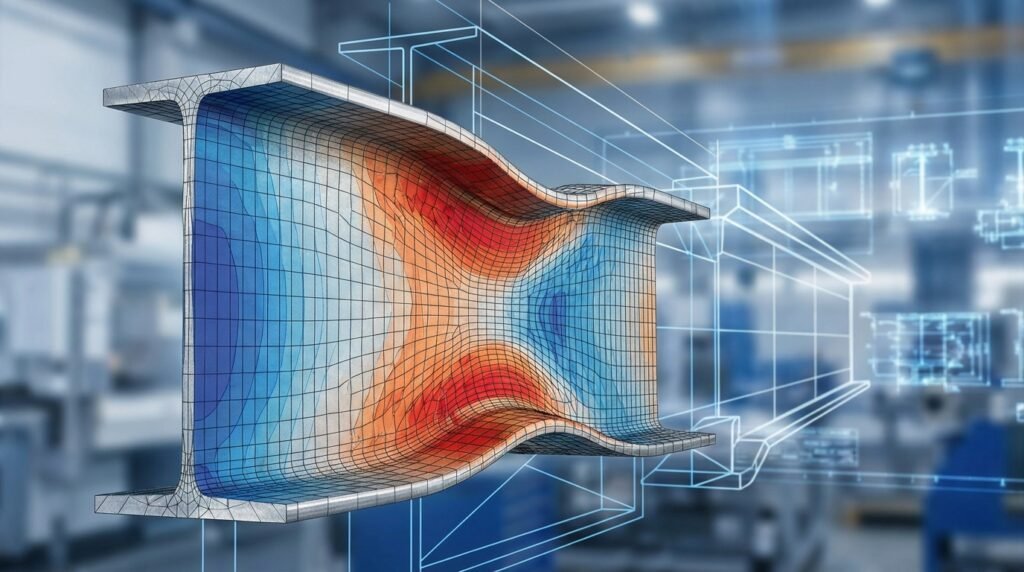
In the world of Computer-Aided Engineering (CAE), efficiency, automation, and powerful data analysis are paramount. For engineers working with Finite Element Analysis (FEA), Computational Fluid Dynamics (CFD), or multi-body dynamics, Python has emerged as an indispensable tool. It’s not just for data scientists anymore; Python’s versatility, extensive libraries, and ease of integration are revolutionizing how engineers approach complex simulations and analyses.
This guide dives into practical ways you can leverage Python to streamline your CAE workflows, enhance your simulation capabilities, and unlock deeper insights from your engineering data. Whether you’re dealing with structural integrity, FFS Level 3 assessments, or designing aerospace components, Python offers a robust platform for automation and advanced computation.

Image courtesy of User:Cflm001, Wikimedia Commons.
Why Python for CAE? The Engineer’s Advantage
Python brings a host of benefits that directly address the pain points and opportunities in CAE:
- Automation of Repetitive Tasks: From generating complex meshes to applying boundary conditions across hundreds of load cases, Python scripts can automate tedious, error-prone manual steps.
- Custom Pre- and Post-Processing: Develop bespoke tools for geometry manipulation, mesh quality checks, data extraction, and specialized visualizations that go beyond standard software capabilities.
- Integration with Commercial & Open-Source Tools: Most leading CAE packages (Abaqus, ANSYS Mechanical, HyperWorks, MSC Patran/Nastran, OpenFOAM, LS-DYNA) offer Python APIs or scripting interfaces.
- Data Analysis & Machine Learning: Leverage powerful libraries like NumPy, SciPy, and Pandas for statistical analysis, design of experiments, sensitivity studies, and even integrating machine learning models into your simulations.
- Cross-Platform Compatibility: Python runs seamlessly on Windows, Linux, and macOS, making it ideal for diverse engineering environments.
- Large Community & Resources: An active community means abundant documentation, tutorials, and support for virtually any problem you might encounter.
Python’s Role Across the CAE Workflow
Let’s break down where Python fits into the typical CAE pipeline.
Pre-Processing: Setting the Stage
Before any solver runs, a significant amount of effort goes into preparing the model. Python excels here:
- Geometry Creation & Modification: While not a full CAD replacement, Python can script parametric geometry generation or modify existing models via CAD software APIs (e.g., CATIA with Python scripting, or libraries like FreeCAD’s Python console).
- Meshing Automation: Scripting mesh generation parameters, applying local refinements based on stress gradients, or even generating custom meshes for specialized analyses (e.g., fatigue analysis near welds).
- Material Property Management: Automated assignment of material properties from databases, interpolation of temperature-dependent data, or defining complex constitutive models.
- Boundary Conditions & Load Cases: Efficiently apply hundreds or thousands of boundary conditions (BCs) and load cases for design optimization, probabilistic analysis, or FFS Level 3 assessments.
- Input File Generation: Programmatically create or modify solver input files (e.g.,
.inpfor Abaqus,.datfor Nastran) to explore design variations quickly.
Practical Tip: Template-Based Input File Generation
Create a template input file with placeholders. Use Python to read the template, substitute values from a design matrix (e.g., varying thicknesses, material properties, loads), and write out new input files for each simulation run.
Solver Integration: Running the Simulation
Python often acts as the orchestrator for CAE solvers:
- Batch Job Submission: Automate submitting multiple simulation jobs to local machines or high-performance computing (HPC) clusters.
- Parametric Studies: Systematically vary input parameters, run simulations, and collect results – a core component of design optimization and sensitivity analysis.
- Coupled Simulations: Manage the data exchange and sequential execution between different solvers (e.g., thermal-structural coupling, or fluid-structure interaction where CFD and FEA solvers communicate).
Common Mistake: Not Handling Solver Output Gracefully
Always anticipate varying output formats or error messages from solvers. Implement robust error checking and logging in your Python scripts to ensure jobs complete successfully or fail informatively.
Post-Processing & Data Analysis: Extracting Insights
This is where Python truly shines, turning raw simulation data into actionable engineering intelligence.
- Results Extraction: Extract specific results (stress, strain, displacement, velocity, pressure) from large output files (e.g., ODB files for Abaqus, RST files for ANSYS) using software APIs.
- Custom Visualization: Beyond standard plots, create specialized charts (e.g., fatigue life curves, design space plots), 3D visualizations, or animations. Libraries like Matplotlib, Plotly, and VTK/ParaView are invaluable here.
- Performance Metrics Calculation: Automatically calculate engineering performance metrics (e.g., maximum stress, average temperature, flow rates, structural stiffness) and compare them against design allowables.
- Statistical Analysis: Perform statistical analysis on simulation results for uncertainty quantification, reliability analysis, or probabilistic design.
- Reporting Automation: Generate automated reports summarizing key findings, including plots, tables, and comparisons against design requirements.
Key Python Libraries for CAE
A few core libraries form the backbone of Python-based CAE.
- NumPy: Fundamental package for numerical computing, especially with multi-dimensional arrays and matrices. Essential for any form of numerical data manipulation.
- SciPy: Builds on NumPy, providing modules for scientific and technical computing, including optimization, integration, interpolation, linear algebra, signal processing, and more.
- Matplotlib: The go-to library for creating static, interactive, and animated visualizations in Python. Perfect for plotting stress contours, CFD velocity profiles, or time-history data.
- Pandas: Offers powerful data structures (DataFrames) and data analysis tools. Excellent for handling tabular data, merging simulation results, and preparing data for further analysis.
- pyvista / VTK: For advanced 3D visualization of engineering data, especially meshes and field results. pyvista provides a user-friendly interface to VTK.
- OpenPyXL / Xlwings: For reading and writing Excel files, often used for input parameters or reporting results.
Table: Python Libraries for Common CAE Tasks
| CAE Task | Primary Python Libraries | Description & Use Case |
|---|---|---|
| Numerical Operations | NumPy, SciPy |
Array manipulation, linear algebra, solving differential equations, optimization routines. |
| Data Handling & Analysis | Pandas, NumPy |
Tabular data processing, merging results, statistical analysis, data cleaning. |
| 2D Plotting & Visualization | Matplotlib, Plotly |
Stress-strain curves, convergence plots, velocity profiles, time-history data. |
| 3D Visualization | pyvista, VTK |
Mesh rendering, contour plots on 3D models, animation of deformation/flow. |
| Solver Interaction (API) | (Solver Specific) | Abaqus Scripting Interface, ANSYS PyMAPDL, OpenFOAM utilities, etc. |
| Reporting & I/O | OpenPyXL, Xlwings |
Reading/writing Excel files, generating automated reports with data. |
Practical Workflow: Parametric Study for Structural Analysis (FEA)
Let’s walk through an example for a structural engineering problem.
Scenario: Optimizing a Bracket Design
Imagine you need to evaluate the stress concentration in a bracket with a varying fillet radius and thickness, under a specific load.
- Define Parameters:
- Fillet Radius:
[5mm, 10mm, 15mm] - Thickness:
[3mm, 5mm, 7mm]
- Fillet Radius:
- Set up Base Model: Create a baseline FEA model (e.g., in Abaqus, ANSYS, or Nastran) with placeholders for these parameters.
- Python Script for Automation:Your Python script would:
- Generate Combinations: Use
itertools.productor nested loops to create all combinations of fillet radius and thickness. - Modify Input File/Model: For each combination:
- Open the CAE software’s Python API (e.g., Abaqus Scripting Interface).
- Modify the geometry (fillet radius) and section properties (thickness).
- Apply boundary conditions and loads.
- Generate the mesh.
- Submit the job to the solver.
- Extract Results: After each job completes, use the API to open the results file (e.g., Abaqus
.odb, ANSYS.rst).- Extract the maximum Von Mises stress in the critical region.
- Extract displacement at a specific point.
- Store Data: Save the parameters and extracted results into a Pandas DataFrame or a CSV file.
- Analyze & Visualize: Plot the maximum stress vs. fillet radius and thickness using Matplotlib to identify optimal designs.
- Generate Combinations: Use
Takeaway: Iterative Design with Speed
This approach allows for rapid exploration of the design space, identifying optimal parameters far quicker than manual iteration.
Verification & Sanity Checks for Python-Driven CAE
Automating your workflow doesn’t mean skipping critical checks. In fact, Python can help automate some of these too!
- Input Parameter Validation: Before running any solver, validate that your input parameters are within reasonable engineering bounds (e.g., positive thickness, realistic material properties).
- Mesh Quality Check: Post-mesh generation, use the solver’s API or a dedicated Python library to check mesh quality metrics (aspect ratio, skewness, Jacobian). Flag models with poor mesh quality for review.
- Boundary Condition & Load Visualization: Render the applied BCs and loads using Python visualization libraries to ensure they are correctly applied on the model.
- Solver Convergence Monitoring: If the solver provides convergence data in its output, Python can parse this to plot convergence curves and flag non-converged solutions.
- Result Sanity Checks:
- Does the deformation make physical sense? (e.g., deflection in the direction of load).
- Are stress concentrations where you’d expect them?
- Are displacements and stresses of the correct order of magnitude?
- Comparison with Hand Calculations/Analytical Solutions: For simple cases within your parametric study, compare automated results against known analytical solutions or simplified hand calculations.
- Sensitivity Analysis: If a small change in an input parameter leads to a massive, unphysical change in output, it could indicate an issue with your model or an instability.
Common Challenges & Troubleshooting
- API Learning Curve: Each CAE software’s Python API has its own syntax and object model. Be prepared to consult documentation extensively.
- Version Compatibility: Python versions and library versions can cause conflicts. Use virtual environments (
venvorconda) to manage dependencies. - Debugging Large Scripts: Break down complex workflows into smaller, testable functions. Use print statements or a debugger (e.g., PDB, VS Code debugger) to trace execution.
- Performance Issues: For very large models or data sets, Python’s speed can be a bottleneck. Optimize critical sections using NumPy vectorized operations or consider integrating faster code (e.g., Cython, Numba).
- Licensing: Ensure your automated scripts comply with software licensing agreements, especially for commercial CAE tools running batch jobs.
Best Practices for Python in CAE
- Modular Code: Organize your scripts into functions and classes. This improves readability, reusability, and makes debugging easier.
- Version Control: Use Git to track changes in your scripts. This is crucial when working in teams or managing complex projects.
- Documentation: Comment your code clearly. Write docstrings for functions and modules explaining their purpose, arguments, and return values.
- Error Handling: Implement
try-exceptblocks to gracefully handle potential errors (e.g., file not found, API calls failing). - Logging: Instead of just print statements, use Python’s
loggingmodule to track script execution, warnings, and errors. - Configuration Files: Externalize parameters and settings into separate configuration files (e.g., JSON, YAML, or simple Python files) so they can be easily modified without changing the core script.
For more in-depth guidance on setting up robust engineering workflows or developing specific scripts, consider exploring online consultancy or specialized tutoring services available through EngineeringDownloads.com.
Future Trends: Python, AI & CAE
The synergy between Python, Artificial Intelligence (AI), and CAE is rapidly growing:
- Reduced Order Models (ROMs): Python can be used to develop and deploy ROMs (e.g., using proper orthogonal decomposition or machine learning) to significantly speed up simulations.
- Generative Design: Coupling Python with optimization algorithms and AI allows for automated generation of design variations based on performance criteria.
- Predictive Maintenance: Analyzing sensor data alongside simulation results using Python-based machine learning can predict component failures and optimize maintenance schedules.
- Digital Twins: Python plays a crucial role in connecting real-time sensor data with high-fidelity CAE models to create dynamic digital twins for assets in Oil & Gas, Aerospace, and other industries.
Conclusion
Python is far more than just a programming language for engineers; it’s a powerful ecosystem for enhancing efficiency, accuracy, and insight in CAE. By embracing Python, you can move beyond repetitive manual tasks and focus on higher-value engineering challenges, driving innovation in areas from biomechanics to structural integrity and FFS Level 3 assessments. Start small, automate one task at a time, and watch your productivity soar.
Further Reading
For in-depth documentation on numerical computing in Python, refer to the official NumPy Documentation.