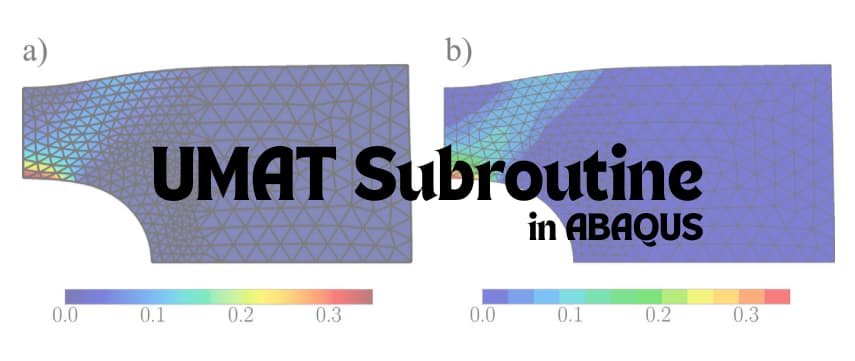
In many engineering projects, the built-in material models in Abaqus are not enough for capturing complex material behavior. This is where user-defined material subroutines come into play. Abaqus allows advanced users to write their own material model through a User MATerial subroutine, commonly known as UMAT. In simple terms, a UMAT is a piece of Fortran code that teaches Abaqus how your material behaves under deformation, step by step. Every time the Abaqus solver takes a calculation step, it calls your UMAT and asks: “Given the current deformation, what is the updated stress and material stiffness?”
This blog will serve as an introduction to UMAT subroutines in Abaqus, explaining what a UMAT is, when to use it (in both academic research and industrial applications), and how to write one. We’ll cover the theoretical background (including the important Jacobian matrix for implicit analyses) and walk through a basic UMAT example code. By the end, you’ll understand the workflow for implementing custom material models in Abaqus and be prepared to develop your own UMAT for complex materials.
What is a UMAT (User Material) Subroutine in Abaqus?
A UMAT is a user-defined material model subroutine for Abaqus/Standard (the implicit solver). It allows you to define how a material responds to strain by coding the constitutive equations yourself. Abaqus comes with many built-in material models (elastic, plastic, hyperelastic, etc.), but if you need a behavior that isn’t available (for example, a new composite damage model or a custom viscoplastic law), UMAT gives you the freedom to implement it. Essentially, you are extending Abaqus’s material library with your own model.
When Abaqus runs an analysis with a UMAT, it will call the subroutine at each integration point of each element, at every increment of the analysis. Your code receives the current state of that material point (strain, previous stress, state variables, etc.) and must return the updated stress and (for implicit analyses) the material Jacobian (tangent stiffness matrix). This way, Abaqus can incorporate your material’s response into the global equilibrium iterations.
It’s important to note that UMAT is for Abaqus/Standard (implicit) analyses. There is a corresponding subroutine called VUMAT for Abaqus/Explicit (the explicit solver) used in highly dynamic problems. The two are similar in concept – both define custom material behavior – but have some key differences (which we will touch on later). In short, UMAT runs with the implicit solver and requires providing a tangent stiffness matrix to aid convergence, while VUMAT runs with the explicit solver and updates stresses explicitly without a Jacobian.
Why is UMAT so powerful? Because it gives you full control over the material’s constitutive law. You can implement anything from simple linear elasticity to advanced plasticity, creep, damage models, or exotic behaviors. This capability is widely used in academic research to test new material models, and in industry to simulate specialized materials that aren’t covered by standard models.
Why and When Should You Use a UMAT?
Writing a UMAT is an advanced task, so it’s typically done only when you need it. Here are common scenarios for using a UMAT, in both academic and industrial contexts:
- Academic Research: If you’re a researcher or student developing a new material model (for example, a novel composite failure criterion or a new shape memory alloy behavior), UMAT is your gateway to implement that theory in Abaqus. Academic papers often come with custom simulation models – UMAT allows you to validate your theoretical formulations by comparing simulation to experiments. In academia, UMATs are used to prototype cutting-edge material laws before they become mainstream. For instance, many modern plasticity or damage models started as UMATs in research projects.
- Industrial Applications: In industry (e.g. aerospace, automotive, oil & gas, nuclear power), engineers may encounter materials or conditions not handled by Abaqus’s default models. For example, a specific high-temperature creep law for a nickel-based superalloy, a custom viscoelastic model for a new polymer, or a proprietary composite material model that a company has developed – these can be coded in a UMAT. Using UMAT, companies can plug in their proprietary material data and formulas into Abaqus and simulate real-world behavior more accurately. Particularly in safety-critical fields like oil & gas and nuclear engineering, custom material models (via UMAT) can improve the fidelity of simulations for fracture, fatigue, and creep, giving more confidence in the results.
- When Built-in Models Fall Short: Even if not developing something new, sometimes Abaqus’s existing options just don’t match the material behavior you observe. UMAT is the solution when you say: “I wish I could slightly modify this plasticity model” or “I need a different hardening rule”. Rather than accepting approximation, you can code the exact stress-strain update you want.
- Competitive Advantage: From a business perspective (as EngineeringDownloads would know), having UMAT capability means you can take on simulation projects that others cannot. If a client needs a special material simulated, writing a UMAT for it can win projects and consultancy opportunities. Mastering UMAT opens doors to advanced simulation work.
In short, use a UMAT when you have a clear need for a custom material response that Abaqus doesn’t provide out-of-the-box. Keep in mind that developing a UMAT requires effort in coding and testing, so it’s usually justified for advanced simulations, not simple everyday analysis.
Prerequisites: What You Need Before Writing a UMAT
Before diving into coding a UMAT, there are a few prerequisites and preparations to have in place. Don’t worry – you don’t necessarily need to be a programming wizard or have a PhD in continuum mechanics, but you do need a solid foundation in certain areas:
- Understanding of Material Theory: Make sure you fully understand the constitutive model you want to implement. If it’s a linear elastic model, know Hooke’s law and the stress-strain relationship. If it’s plasticity, be clear on the yield criterion (e.g. von Mises, Drucker-Prager), flow rule, hardening law, etc. If it’s a viscoelastic or creep model, understand the hereditary integrals or creep laws. Essentially, you need the equations that define your material behavior. Writing a UMAT is not a way to “discover” the material behavior – you need to know it first, either from theory or experimental fitting. A common mistake is jumping into coding without having the equations and update algorithm fully defined on paper. So, do your homework on the theory first!
- Finite Element Basics at Integration Points: Recall some FEA fundamentals. A UMAT operates at the level of an integration (Gauss) point in an element. You should understand concepts like:
- Strain increments and stress updates: Abaqus will provide the strain increment (DSTRAN) for the step, and the previous stress state, and expects you to update the stress.
- State (History) Variables: These are extra variables that carry information from one step to the next (plastic strain, hardening variables, damage variables, etc.). You need to decide what state variables (STATEV array) your model uses and update them appropriately.
- The Jacobian (Tangent Stiffness) Matrix: In an implicit analysis, Abaqus needs the consistent tangent modulus (often denoted DDSDDE in UMAT) for the material. This is essentially the material stiffness matrix – the derivative of stress with respect to strain – and it’s crucial for convergence of the Newton-Raphson iterations. For linear materials, it’s constant (e.g. the elastic stiffness matrix). For nonlinear materials, it may depend on the current state and can be complicated to derive. Knowing how to derive or approximate this matrix is important. (We’ll discuss this more shortly.)
- Fortran Programming Environment: UMAT must be written in Fortran (since Abaqus is primarily compiled in Fortran). You should have:
- Basic Fortran coding skills: If you’ve never used Fortran, you’ll need to learn the basics (variable declaration, arrays, loops, if-statements). The syntax is different from languages like Python or C, but for simple UMATs you mostly do numerical computations which are straightforward in Fortran.
- A Fortran Compiler Installed: Commonly Intel Fortran (if using Windows, Intel oneAPI is a free offering) or GNU Fortran on Linux. The compiler must be compatible with Abaqus. Abaqus documentation lists supported compilers for each version. Ensure your compiler is properly installed and accessible.
- Linking Abaqus to the Compiler: Abaqus needs to know to use the compiler when you run a simulation with user subroutines. Usually, this means setting up environment variables or Abaqus configuration so that when you submit a job, it automatically compiles the UMAT code. (For example, with Abaqus on Windows and Intel Fortran, you might run Abaqus through the Intel oneAPI command prompt or configure the abaqus_v6.env file to point to the compiler.) If this setup isn’t done, the UMAT won’t compile and your job will error out. It’s worth testing your setup with a simple “Hello World” UMAT (or using Abaqus’s example subroutines) to make sure everything is connected.
- A Text Editor/IDE: You’ll be writing code, so use a tool you’re comfortable with. It can be as simple as Notepad++ or a more advanced IDE that supports Fortran (like Visual Studio Code with a Fortran extension, or Intel’s own development environment). The editor isn’t critical, but a good one will highlight syntax and help catch mistakes.
- Abaqus Itself: Needless to say, you need Abaqus installed. UMAT development is tightly linked to running it in Abaqus to test. If you plan to compile and run locally, ensure you have an Abaqus license and installation. (Sometimes users write UMATs outside and run on a server – either way, you need access to Abaqus to use the UMAT.)
In summary, prepare your theory and your tools before writing a UMAT. Know your material model equations, refresh the FEM basics of stress updates, set up your coding environment, and then you’re ready to start implementing your custom material.
UMAT Workflow: How Does Abaqus Communicate with Your Subroutine?
Before writing code, it’s helpful to understand the structure and data flow of a UMAT. When Abaqus calls your UMAT at an integration point, it passes in a bunch of information through subroutine arguments. Your task is to use that information to calculate the new material response. Here’s the typical workflow in each increment for a given material point:
- Read Input Variables: Abaqus provides input data via the subroutine arguments. Important ones include:
- Strain information: STRAN (the total strain components at the start of the increment) and DSTRAN (the strain increment in the current step). These are typically arrays of length 6 (for 3D or plane strain stress components) or 3 (for plane stress) etc., depending on the element type.
- Previous Stress: STRESS array is passed in containing the stress state at the beginning of the increment (Abaqus will update it with your output).
- State Variables: STATEV array holding the values of solution-dependent state variables from the previous step. If your model has internal variables (plastic strains, damage parameters, etc.), they are stored here.
- Material Properties: PROPS array which contains the material constants you defined in the Abaqus material definition. For example, PROPS(1) might be Young’s modulus, PROPS(2) Poisson’s ratio, etc., as you decide.
- Time Info: TIME(1) is the total time elapsed, and TIME(2) is the time increment for this step; DTIME is the same increment size.
- Coordinates: COORDS gives the coordinates of this integration point in the model (sometimes used if material behavior depends on position).
- Others: There are additional arguments like temperature (TEMP and DTEMP for current temperature and temperature change), PREDEF for predefined field values, element number (NOEL), integration point number (NPT), etc. Abaqus provides a whole suite of inputs but for many simple UMATs you might not use all of them.
- Compute the New Stress (and stiffness): Using the above inputs, your UMAT code must calculate the updated stress state at the end of the increment. This usually involves:
- Using the strain increment (DSTRAN): For example, in linear elasticity, stress increment = C : Dε (where C is the elastic stiffness matrix). In more complex models, you might have to iterate or use a constitutive integration algorithm (for plasticity, you might check yield, do return-mapping, etc.). But fundamentally, you derive Δσ from Δε according to your model.
- Adding to previous stress: Abaqus uses a total stress formulation for UMAT, meaning STRESS array initially has stress at start of increment; you update it to end-of-increment stress. So typically you do STRESS = STRESS + Δσ.
- Updating State Variables: If your material has history variables, update the STATEV array values to new ones to be stored for the next increment. For example, if you keep track of equivalent plastic strain, you’d increment it by the plastic strain magnitude in this step.
- Calculating the Tangent Stiffness (Jacobian) Matrix (DDSDDE): This is crucial for UMAT. DDSDDE is an array that represents the material Jacobian (∂σ/∂ε) at the end of the increment. Abaqus uses this matrix in the global Newton iterations to converge the solution. For a linear elastic model, DDSDDE is just the constant elastic stiffness matrix. For a nonlinear model, this should be the consistent tangent – essentially the derivative of your constitutive model’s stress update formula. In some cases, if deriving the exact Jacobian is complicated, users supply an approximate or secant stiffness, but one must be provided for stability. Neglecting or incorrectly computing DDSDDE can lead to convergence problems.
- Return Updated Values: You hand back to Abaqus:
- The updated STRESS array (overwriting the input values).
- The updated STATEV (history) array.
- The DDSDDE matrix (Jacobian).
- Optionally, there are other outputs you might set to communicate additional info (energies like SSE for strain energy, etc., though these are often not critical unless you need them for output).

Abaqus then uses your output to proceed with the analysis. If it’s doing an implicit solve, it will use DDSDDE in solving the equilibrium equations; if it’s explicit (VUMAT scenario), it doesn’t need a Jacobian. The next increment will call UMAT again with new DSTRAN, etc., using the updated STATEV values you set.
To summarize the UMAT interface: – Inputs (from Abaqus to UMAT): strains, time increment, material constants, old stress, old state, etc. – Outputs (from UMAT back to Abaqus): new stress, new state, tangent stiffness matrix (Jacobian).
Understanding this contract between Abaqus and UMAT is the first big step to writing a successful subroutine. Now, let’s move on to actually writing one with a concrete example.
Writing a Basic UMAT: Step-by-Step Example (Linear Elasticity)
To make things concrete, we’ll walk through writing a very simple UMAT: a linear elastic material. This is the easiest UMAT to implement and a good starting point for beginners. Our material will be isotropic linear elastic, defined by Young’s modulus (E) and Poisson’s ratio (ν). In other words, it should behave just like Abaqus’s built-in Elastic material – but we’ll code it ourselves to illustrate the process.
Step 1: Define Material Properties and Equations
For isotropic linear elasticity, the constitutive law is Hooke’s Law. In 3D (using Voigt notation for stress/strain components), we have the stiffness matrix defined by E and ν. The formulas we need: – Lamé constants: and . These are useful to express the 6×6 stiffness matrix. – Stress-strain relationship: Δσ = C : Δε. For small strains, the stress increments are:
\begin{aligned}
\Delta\sigma_{11} &= (\lambda + 2\mu)\,\Delta\varepsilon_{11} + \lambda\,\Delta\varepsilon_{22} + \lambda\,\Delta\varepsilon_{33} \\
\Delta\sigma_{22} &= \lambda\,\Delta\varepsilon_{11} + (\lambda + 2\mu)\,\Delta\varepsilon_{22} + \lambda\,\Delta\varepsilon_{33} \\
\Delta\sigma_{33} &= \lambda\,\Delta\varepsilon_{11} + \lambda\,\Delta\varepsilon_{22} + (\lambda + 2\mu)\,\Delta\varepsilon_{33} \\
\Delta\sigma_{12} &= 2\mu\,\Delta\varepsilon_{12}
\end{aligned}
(and similarly for other shear components 13 and 23). – Tangent stiffness matrix: For linear elasticity, DDSDDE is constant and equal to the elastic modulus matrix. In Voigt 6×6 form, it has (λ+2μ) on the normal diagonal, λ on the off-diagonals for the normal-normal terms, and μ on the shear terms (with 0 elsewhere).
Step 2: Set Up the UMAT Structure
A UMAT is a Fortran subroutine. Abaqus provides a template (in the documentation) of the subroutine signature. It looks like:
SUBROUTINE UMAT(STRESS, STATEV, DDSDDE, SSE, SPD,
1 SCD, RPL, DDSDDT, DRPLDE, DRPLDT, STRAN,
2 DSTRAN, TIME, DTIME, TEMP, DTEMP, PREDEF,
3 DPRED, CMNAME, NDI, NSHR, NTENS, NSTATV,
4 PROPS, NPROPS, COORDS, DROT, PNEWDT,
5 CELENT, DFGRD0, DFGRD1, NOEL, NPT, LAYER,
6 KSPT, KSTEP, KINC)
This is intimidating at first, but we don’t need to use every parameter for our simple model. Some notes: – CMNAME is the material name (not needed in computations usually). – NDI, NSHR, NTENS are integers telling the tensor dimensions (e.g. for 3D, NDI=3, NSHR=3, NTENS=6). – NSTATV is the number of state variables (for elasticity, we can use 0 since no history). – We won’t use SSE, SPD, SCD (strain energy, plastic dissipation, etc.) here explicitly. – We won’t use DDSDDT, DRPLDE, DRPLDT (these are for thermal coupling or swelling, not relevant for basic elasticity). – We also won’t use DROT, PNEWDT, CELENT, DFGRD0, DFGRD1 in this basic example (these relate to large rotation increments, element characteristic length, deformation gradients for large strain, etc.).
So inside the subroutine, we will perform the following in code:
Step 3: Get Material Constants from PROPS
Abaqus will pass E and ν through the PROPS array (assuming we assigned PROPS(1)=E, PROPS(2)=ν in the Abaqus material definition). In Fortran, we retrieve them as:
DOUBLE PRECISION E, NU, LAMBDA, MU
E = PROPS(1)
NU = PROPS(2)
LAMBDA = (E * NU) / ((1 + NU) * (1 – 2 * NU))
MU = E / (2 * (1 + NU))
Now we have our material parameters ready, and we computed λ and μ.
Step 4: Update Stress Using Strain Increment
We use the formulas of Hooke’s law to update the stress components. In Fortran, stress and strain are passed as arrays. By convention: – STRESS(1)…STRESS(6) correspond to σ11, σ22, σ33, σ12, σ13, σ23. – STRAN and DSTRAN are similarly ordered (ε11, ε22, ε33, ε12, ε13, ε23).
For each component, we do: STRESS := STRESS + Δσ. For example:
! Normal stresses

STRESS(1) = STRESS(1)

&   + (LAMBDA + 2*MU) * DSTRAN(1)

&   + LAMBDA * DSTRAN(2)

&   + LAMBDA * DSTRAN(3)
STRESS(2) = STRESS(2)
& + LAMBDA * DSTRAN(1)
& + (LAMBDA + 2*MU) * DSTRAN(2)
& + LAMBDA * DSTRAN(3)
STRESS(3) = STRESS(3)
& + LAMBDA * DSTRAN(1)
& + LAMBDA * DSTRAN(2)
& + (LAMBDA + 2*MU) * DSTRAN(3)
! Shear stresses
STRESS(4) = STRESS(4) + MU * DSTRAN(4)
STRESS(5) = STRESS(5) + MU * DSTRAN(5)
STRESS(6) = STRESS(6) + MU * DSTRAN(6)
Each line updates one stress component. Notice how, for example, STRESS(1) (σ11) gets increment from ε11, ε22, ε33 according to the stiffness formula, etc. We use the values of DSTRAN (the new strain increment) and add to the old STRESS value.
Step 5: Compute the Tangent Stiffness Matrix DDSDDE
For linear elasticity, this matrix is constant and equals the elastic stiffness. We will fill the 6x6 matrix DDSDDE accordingly. Using λ and μ:
! Fill the Jacobian (DDSDDE) matrix
INTEGER I, J
! Initialize to zero
DO I = 1, 6
DO J = 1, 6
DDSDDE(I,J) = 0.0D0
END DO
END DO
! Populate with elastic stiffness components
DDSDDE(1,1) = LAMBDA + 2*MU
DDSDDE(1,2) = LAMBDA
DDSDDE(1,3) = LAMBDA
DDSDDE(2,1) = LAMBDA
DDSDDE(2,2) = LAMBDA + 2*MU
DDSDDE(2,3) = LAMBDA
DDSDDE(3,1) = LAMBDA
DDSDDE(3,2) = LAMBDA
DDSDDE(3,3) = LAMBDA + 2*MU
DDSDDE(4,4) = MU
DDSDDE(5,5) = MU
DDSDDE(6,6) = MU
We set the normal-normal terms and shear terms accordingly (indices 4,5,6 correspond to shear components). After this, DDSDDE represents the material Jacobian matrix that Abaqus needs. In an implicit analysis, Abaqus will use this matrix in its global stiffness matrix assembly for the next iteration.
Step 6: (No State Variables to Update in this Case)
For an elastic material with no history, we don’t need state variables (STATEV). If NSTATV=0, Abaqus won’t even pass any meaningful array for STATEV. If there were state variables (for plasticity, etc.), we would update them here before returning.
Step 7: Finish the Subroutine
At the end of the subroutine, just ensure you return or END SUBROUTINE properly. Abaqus will now use the updated stress and DDSDDE for this integration point and move on.
The above steps essentially yield a working UMAT for linear elasticity. It’s a good practice to test such a UMAT in a simple model (say, a single element under load) to verify it behaves identically to the built-in elastic material. This verifies that your UMAT framework (compilation, linking, calling) is working correctly before you tackle more complex models.
Key Takeaway: In a UMAT, you grab inputs (strain, state, props), compute stress increment according to your model, update the stress and state, and provide the stiffness matrix. For more complex materials, the structure remains the same; only the calculus inside Step 4 and 5 gets more involved.
Implementing and Running the UMAT in Abaqus
Once you have written your UMAT code (e.g., saved as myumat.for), how do you use it in an actual simulation? Here’s what you need to do to integrate the UMAT with Abaqus:

- Include UMAT in the Abaqus Model: In Abaqus/CAE, when defining a material, you choose Mechanical > User Material. This allows you to specify the number of material constants and number of state variables. You’ll input the values for your material constants (the PROPS array) in the material definition. For our elastic example, we would enter two constants (E and ν). If your UMAT uses state variables, you also need to specify how many (NSTATV) in the material’s General > Depvar section. For elasticity NSTATV=0. Make sure these match what your UMAT expects.
- Link the UMAT source code when running the analysis: There are a few ways to tell Abaqus to use your UMAT subroutine:
- If using Abaqus/CAE job submission, there’s an option to specify a user subroutine file. You would browse and select your for file before running the job.
- If running via command line, you can use: abaqus job=YourJob user=myumat.for. This user= parameter tells Abaqus to compile and link that Fortran source.
- Ensure that you run Abaqus in the environment where the Fortran compiler is accessible. If everything is set up correctly, Abaqus will automatically invoke the compiler to compile your UMAT and link it to the analysis executable.
- Compilation and Errors: The first time you run, Abaqus will compile the UMAT. If there are syntax errors in your Fortran code, the compilation will fail and Abaqus will throw an error (you can check the .log or .msg files for compiler output). You need to fix any coding errors and resubmit. Common mistakes include typos, missing variable declarations, mismatched array sizes, etc. For example, forgetting to declare variables as DOUBLE PRECISION (Abaqus by default uses double precision in UMAT) can cause issues. Use the Abaqus documentation or sample UMAT code as a reference for correct template usage.
- Debugging Tips: If your UMAT compiles but the simulation gives strange results or diverges, you might need to debug the logic:
- Check that you correctly interpreted the strain and stress components (mixing up indices can cause wrong stress updates).
- If the analysis fails to converge, it could be an issue with the Jacobian matrix being incorrect. For testing, some people try using a numerical approximation or even the stiffness from the previous step to see if it’s a Jacobian issue.
- Insert write statements in the Fortran code to output intermediate values to a text file (like printing the stress increment, state variables, etc.) – this can help trace what the UMAT is doing during the run.
- Start with something simple (as we did with elastic). Once that works, gradually add complexity (don’t write a huge complex UMAT all at once without testing incremental stages).
- Verification: It’s wise to verify your UMAT against known solutions. If it’s an elastic UMAT, test it on a simple tension of a bar and see if the stress matches σ = E * ε. If it’s a plasticity UMAT, maybe compare to an Abaqus built-in plastic model under a simple load to ensure it behaves similarly for a simple case.
Once your UMAT is running correctly, congratulations! You have effectively extended Abaqus. Every time the simulation calls your UMAT, it’s using your code to determine material behavior.
Advanced Topics and Next Steps
The simple example above barely scratches the surface of what you can do with UMAT. In practice, UMATs can handle very complex material models, but with complexity comes additional considerations:
- Plasticity and Nonlinear Models: Implementing plasticity (say, von Mises plasticity with hardening) in UMAT involves an algorithm like return mapping to the yield surface, and updating state variables (plastic strain, hardening variable). Additionally, the consistent Jacobian for plasticity is more complex – it must include the effect of yielding on incremental stiffness. Many research papers and textbooks detail how to derive consistent tangents for various plasticity models. It’s important for convergence to supply a good Jacobian; otherwise, Abaqus might iterate more or fail to converge. Some developers use an approximate Jacobian (e.g., elastic stiffness) to simplify, but this can affect the efficiency of convergence.
- Damage and Failure Models: You can simulate progressive damage (e.g., fiber breakage in composites, or concrete cracking models) with UMAT by gradually reducing stiffness based on a damage variable. This often requires careful handling to avoid numerical issues (for instance, if the stiffness goes to zero, the Jacobian becomes singular). Sometimes a combination of UMAT (for constitutive response) and other user subroutines (like USDFLD for field variable updates, etc.) might be used in complex simulations.
- Viscoelastic or Creep Models: UMAT can incorporate time-dependent behavior. You have the TIME array input to know the current time and time increment. For viscoelasticity or creep, you might update state variables that carry the visco strain or inelastic strain components. Additionally, Abaqus has a separate user subroutine for creep (CREEP) which might be simpler if only creep is needed. But UMAT gives you full control if you want to handle combined effects (e.g., viscoplasticity).
- Thermomechanical Coupling: A UMAT can also be used in a fully coupled temperature-displacement analysis. In that case, you may need to define thermal behavior too (via the DDSDDT and related thermal tangent terms, and perhaps use temperature (TEMP) in your constitutive equations). This is advanced usage, but possible.
- UMAT vs. VUMAT: As mentioned earlier, if your simulations involve explicit dynamics (like crash analyses, impact, explosions, etc.), you would use a VUMAT instead of UMAT. VUMAT is similar in concept but a bit different in implementation:
- VUMAT does not require you to provide a Jacobian matrix – explicit doesn’t use one for convergence (explicit integrates equations of motion directly).
- In a VUMAT, you typically update all integration points of an element in one call (vectorized operations), whereas UMAT is point-by-point. Abaqus/Explicit calls VUMAT in a way that can update multiple points for efficiency.
- VUMAT is ideal for high-strain-rate scenarios and can handle large deformation kinematics differently (you often get deformation gradients instead of incremental strains).
- If you start with a UMAT and later need an explicit simulation, you will have to convert it to a VUMAT (which might involve changing how the code loops over points and removing anything related to Jacobian). Many advanced users maintain both UMAT and VUMAT versions of their material model for different use cases.
For most static or quasi-static problems, UMAT is the way to go (implicit method). For dynamic problems or where the physics are easier to handle explicitly, VUMAT is used. Some complex projects even use both: e.g., calibrate a material with UMAT in static tests, then use the same behavior in a large explicit model via VUMAT.
- Performance Considerations: A user subroutine can slow down an analysis, especially if it’s doing heavy calculations at every integration point. One must balance complexity with efficiency. Techniques like caching results, optimizing math operations, or using simpler integration methods can help. Always test the performance impact of your UMAT on a smaller model before deploying it to a huge model.
- Troubleshooting Convergence: If your UMAT is causing convergence difficulties in implicit runs, it’s often related to the Jacobian. Abaqus assumes the Jacobian you give is the derivative of the stress update. If it’s off, Newton’s method might struggle. Some strategies:
- Implement a consistent tangent if possible (deriving the analytical Jacobian of your algorithm).
- If that’s too hard, implement a numerical tangent: perturb strains and numerically differentiate the stress response to estimate DDSDDE (this is easier but computationally expensive and rarely done except for research testing).
- As a quick hack, you can try using an elastic stiffness as DDSDDE just to see if the model runs (not fully correct, but if it converges then your issue was likely the Jacobian calc).
- Ensure your UMAT returns a reasonable stiffness even in extreme cases (e.g., if material is fully damaged, perhaps return a very small stiffness rather than exactly zero to avoid singular matrix).
- Example Resources: A lot of resources are available to learn UMAT writing. Besides official documentation, there are community forums (like Eng-Tips or the [ABAQUS subroutines GitHub repositories] for sample UMATs) and courses. The CAE Assistant website, for instance, provides free tutorials and even downloadable example UMAT Such examples (like an isotropic elasticity UMAT or a metal plasticity UMAT) are great starting points. Studying them can accelerate your learning.

In conclusion, mastering UMAT opens up a world of possibilities in finite element analysis. It is a skill that sits at the intersection of theoretical knowledge and practical coding. Whether you are simulating a new composite material for an aerospace application or developing a custom model for a nuclear industry project, UMAT gives you the toolkit to make Abaqus behave however you program it to.
Conclusion
We’ve introduced the UMAT subroutine in Abaqus, covering what it is, why you’d use it, and how to write a basic one. You learned that UMAT is essentially teaching Abaqus new material behavior by writing your own constitutive code. We discussed the importance of understanding your material theory and providing the Jacobian matrix for implicit analyses, as well as the practical steps of implementing and running a UMAT.
By walking through a simple linear elastic example, we illustrated the structure of a UMAT. From here, you can move on to more complex models – plasticity, creep, damage, and more – one step at a time. Writing a robust UMAT can be challenging, but it’s also rewarding as it enables simulations that were otherwise impossible with standard material models.
We also have a 8hour course related to Advanced Material Modeling in ABAQUS with UMAT and VUMAT .
Finally, remember that UMAT development is as much about testing and verification as it is about coding. Always verify your custom model against known solutions or experiments. And don’t hesitate to leverage the knowledge of the community and experts. If you’re working on a high-stakes project (like in oil & gas or nuclear sectors) that demands a custom material model, engaging with experienced UMAT developers or consultants can save you time and ensure your model is reliable.
Happy coding, and may your custom material models make it to the top of the simulation charts!
Written by: Saman Hosseini (Expert in Fracture Simulation)