Demystifying FE-SAFE: Your Guide to Durable Designs
In the world of engineering, designing components and structures that not only meet static load requirements but also withstand the test of time under dynamic conditions is paramount. This is where fatigue analysis becomes critical, and FE-SAFE emerges as a leading solution.
FE-SAFE is a powerful, comprehensive software suite for fatigue and durability analysis, tightly integrated with major Finite Element Analysis (FEA) solvers like Abaqus, ANSYS Mechanical, and MSC Nastran. It allows engineers to accurately predict the fatigue life of components and structures, identifying potential failure points long before they occur in the real world.

Image: An illustrative micrograph depicting a fatigue crack tip. Source: Wikimedia Commons.
Why Fatigue Analysis is Non-Negotiable in Modern Engineering
Imagine a critical aerospace component or an oil rig structure. While they might easily handle their maximum expected loads once, repeated cycles of stress, even at levels far below the material’s yield strength, can lead to microscopic cracks that propagate over time, eventually causing catastrophic failure. This phenomenon is known as fatigue.
Traditional static stress analysis alone cannot predict such failures. You might design a part with an adequate factor of safety against yielding, only for it to fail prematurely due to fatigue. This is why a dedicated approach to durability assessment is essential.
The Perils of Ignoring Fatigue
- Catastrophic Failures: Unexpected product failures leading to loss of life, significant property damage, and severe environmental impact.
- Costly Recalls: Extensive financial losses, reputational damage, and legal liabilities.
- Reduced Product Lifespan: Components failing earlier than expected, leading to customer dissatisfaction and increased warranty claims.
- Over-Engineering: Without accurate fatigue predictions, engineers might over-design components, leading to unnecessary material usage, increased weight, and higher manufacturing costs.
FE-SAFE addresses these challenges by providing advanced tools to predict when and where fatigue failures are likely to occur, allowing engineers to optimize designs for longevity and reliability.
FE-SAFE’s Core Capabilities: A Deep Dive
FE-SAFE isn’t just a simple calculator; it’s a sophisticated platform offering a wide array of capabilities to tackle complex fatigue scenarios. Understanding these features is key to leveraging its full potential.
Advanced Fatigue Life Calculation
- Multi-axial Fatigue: Most real-world components experience complex, multi-directional stress states. FE-SAFE incorporates advanced multi-axial fatigue theories (e.g., Dang Van, Brown-Miller, Findley) to accurately predict life under these conditions, far beyond what simple uniaxial methods can achieve.
- Loading Types: Whether your component experiences constant amplitude loading, variable amplitude loading, or random vibration, FE-SAFE has the algorithms to handle it. This includes techniques for cycle counting (like the industry-standard Rainflow algorithm) to extract equivalent cycles from complex load histories.
- Material Models: Supports a wide range of material models, including stress-life (S-N) curves for high-cycle fatigue, strain-life (E-N) curves for low-cycle fatigue, and even crack growth laws for fracture mechanics approaches.
Integration and Interoperability
One of FE-SAFE’s greatest strengths is its seamless integration with industry-leading FEA software. This means you can directly import stress and strain results from your existing FEA models, eliminating manual data transfer errors and streamlining your workflow.
- Abaqus: Developed by the same company (Dassault Systèmes), FE-SAFE has particularly deep integration with Abaqus.
- ANSYS Mechanical: Strong support for importing ANSYS results files.
- MSC Patran/Nastran: Compatible with results from MSC Nastran solved via Patran.
- Other Solvers: Capabilities to import results from various other solvers, making it a versatile tool for diverse engineering environments.
Specialized Analysis Modules
- Weld Fatigue: Welds are notorious for being fatigue-critical regions due to their complex geometry, residual stresses, and material changes. FE-SAFE offers specialized modules that incorporate widely accepted weld fatigue standards (e.g., IIW, BS 7608, Verity methods) to accurately assess weld life. This is crucial for structural integrity in sectors like Oil & Gas and civil engineering.
- Random Vibration Fatigue: For components subjected to random vibration (common in aerospace, automotive, and electronics), FE-SAFE uses spectral methods to predict fatigue life based on Power Spectral Density (PSD) inputs.
- Thermomechanical Fatigue (TMF): Addresses scenarios where components experience simultaneous thermal and mechanical cycling, critical for high-temperature applications like gas turbines.
Practical Workflow: Integrating FE-SAFE into Your CAD-CAE Process
Implementing FE-SAFE effectively requires a structured approach. Here’s a typical workflow, from CAD to final fatigue assessment:
1. CAD Model Preparation
- Design & Simplification: Start with your detailed CAD model (e.g., from CATIA). Simplify unnecessary features that won’t significantly impact stress distribution but add meshing complexity.
- Material Assignment: Ensure correct material properties are assigned in your CAD software, as these will be crucial for both FEA and FE-SAFE.
2. Finite Element Analysis (FEA) Pre-processing
- Geometry Import: Import your CAD geometry into your chosen FEA pre-processor (e.g., Abaqus/CAE, ANSYS Workbench, MSC Patran).
- Meshing: This is critical. Pay close attention to mesh refinement in areas of high stress concentration (fillets, holes, notches) where fatigue cracks are likely to initiate. Hexagonal elements are generally preferred over tetrahedrons for accuracy in stress gradients if geometry allows.
- Material Properties: Input accurate elastic properties (Young’s Modulus, Poisson’s Ratio) for your FEA linear static or dynamic analysis.
- Boundary Conditions (BCs) & Loads: Apply realistic constraints and loading conditions that accurately represent the operational environment. This could involve static loads, prescribed displacements, or even transient dynamic loads.
3. FEA Solution
- Solver Execution: Run your FEA simulation (e.g., Abaqus Standard/Explicit, ANSYS Mechanical, MSC Nastran) to obtain stress and strain results.
- Result Export: Ensure the FEA solver outputs the necessary stress/strain components (e.g., principal stresses, von Mises stress, stress tensors, strain tensors) in a format compatible with FE-SAFE.
4. FE-SAFE Setup and Analysis
- Import FEA Results: Open FE-SAFE and import the results file from your FEA solver. FE-SAFE will map the stress/strain tensors onto the FEA model.
- Material Data Input: This is where FE-SAFE shines. You’ll input detailed fatigue material properties:
- S-N or E-N Curves: Define the material’s stress-life or strain-life behavior.
- Ultimate Tensile Strength (UTS) & Yield Strength (YS): For mean stress corrections and static checks.
- Surface Finish: Specify the surface condition (e.g., polished, machined, as-forged), which significantly impacts fatigue life.
- Processing History: Details like shot peening or case hardening can be factored in.
- Loading History Definition: Define the loading profile. This could be a simple constant amplitude cycle, a block loading sequence, or a complex time-history file (e.g., from sensor data or dynamic simulations). FE-SAFE will use cycle counting algorithms (e.g., Rainflow) to extract relevant cycles.
- Mean Stress Correction: Select an appropriate mean stress correction theory (e.g., Goodman, Gerber, Soderberg, FKM) to account for the effect of non-zero mean stresses on fatigue life.
- Fatigue Calculation Setup: Choose the desired fatigue calculation method (e.g., critical plane approach, stress-based, strain-based) and other parameters relevant to your specific application.
- Run Analysis: Execute the fatigue analysis. FE-SAFE will process the FEA results, material data, and loading history to predict fatigue life at each node or element.
5. Post-processing and Interpretation in FE-SAFE
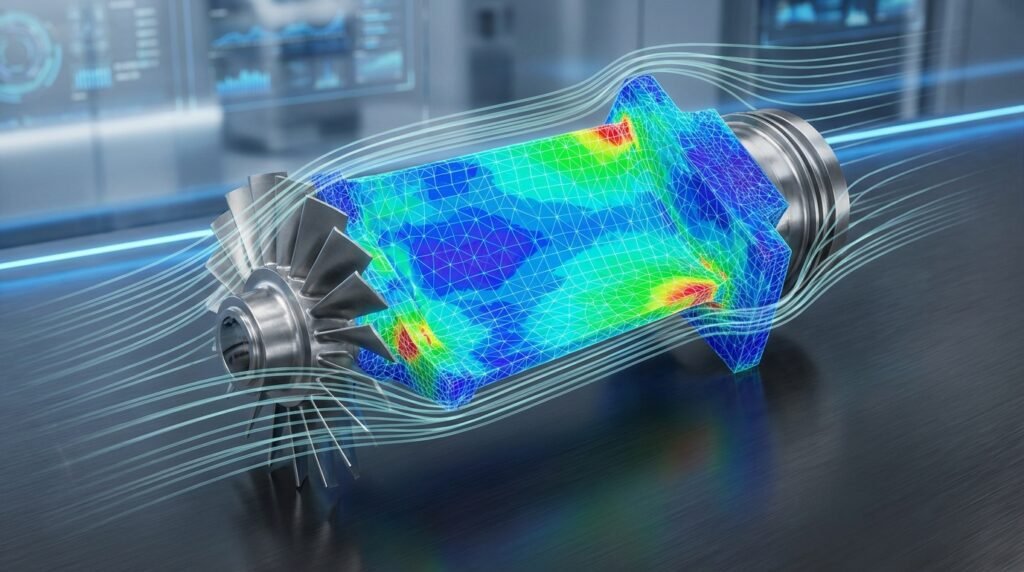
- Life Contours: Visualize predicted fatigue life (in cycles or hours) across your component. This will highlight critical areas with the shortest predicted lives.
- Damage Contours: View the accumulated damage over the specified load history.
- Factor of Safety (FoS) Contours: Understand how close different regions are to fatigue failure.
- Critical Locations: Identify specific points of failure initiation and analyze their stress/strain history.
- Sensitivity Studies: Easily perform ‘what-if’ scenarios by changing material properties, surface finish, or load factors to understand their impact on fatigue life.
Understanding Core Concepts for Accurate FE-SAFE Results
To get the most out of FE-SAFE, a solid grasp of its underlying principles is essential.
Material Data: The Heart of Fatigue Analysis
Accurate material data is non-negotiable. Fatigue properties are sensitive to manufacturing processes, temperature, and environment.
- S-N Curves (Stress-Life): Used primarily for high-cycle fatigue (> 10^5 cycles). Plots stress amplitude vs. number of cycles to failure.
- E-N Curves (Strain-Life): Used for low-cycle fatigue (< 10^5 cycles) where plastic deformation occurs. Plots strain amplitude vs. number of cycles to failure. Often derived from monotonic tensile tests and cyclic tests.
- Sources: Material handbooks, experimental testing, or reputable databases. Never guess these values.
Mean Stress Correction: Why It Matters
The presence of a mean stress (a non-zero average stress in a loading cycle) significantly affects fatigue life. Tensile mean stresses generally reduce fatigue life, while compressive mean stresses can increase it.
FE-SAFE offers several methods to account for this:
| Method | Description | Typical Application | Considerations |
|---|---|---|---|
| Goodman | Linear relationship between stress amplitude and mean stress. Most conservative. | Brittle materials, high mean stress. | Overly conservative for ductile materials. |
| Gerber | Parabolic relationship, less conservative than Goodman. | Ductile materials, high mean stress sensitivity. | May be non-conservative at very high mean stresses. |
| Soderberg | Very conservative, uses yield strength. | Design against yielding for infinite life, older approach. | Often too conservative for modern designs. |
| FKM Guideline | More complex, considers surface roughness, notch factor, and material strength. Widely used in Germany. | Steel and cast iron, industrial applications. | Requires more input parameters, can be very accurate. |
| Fatemi-Socie / Smith-Watson-Topper (SWT) | Critical plane methods for multiaxial fatigue, implicitly include mean stress. | Multiaxial loading, proportional and non-proportional. | More complex to apply and interpret. |
Surface Finish and Stress Concentration
These are critical factors:
- Surface Finish: A rough surface (e.g., as-forged or sand-blasted) has microscopic irregularities that act as stress concentrators, significantly reducing fatigue life compared to a polished surface. FE-SAFE allows you to define surface finish factors.
- Notches & Fillets: Geometric discontinuities (notches, holes, sharp corners, fillets) create stress concentrations that can drastically shorten fatigue life. Accurate FEA meshing in these areas and careful application of fatigue theories are crucial.
Advanced Applications of FE-SAFE
FE-SAFE’s versatility makes it indispensable across various engineering disciplines.
Oil & Gas and Pressure Vessels
For structures like pipelines, offshore platforms, and pressure vessels, cyclic loading from waves, wind, internal pressure fluctuations, and machinery vibrations can lead to fatigue. FE-SAFE is used extensively for:
- Fitness for Service (FFS) Level 3 Assessments: For existing components with known flaws or damage, FE-SAFE can predict remaining life, supporting repair-or-replace decisions based on standards like API 579.
- Weld Integrity: Detailed analysis of welded joints in critical components to prevent leaks and structural failures.
Aerospace and Automotive
Lightweighting and extended service life are paramount in these sectors.
- Aerospace: Fatigue analysis of airframe structures, engine components, landing gear, and control surfaces. Random vibration fatigue is critical for avionics and engine components.
- Automotive: Durability assessment of chassis, suspension components, engine blocks, crankshafts, and body-in-white structures under complex road load spectra.
Biomechanics
Fatigue analysis of implants (e.g., hip or knee prostheses) and medical devices that experience millions of load cycles throughout their lifetime.
Verification and Sanity Checks: Ensuring Reliable Fatigue Predictions
Garbage in, garbage out. The accuracy of your FE-SAFE results is directly tied to the quality of your input data and model setup. Always perform these critical checks:
1. FEA Model Integrity
- Mesh Quality: Visually inspect mesh quality, especially in high-stress regions. Elements with poor aspect ratios, skewness, or Jacobian values will lead to inaccurate stress/strain results. Ensure sufficient refinement around stress concentrations.
- Boundary Conditions & Loads: Double-check that BCs accurately represent real-world constraints. Are loads applied correctly in magnitude, direction, and location? Are they representative of the operational cycle?
- Convergence: For non-linear FEA, ensure the solution has converged properly.
2. Material Data Validation
- Source Verification: Where did your S-N/E-N curves come from? Are they appropriate for your material, temperature, and environment?
- Parameter Consistency: Ensure all material parameters (UTS, YS, Modulus) are consistent with each other and with the fatigue data.
3. Load Accuracy and Representativeness
- Realistic Loading: Is your defined load history truly representative of the component’s service life?
- Peak Stresses: Does the maximum stress from the FEA make sense? Is it below the yield strength (for S-N based methods) or appropriately handled if plastic deformation occurs (for E-N methods)?
4. Sensitivity Analysis
- Parameter Variation: Conduct small studies by varying key inputs like material properties (e.g., slightly lower fatigue strength), surface finish factors, or load magnitudes within reasonable uncertainty bounds. How much do the predicted lives change? This helps understand the robustness of your design.
- Mean Stress Correction Method: Try different mean stress correction methods (e.g., Goodman vs. Gerber) and observe the difference in predicted life. This gives insight into the conservatism of your design.
5. Comparison and Benchmarking
- Hand Calculations: For simple geometries and loading, perform rudimentary hand calculations (e.g., using simplified S-N curves and stress concentration factors) to get an order-of-magnitude check on your FE-SAFE results.
- Field Data/Test Data: If available, compare your predictions with actual field failures or laboratory fatigue test results. This is the ultimate validation.
Common Pitfalls and Troubleshooting in FE-SAFE Analysis
Even experienced engineers can stumble. Here are common issues and how to navigate them:
- Problem: Extremely short or infinite predicted life in unexpected areas.
- Cause: Often due to poor mesh quality (singularities, badly shaped elements), incorrect material data (e.g., wrong S-N curve slope), or unrealistic load magnitudes.
- Troubleshooting: Review FEA stress plots for localized spikes. Check material definitions meticulously. Re-evaluate load cases.
- Problem: Results from different mean stress correction methods vary wildly.
- Cause: High mean stresses or significant plastic deformation.
- Troubleshooting: Understand the assumptions of each method. Goodman is conservative; Gerber is less so. FKM is more detailed. For plastic deformation, E-N approaches or critical plane methods are more appropriate.
- Problem: Discrepancy between FE-SAFE predictions and physical test results.
- Cause: Real-world variability, environmental factors (corrosion, temperature), residual stresses not accounted for, inadequate loading history definition, or scale effects.
- Troubleshooting: Refine loading history to match reality. Consider environmental factors. Use more advanced material models. Consult with material specialists.
- Problem: Slow computation times for large models.
- Cause: Very fine mesh, extremely long load histories, or complex multi-axial theories.
- Troubleshooting: Optimize mesh, particularly in non-critical areas. Simplify load histories using representative blocks. Consider using parallel processing options if available.
Automating Fatigue Workflows with Python and MATLAB
For repetitive tasks, parametric studies, or integrating fatigue analysis into larger design optimization loops, Python and MATLAB can be invaluable companions to FE-SAFE. While directly scripting FE-SAFE’s internal calculations might be limited without a specific API, you can automate the surrounding workflow:
- Pre-processing Automation: Use Python scripts with FEA pre-processors (like Abaqus/CAE scripting or ANSYS APDL/Python API) to generate FEA models, apply loads/BCs, and submit jobs based on design parameters.
- Load History Generation: Python or MATLAB can process raw sensor data, generate realistic load spectra, or synthesize synthetic load histories that can then be fed into FE-SAFE.
- Post-processing Automation: After FE-SAFE generates results, Python or MATLAB can be used to parse FE-SAFE output files, extract critical life predictions, create custom plots, generate reports, or feed data into other optimization algorithms.
- Parametric Studies: Quickly run multiple FEA and FE-SAFE analyses with varying material properties, load magnitudes, or geometric parameters to explore the design space efficiently.
At EngineeringDownloads.com, we offer downloadable Python scripts and MATLAB routines designed to streamline your FEA pre- and post-processing, helping you build robust automated fatigue analysis workflows. Check out our resources for practical examples and templates!
FE-SAFE: An Indispensable Tool for Modern Structural Engineering
From ensuring the structural integrity of offshore platforms under harsh environmental loads (supporting FFS Level 3 assessments) to guaranteeing the durability of lightweight aerospace components, FE-SAFE provides the critical insights needed to design safe, reliable, and cost-effective products. Its deep integration with major FEA solvers, coupled with its advanced material models and analysis capabilities, makes it a cornerstone technology for engineers focused on durability and life prediction.
By mastering FE-SAFE, you’re not just performing simulations; you’re building confidence in your designs, mitigating risks, and ultimately contributing to safer and more sustainable engineering solutions.
Further Reading
For detailed technical documentation and advanced topics on FE-SAFE, refer to the official Dassault Systèmes FE-SAFE product page.